
The data recording control combines multiple register values under the same timestamp into one rowCombine multiple register values under the same timestamp into one rowand dynamically appends them to the table - similar to a database log. It supports up to 1000 channels (columns), retains data in case of power loss, and supports paging, clearing, and CSV export.
1. Core Capabilities
- Multi-channel synchronous recording: Each record can include up to 1000 channels, with each channel bound to a register
- Time-aligned sampling: All channels are read at the same time
- Real-time table: New records are automatically appended and can be scrolled through
- Persistence: Stored in Flash, retains data in case of power loss; supports paging/clearing/CSV export

2. Attribute Introduction
2.1 Basic Settings
| Attributes | Description |
|---|---|
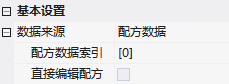
| Data Source | Data Collection (from the same register at different times) / Recipe Data (display of recipe content) |
| String Table | Check when the data collection type is STRING, and display as a string |
| Time Sorting | Time Sequence / Reverse Order |
| Date/Time | Display Time / Date / Time and Date |
| Recipe Data Index / Direct Editing | Select Recipe Set; After selecting, click on the table parameters to directly modify |
| Number of Channels | Number of Data Channels |
| Table Settings | Title, Text Width; Automatic Column Width (proportional) or Fixed Pixels |
| Fixed Columns | None (fully scrollable) / 1 Column (fixed sequence number) / 2 Columns (fixed sequence number + time) |
| Rows per Page / Scrollbar / Gesture Swiping | Pagination Display; Vertical Scrollbar; Gesture Swiping |
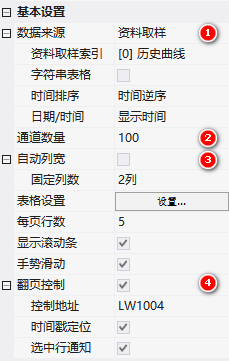
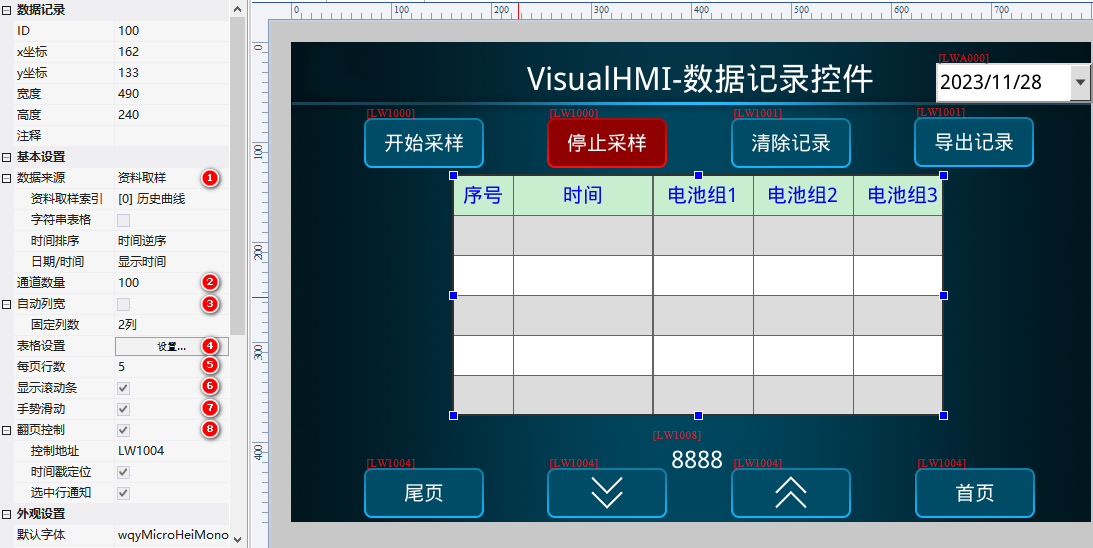
Page Turning Control(Starting from Addr): Addr+0 to turn pages (1 for up/2 for down/3 for first page/4 for last page); Addr+1 to read feasibility (BIT1~4); Addr+2~3 to locate timestamps (UINT32, with a dropdown to locate by day); Addr+4~5 to notify selected rows (UINT32, with selected row numbers starting from 0).
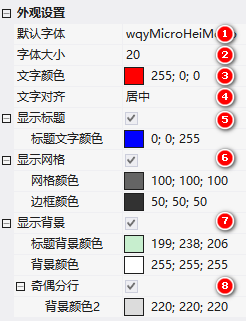
2.2 Appearance Settings
Font/Size/Color/Alignment, Title (including Title Text Color), Grid (Grid/Border Color), Background (Title Background/Content Background), Odd/Even Line Break (Background Color 2).
3. Application Cases
3.1 Data Acquisition (100 Channels)
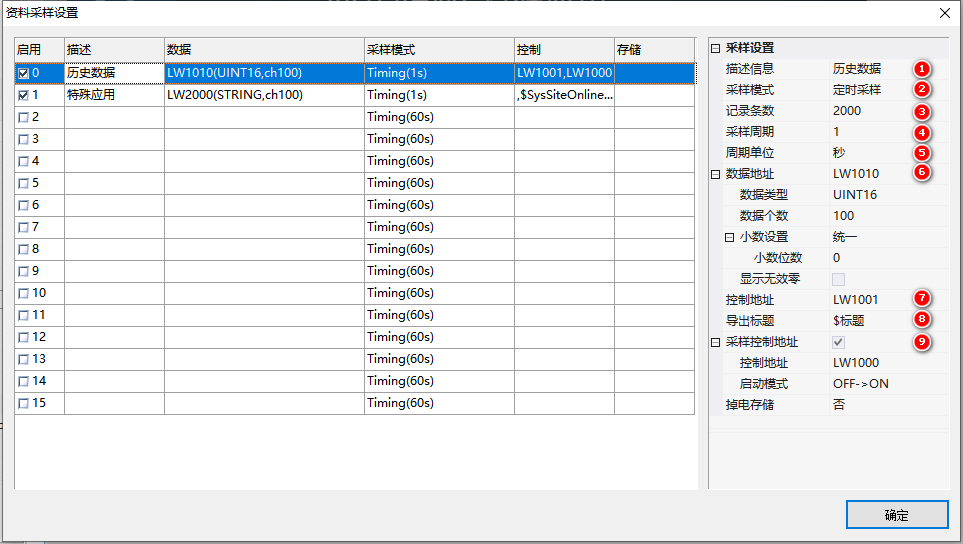
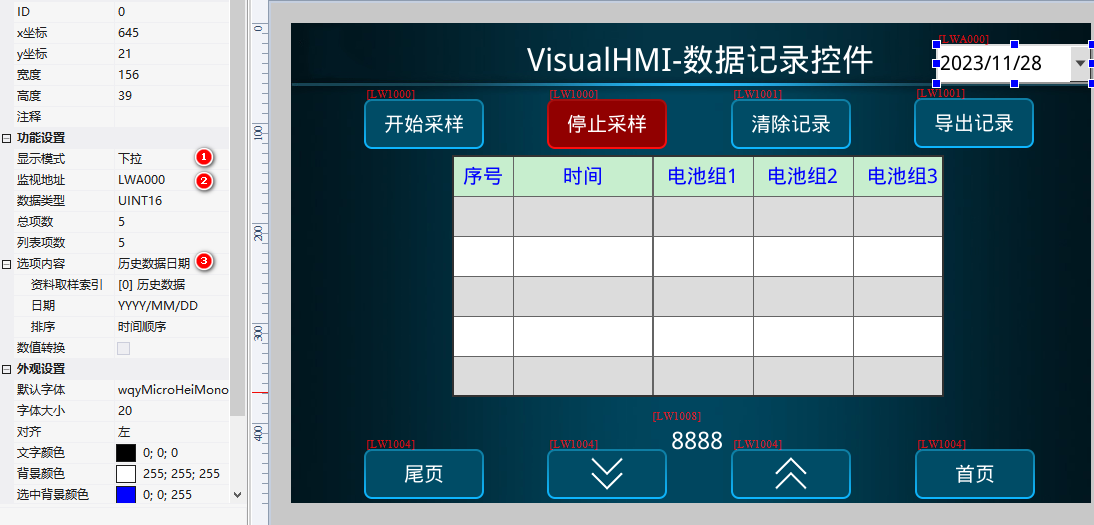
Data Collection: Describe "Historical Data", scheduled sampling, 2000 entries, cycle 1 second, data addressLW1010, INT16, number of data 100, control addressLW1001, sampling controlLW1000OFF→ON. Data recording control: Data source data collection (index [0]), channel 100, time in reverse order, fixed column 2, 5 rows per page, scroll bar + gesture sliding, page turning controlLW1004, allow page turningLW1005, timestampLW1006, selected rowLW1008.
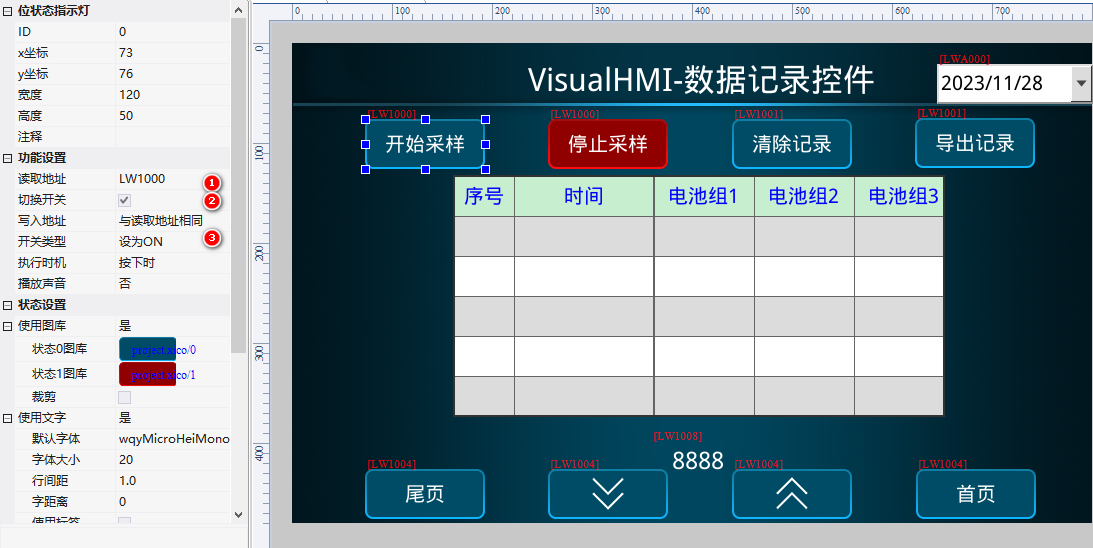
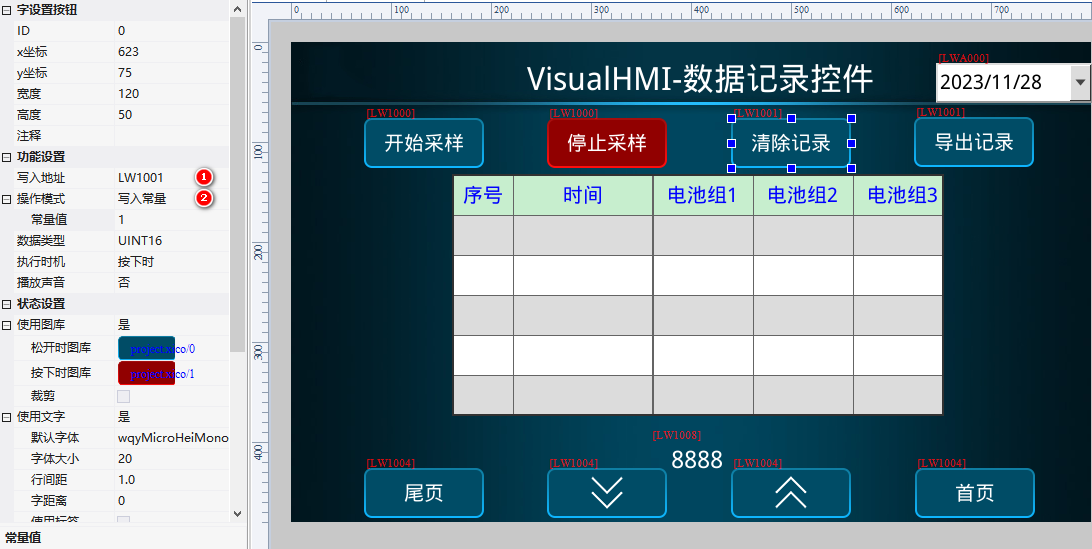
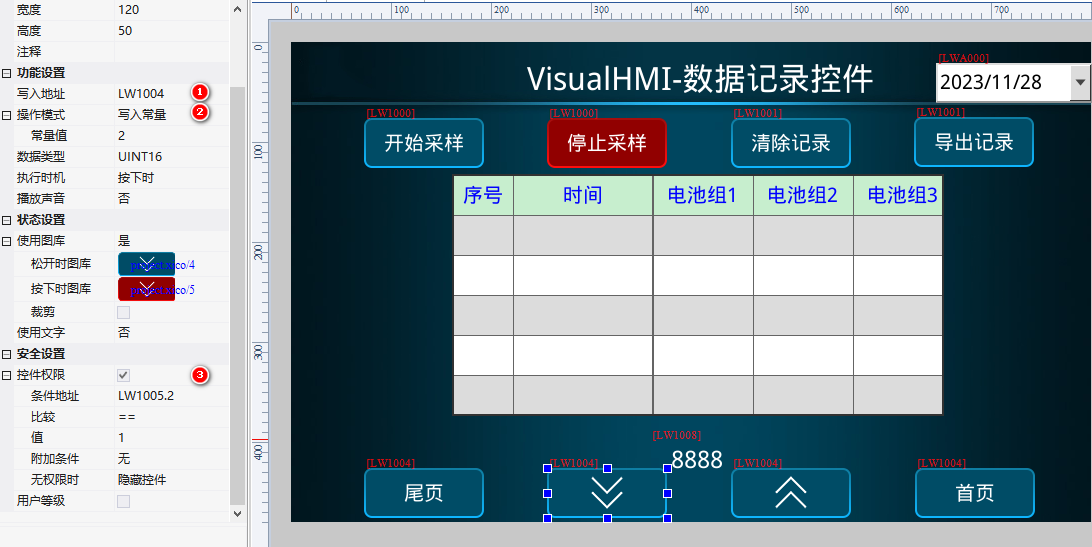
Sampling Enable: Bit Status Light BindingLW1000(ON to start/OFF to stop); Clear/Export: The word button is bound toLW1001Write 85 (Clear)/1 (Export); Page turning: 4 buttons are bound toLW10041/2/3/4 + PermissionLW1005.1/.2.
Time stamp positioning: The dropdown menu is bound to0xA000Option content = historical data date (data sampling index [0]), select a specific day to locate the first record of that day.
3.2 Special application: Address discontinuity/Different types (String table + LUA)
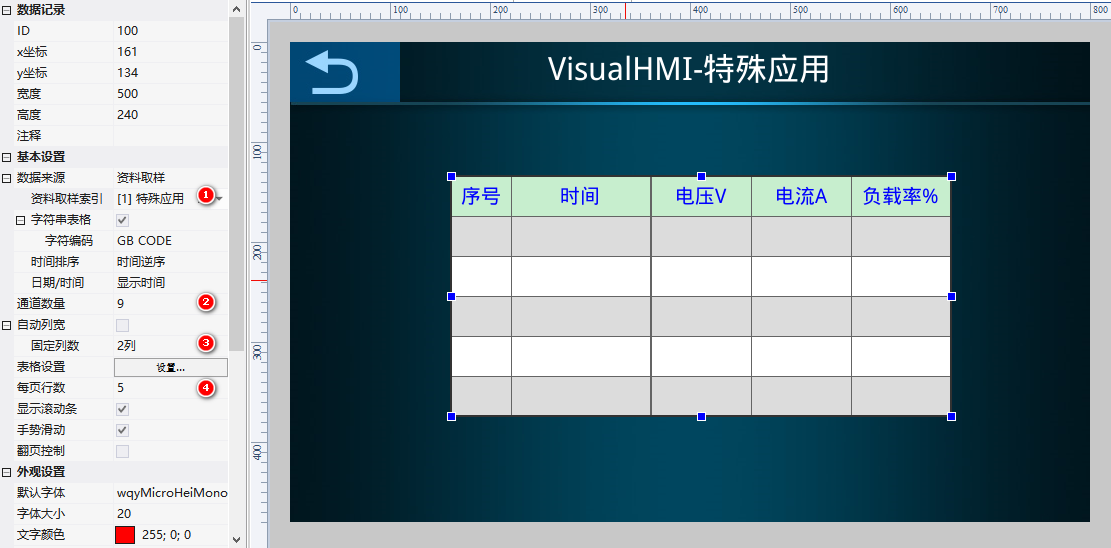
When the register addresses are discontinuous and the data types are inconsistent (such as voltage 4x0000 UINT32, current 4x0007 UINT32, load rate 4x0015 UINT16, harmonic 4x0021 INT16, power factor 4x0026 UINT32...), the string table scheme is used: data collection data addressLW2000, type STRING, quantity 100; LUA reads values from each register in on_run, concatenates the strings, and writes them to LW2000, with each column separated by a semicolon (;)
function on_init()
  set_run_cycle(1000)
  start_read(0, VT_4x, 0, 80)   -- 读从站1保持寄存器 0x0000~0x0050
end
function on_run(screen)
  if (get_uint16(VT_LW, 0x01A3) & 0x0001) == 0x01 then  -- 从机在线
    select_slave(0)
    local vol = get_uint32(VT_4x, 0x0000)  -- 电压
    local cur = get_uint32(VT_4x, 0x0007)  -- 电流
    -- ... 读其它寄存器
    local rcrd = string.format("%0.2f", vol/100)..";"..
                 string.format("%0.2f", cur/100)..";"..
                 -- ... 拼接所有列
    set_string(VT_LW, 0x2000, rcrd)  -- 写到 LW2000
  end
end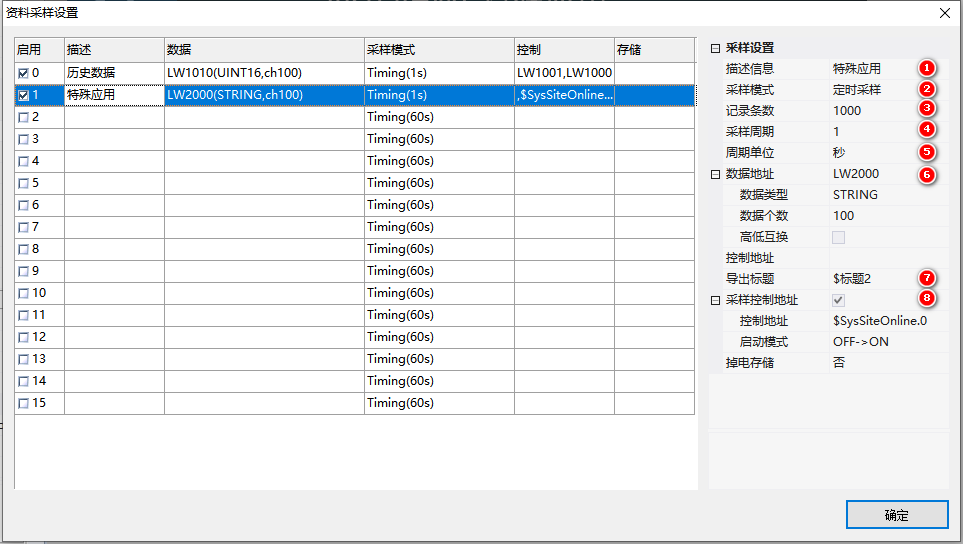
Compiled from the "Data Recording" tutorial in the VisualHMI development documentation of Guangzhou Dacai Technology (hmi-doc.gz-dc.com), copyright reserved by Dacai Technology.


Leave a Reply