
The numeric control is the most core input/display control in HMI: displaying register values, popping up a keyboard for input, converting engineering quantities, and providing over-limit alarms. This article will thoroughly discuss data types, scaling, range limits, warning colors, and password display.
1. Core Capabilities
- Data Types: INT16/INT32/INT64, INT16/INT32/INT64, FLOAT (32-bit IEEE754)/DOUBLE (64-bit)
- Input and Display: Directly changing values using the on-screen keyboard; linear scaling y=ax+b for engineering quantity conversion; invalid value handling (0 can be displayed as blank/—)
- Over-limit Alarms: The numeric value automatically changes color/flashes when it exceeds the range, supporting multi-level thresholds (warning zone/alarm zone)
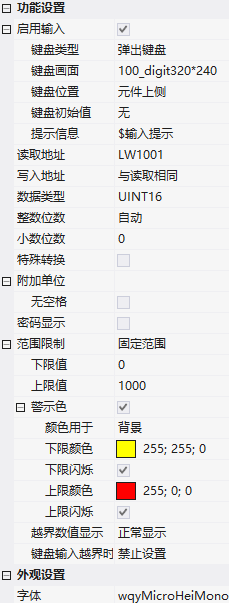
2. Function Settings
2.1 Input and Keyboard
| Attributes | Description |
|---|---|
| Enable input | Whether the keyboard can be inputted through the keyboard type/screen |
| Keyboard type/screen | Pop-up keyboard; keyboard location screen |
| Keyboard position | Component top/bottom/left/right side, screen top/bottom/left/right side, centered, custom coordinates |
| Keyboard initial value | Whether the keyboard has an initial value |
| Prompt information | Associated text label, keyboard screen control associated with $SysKBTipInfo to display prompts |
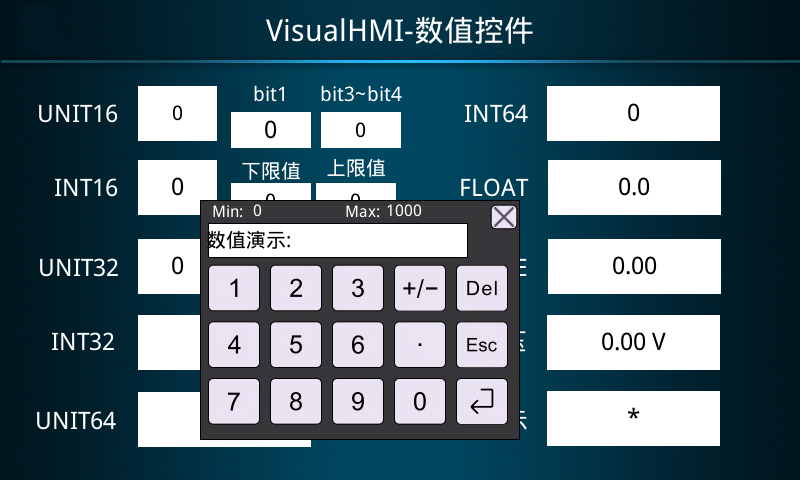
2.2 Address and data type
- Read address / write address: Can be the same (read and write to the same address) or different (read A and write B)
- Number of integer digits: Number of integer parts, which can be padded with zeros
- Number of decimal digits: Integer type used to express decimals (original value 1234 set to display 12.34 with 2 decimal places); floating-point type retains decimal places (123.4 set to display 123.4 with 1 decimal place)
- Special conversion: Actual value = original value × scaling + offset
- Additional unit: Value followed by a unit, up to 4 bytes, can be displayed compactly without spaces
- Password display: Display numbers as *
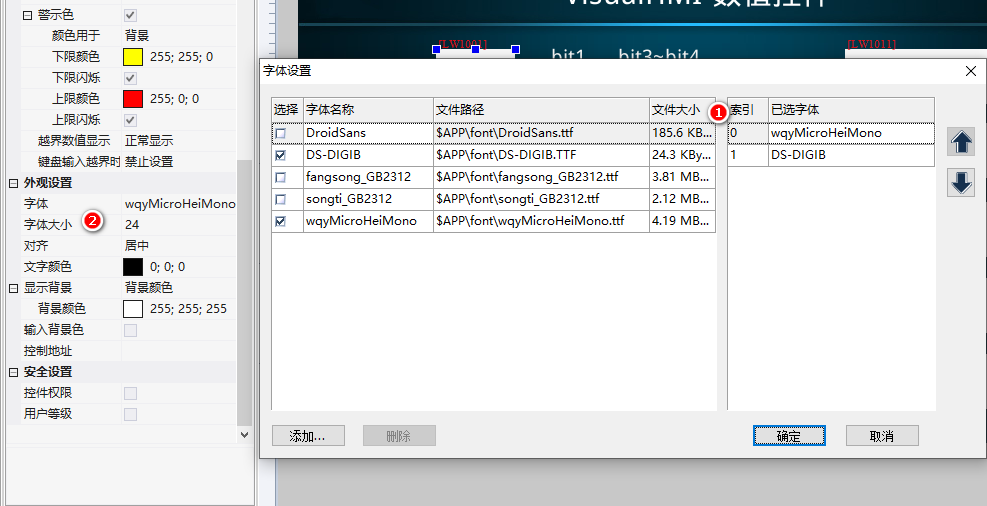
2.3 Range Limit and Warning Color
| Attributes | Description |
|---|---|
| Range Limit | None / Fixed Range (Lower Limit + Upper Limit) / Variable Range (Lower Limit Address + Upper Limit Address, dynamically changed during runtime) |
| Warning Color | Color used for text or background; Lower Limit Color/Flashing (Value < Lower Limit); Upper Limit Color/Flashing (Value > Upper Limit) |
| Out-of-Range Value Display | Normal Display / #### / * / ---- / Blank |
| Keyboard Input Out-of-Range | Disable Setting / Set as Boundary Value / Cancel Setting |
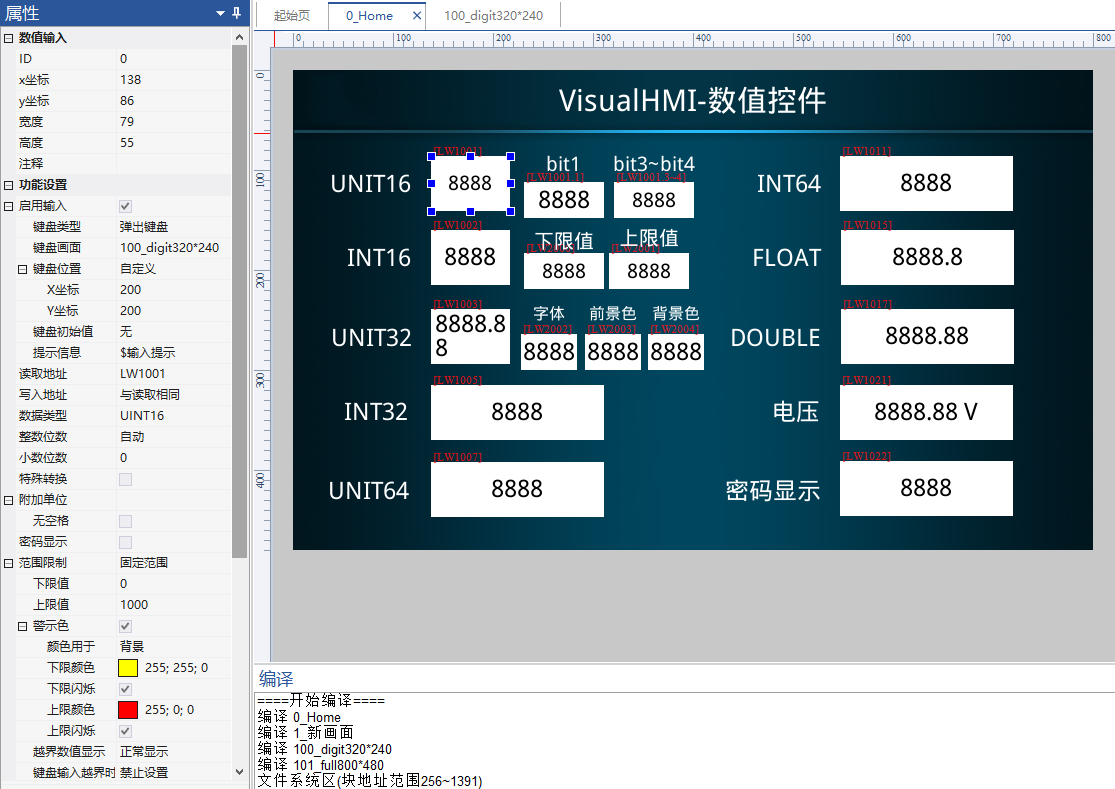
2.4 Control Address (Style dynamically changed during runtime)
Dynamically set font, foreground color, and background color through continuous addresses:
- Control address +0 (e.g. LW1000): High 8 bits = font number, low 8 bits = font size
- Control address +1 (LW1001): foreground color, 16-bit RGB565
- Control address +2 (LW1002): background color, 16-bit RGB565
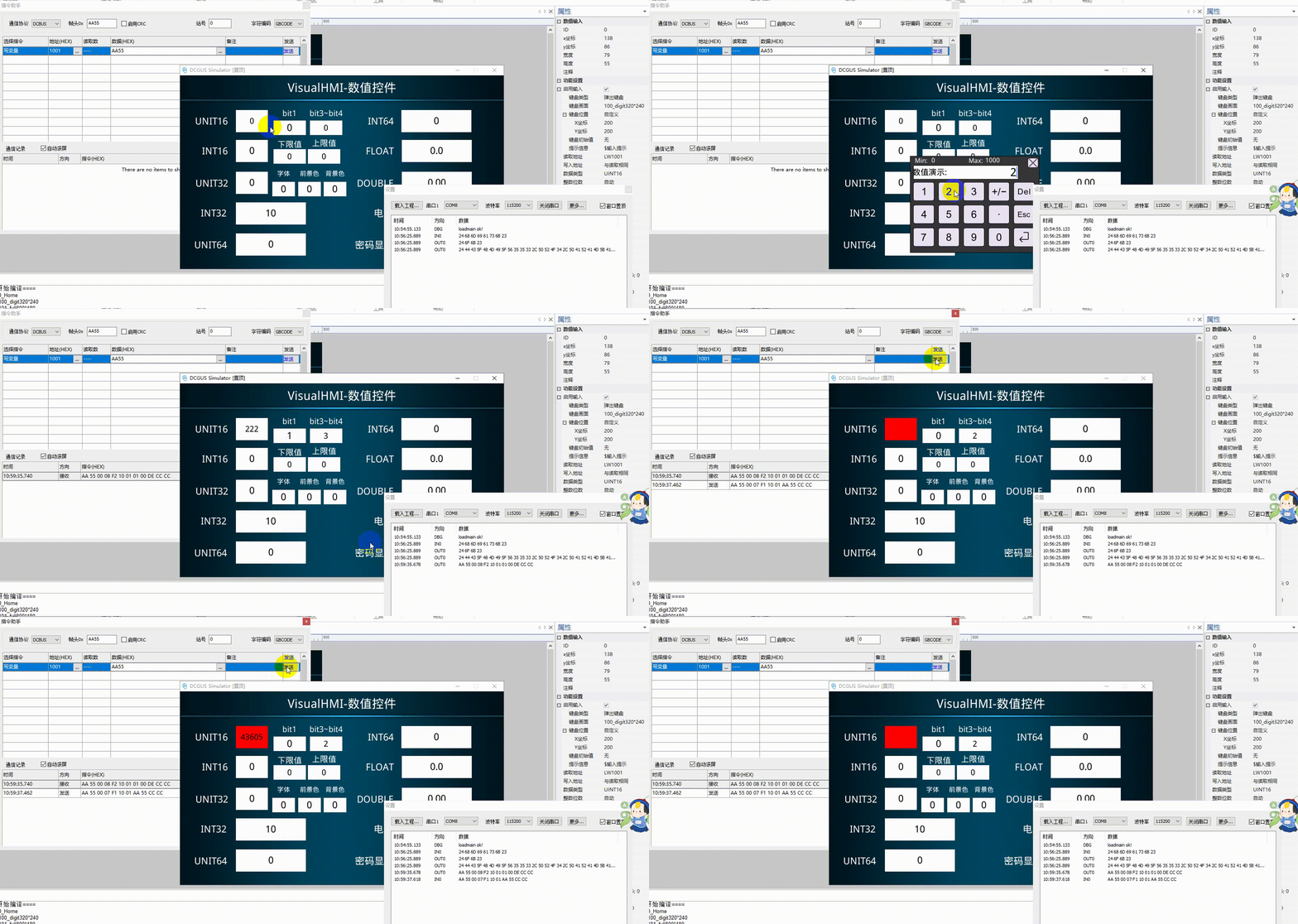
3. Application Cases
3.1 Fixed Range + Warning Color
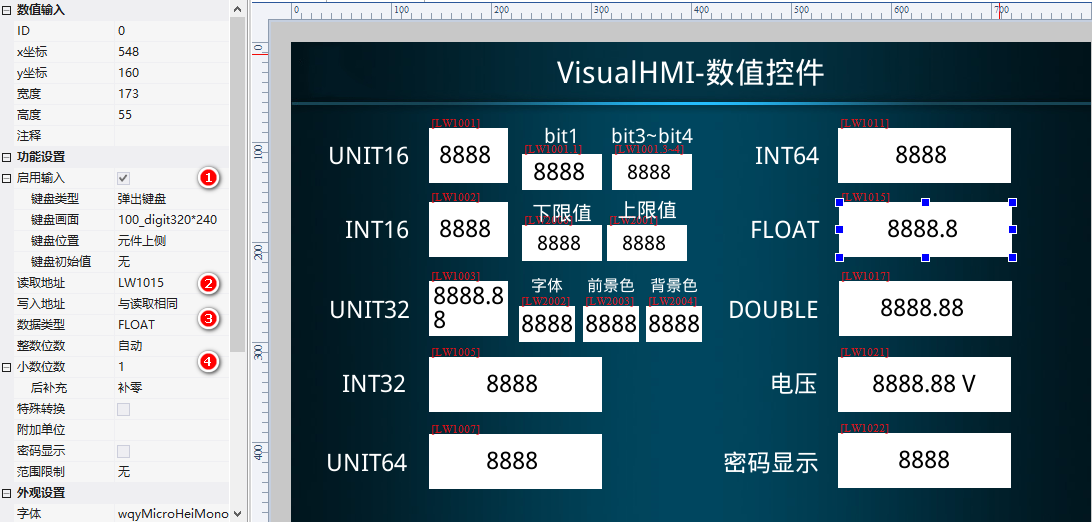
ReadLW1001(UINT16), range 0~1000, warning color for background: lower limit yellow (255;255;0) flashing, upper limit red (255;0;0) flashing, normal display when out of range, keyboard out-of-range setting prohibited. PLC transmits value out of range, background immediately turns yellow/red.
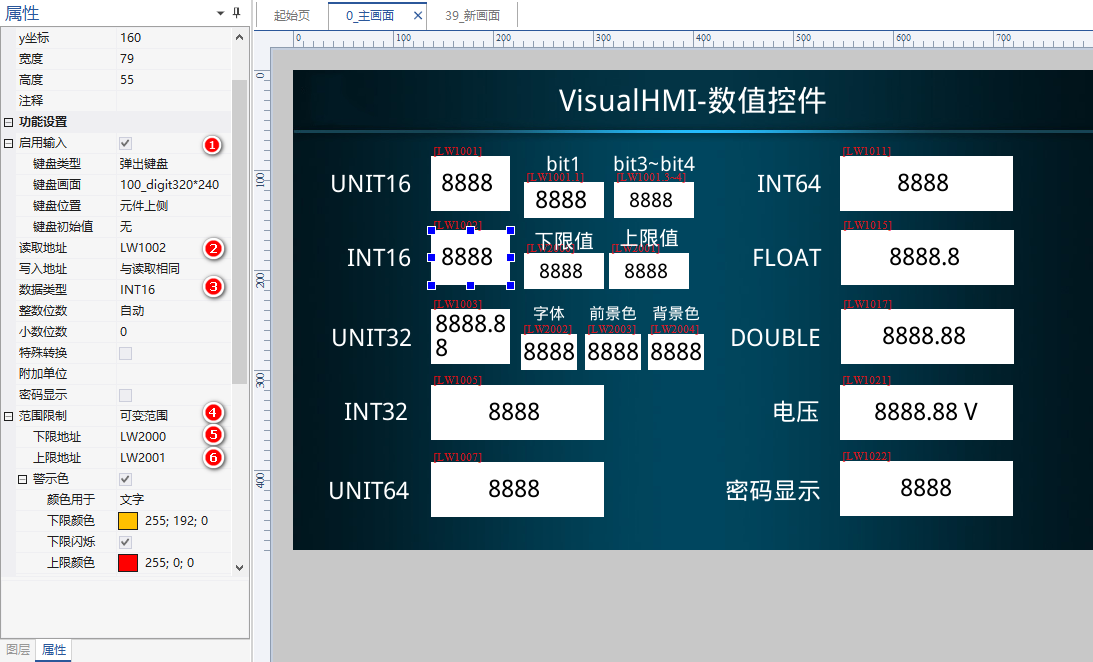
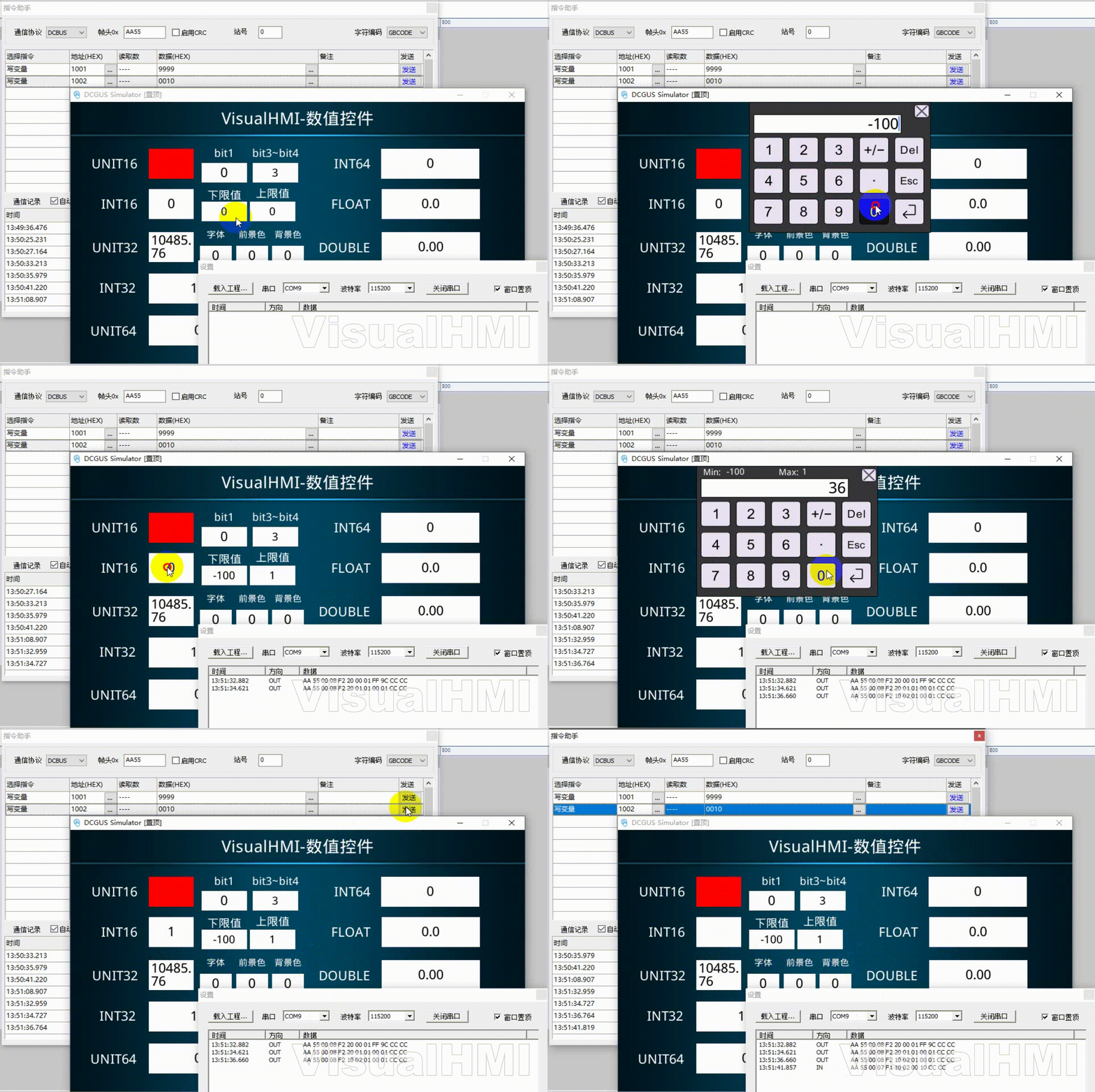
3.2 Variable Range
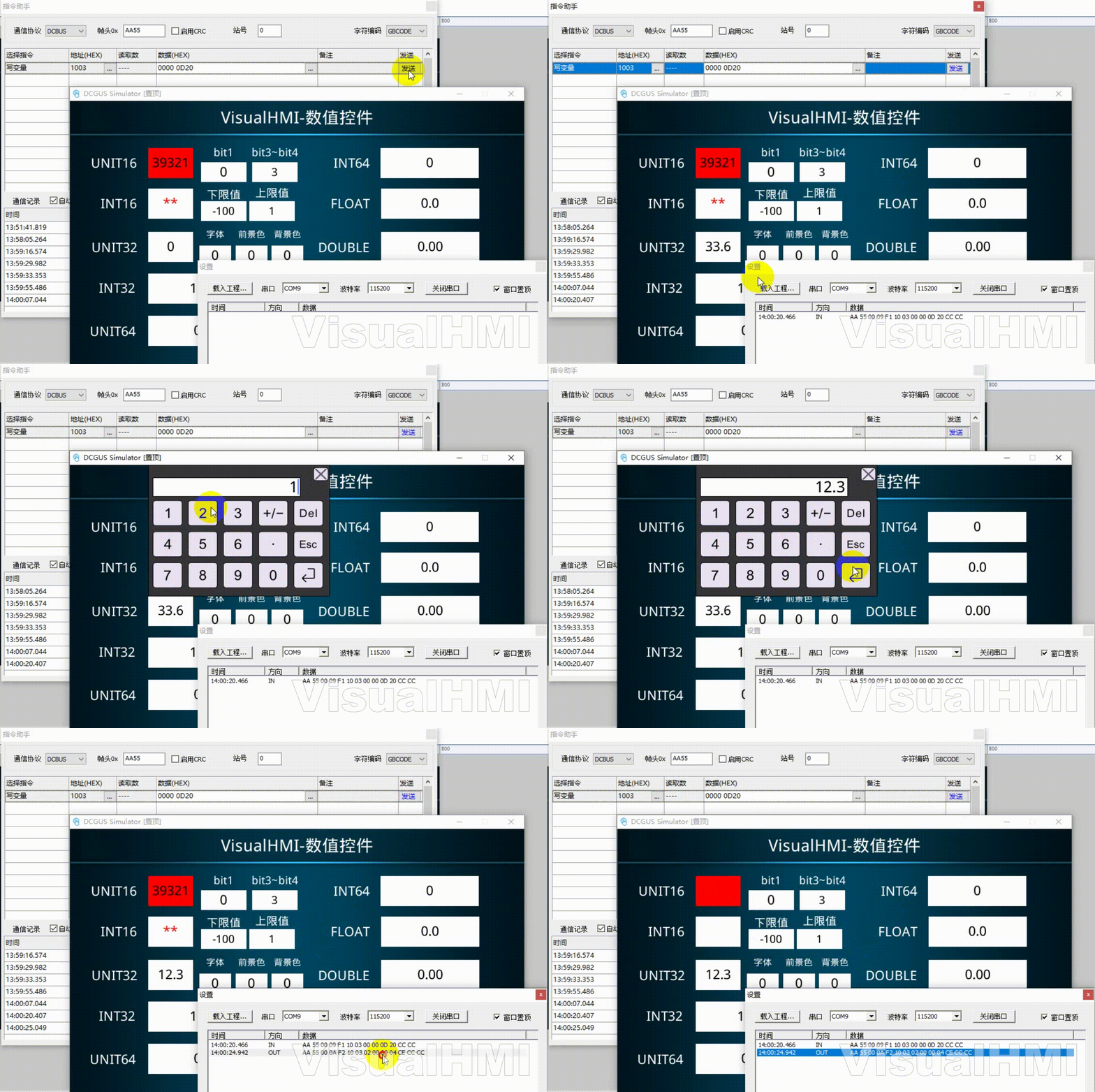
ReadLW1002(INT16), lower limit addressLW2000, upper limit addressLW2001(Keyboard input change boundary). Set upper limit to 1 and lower limit to -100: The text changes to orange when the value is out of range (<-100) or red when it is >1. If the keyboard input exceeds the boundary, "Cancel setting" will retain the original value.
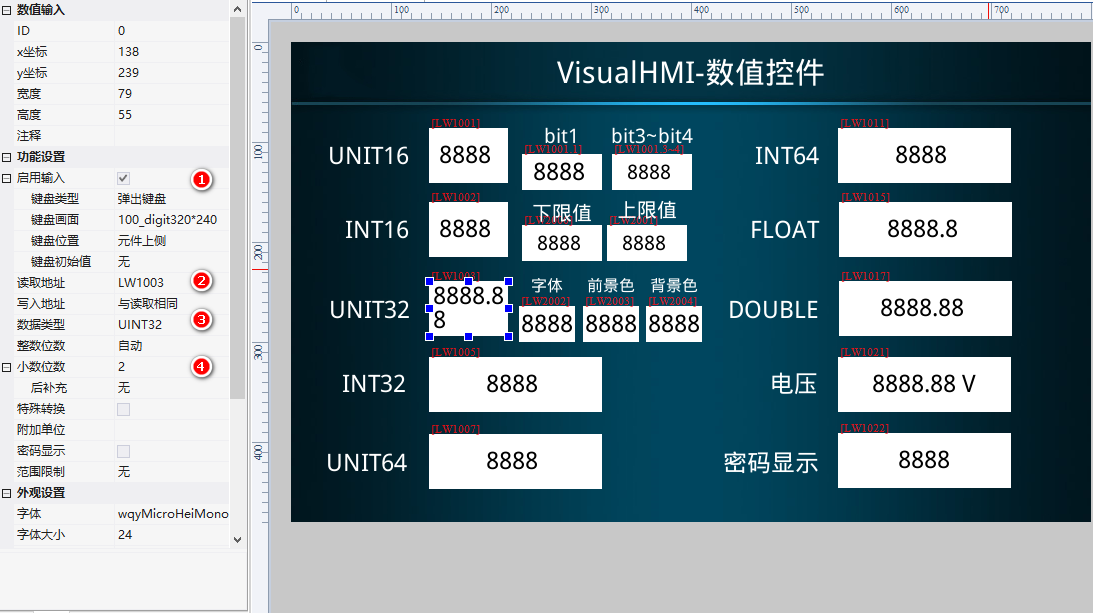
3.3 Display decimal (32-bit integer)
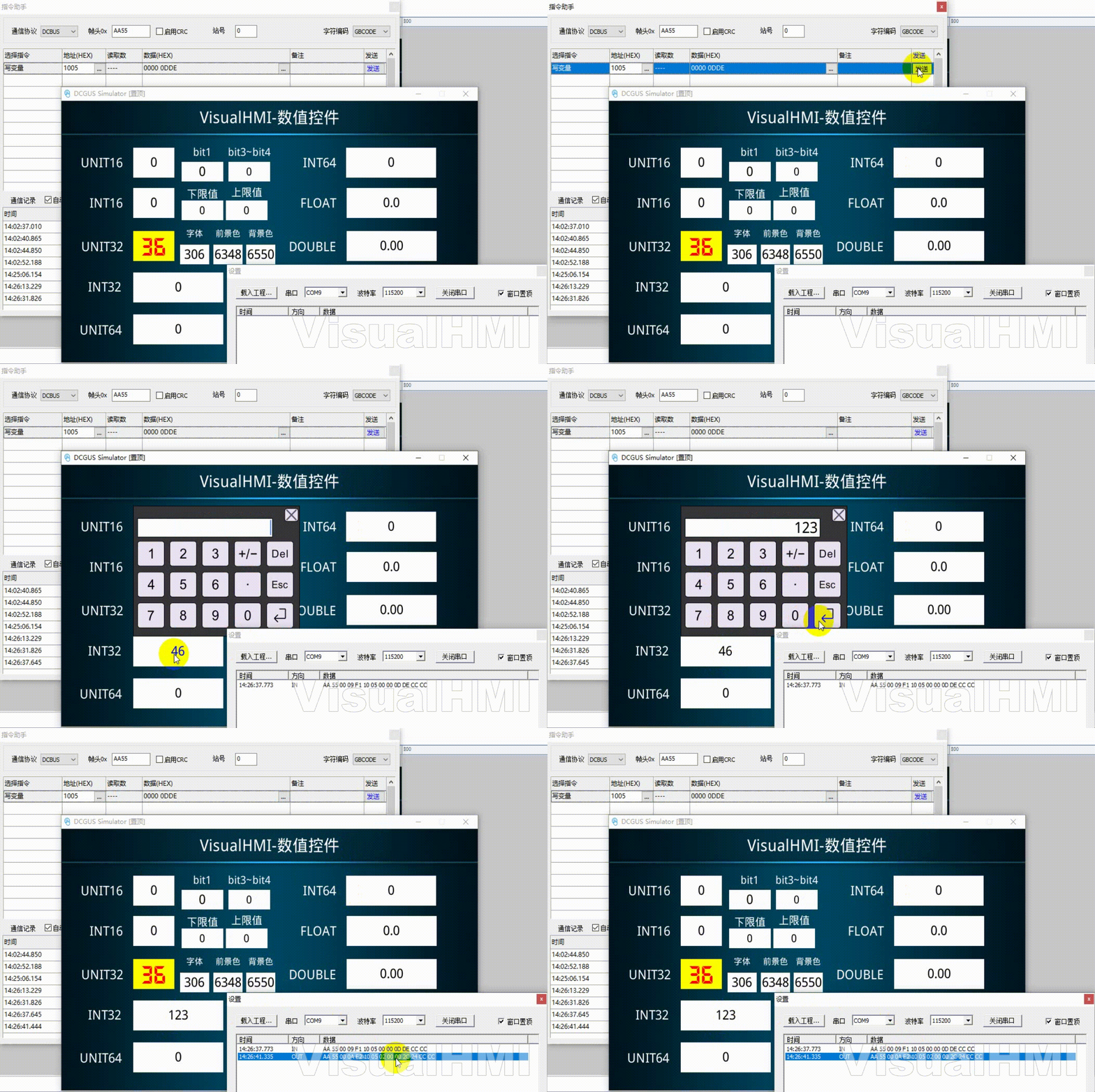
ReadLW1003(UINT32), with 2 decimal places. PLC transmits 3660(0x0D20) and displays 36.6; keyboard input 12.3, and writes back 0x04CE(1230) to PLC.
3.4 Change control address style
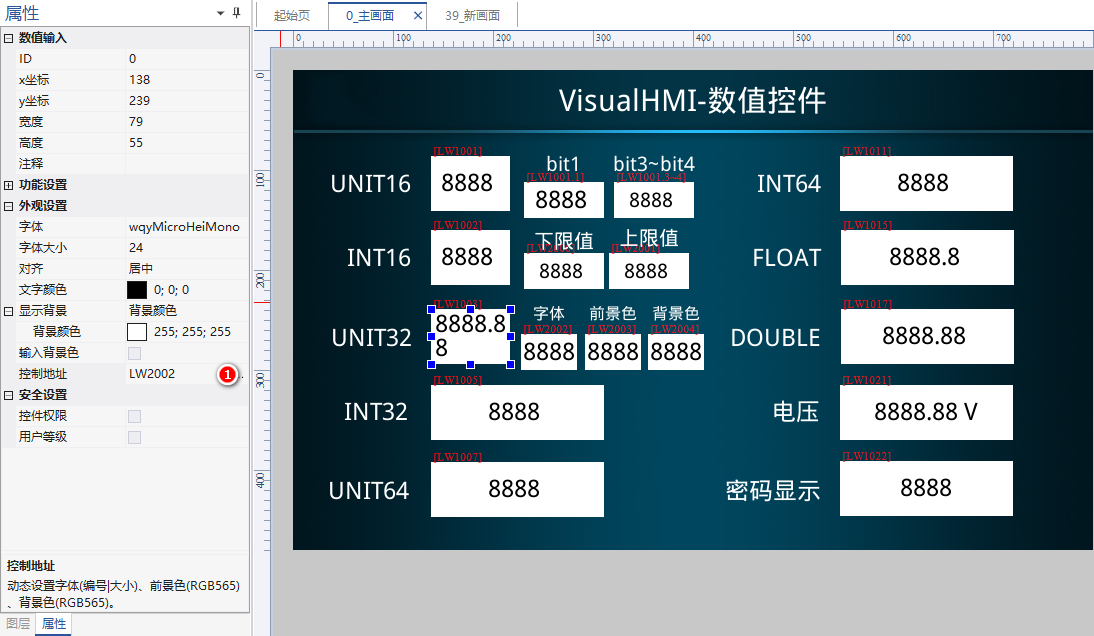
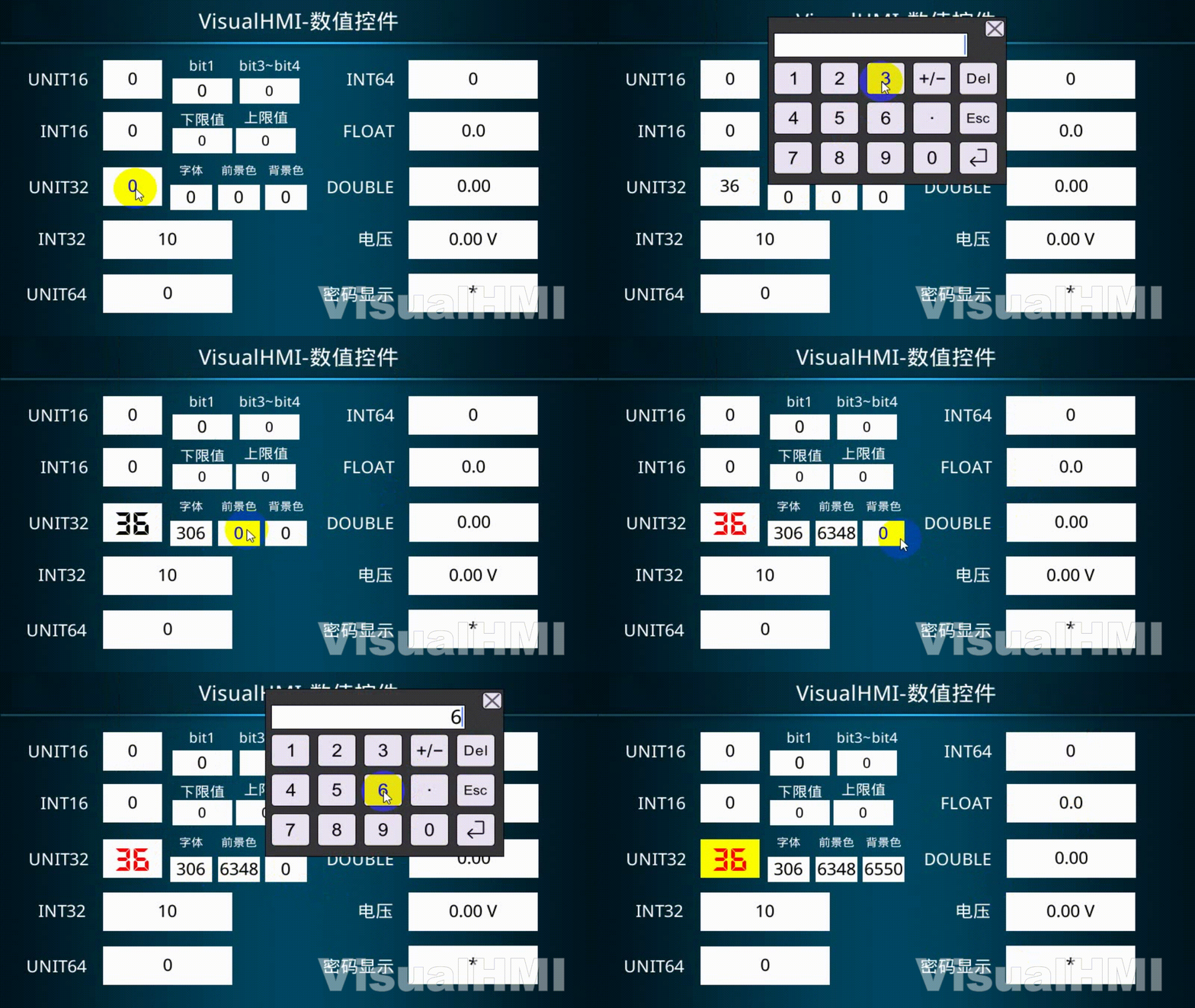
Control addressLW2002: LW2002=0x0132(306) indicates font 1, size 50; LW2003=0xF800(63488) red foreground; LW2004=0xFFE0(65504) yellow background. PLC can dynamically change the style by modifying these three addresses.
3.5 Special conversion + unit
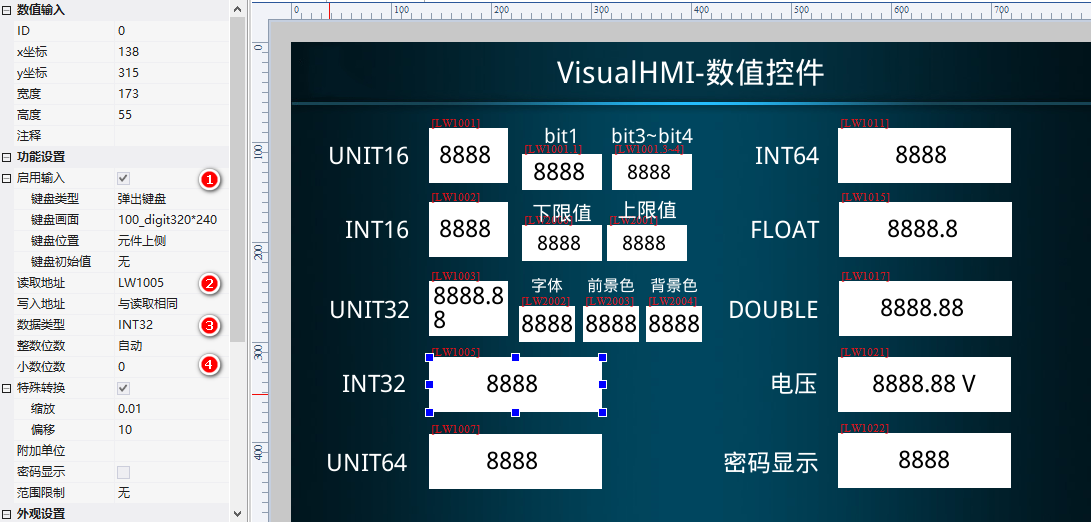
ReadLW1021(UINT16), with scaling of 0.1, offset of 0, 2 decimal places, and unit V. The original value 123 is converted to 12.3 and displayed as 12.30V.
3.6 Password display
ReadLW1022Check the password display. Both keyboard input and PLC value transmission are displayed as **, with the number of characters depending on the actual number of characters.
Compiled from Guangzhou Dacai Technology VisualHMI development documentation (hmi-doc.gz-dc.com) configuration control tutorial "Numerical Control", copyright belongs to Dacai Technology.


Leave a Reply