
Operation Record Control recordsuser screen clicks. The table displays: operation time, user level, operation description, register address, and register content changes. It is suitable for auditing who has changed what parameters and when.
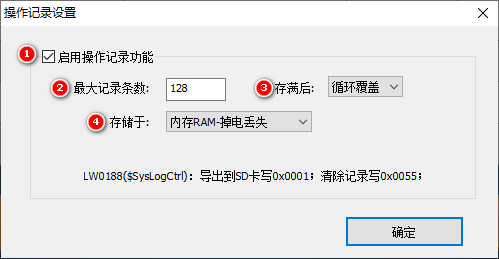
1. Operation Record Settings (Engineering → Operation Record Settings)
| Attribute | Description |
|---|---|
| Enable Data Operation Function | After checking, the "Operation Record" option appears in the "Security Settings" of the control |
| Maximum Record Count | 1~65535 |
| After reaching capacity | Overwrite / Stop Storing |
| Stored in | memory RAM (not saved in case of power loss) / Flash (saved in case of power loss) |
| storage block address | starting storage address; the number of occupied blocks is automatically calculated by the system (3 blocks per 128 entries) |

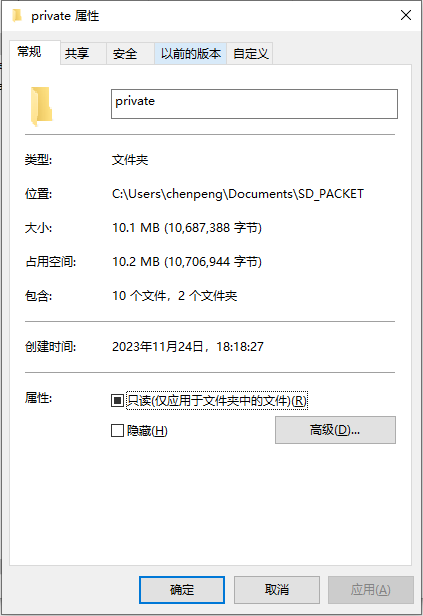
Flash calculation is the same as before: 16M, block size 4K, default block address 2048 (starting from 8M). 128 entries → 3 blocks of 12K. When the project size is 10.1M, it starts from 11M for storage, block address = (11×1024)/4 = 2816.
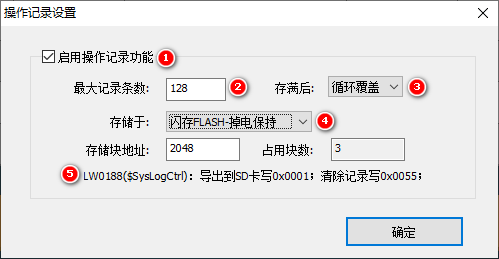
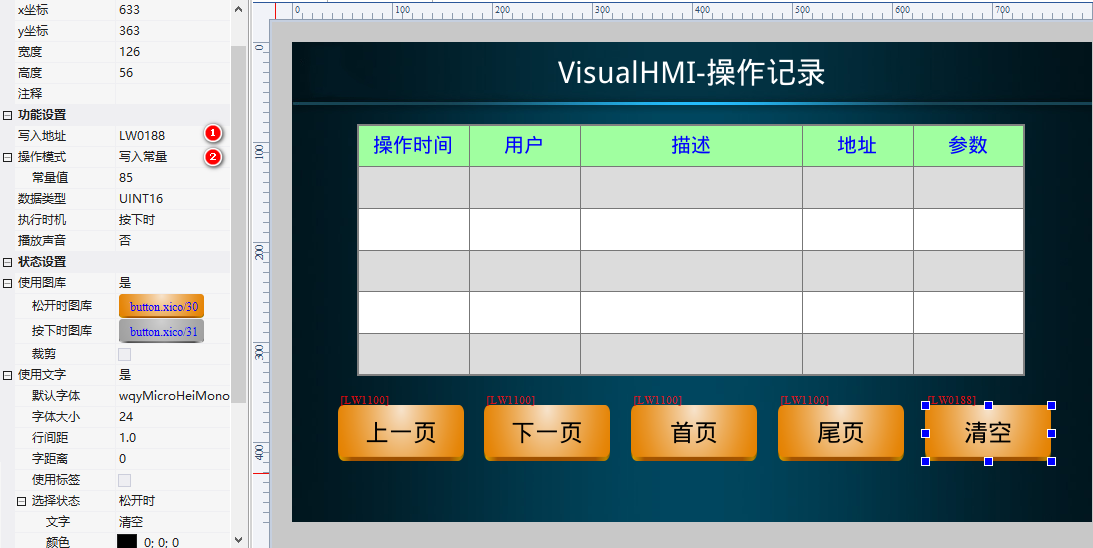
System operation log control: write 0x0001 toLW0188to export all records to the SD card; write 0x0055 to clear.
2. Attribute introduction
2.1 Basic settings
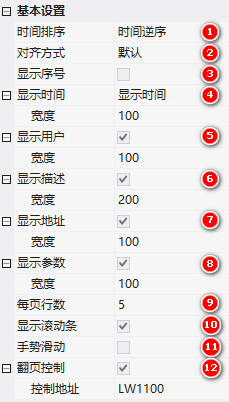
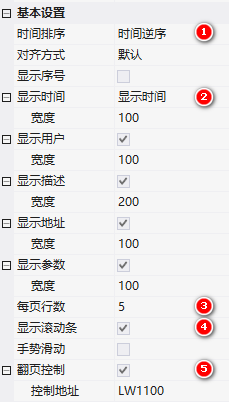
Time sorting (forward/reverse), alignment method (default/specified), display sequence number, width proportion, display time (format + width), display user (level name + width), display description (+ width), display address (+ width), display parameter (+ width), lines per page, display scroll bar, gesture sliding, page turning control (control address).
2.2 Appearance Settings
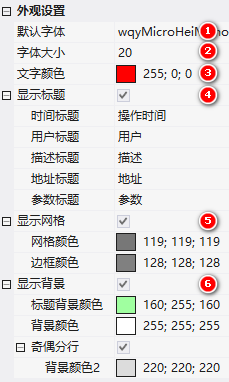
Font/Size/Color; Display Title (Time/User/Description/Address/Parameter Title Name); Display Grid (Grid/Border Color); Display Background (Title/Content Background Color); Odd/Even Line Break (Background Color 2).
3. Application (3 Steps)
- Enable: Project → Operation Record Settings, enable data operation function, maximum 128 entries, circular overwrite, RAM storage
- Configure Controls: Operation Record Controls, time in reverse order, display time, 5 lines per page, scroll bar + page turning control
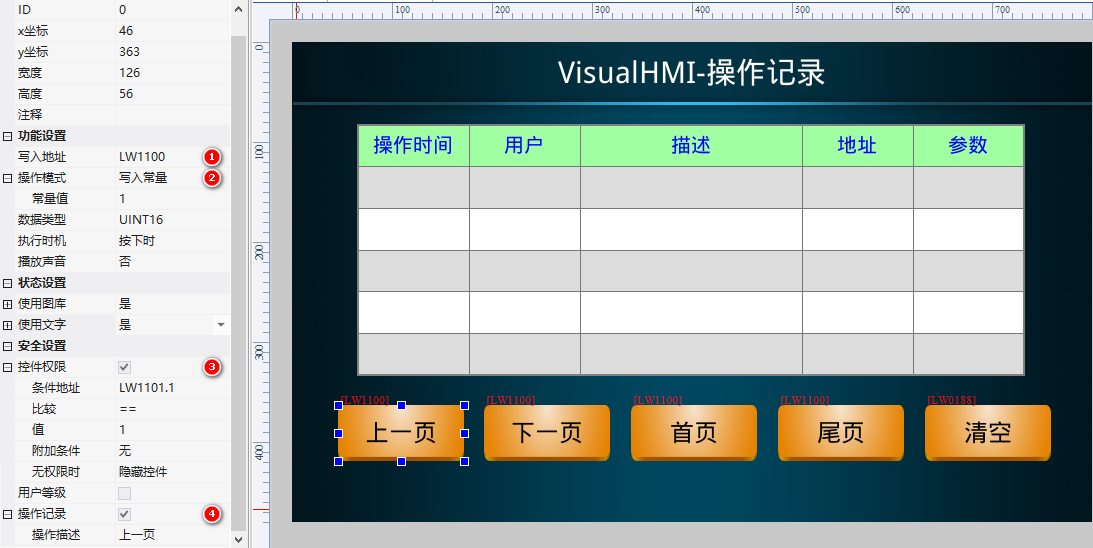
LW1100 - Fill in Records: Touchable control attribute bar enables "Operation Record" (supports touchable controls such as bit/word buttons)
Page Turning Example: 4 word buttons bound toLW1100(constants 1/2/3/4), permission conditionLW1100.1/.2==1 controls display/hide (also checks for previous/next page), check "Operation Record + Operation Description" for "Previous Page/Next Page/First Page/Last Page". Clear button boundLW0188Write 85.
Compiled from the "Operation Record" tutorial in the VisualHMI development document of Guangzhou Dacai Technology (hmi-doc.gz-dc.com), the copyright belongs to Dacai Technology.


Leave a Reply