
The embedded screen is asuper-screen content browsingcontainer: physical screen 800×480, but the logical screen size can be up to 10000×10000. In the window, users can drag and browse with their fingers, like "viewing long images on a mobile phone" or "roaming on a map". It is suitable for product introductions and large-sized process diagrams.
1. Attribute introduction
| Attribute | Description |
|---|---|
| Initial screen | Initial screen displayed by the control |
| Touch sliding | Disable / Up/Down / Left/Right |
| Slide notification | Whether to upload event notifications when sliding |
| Display slider | Whether to display scroll bar |
| Read address | LW=target screen; LW+1=offset position (scroll bar position) |
2. Application case
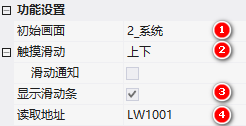
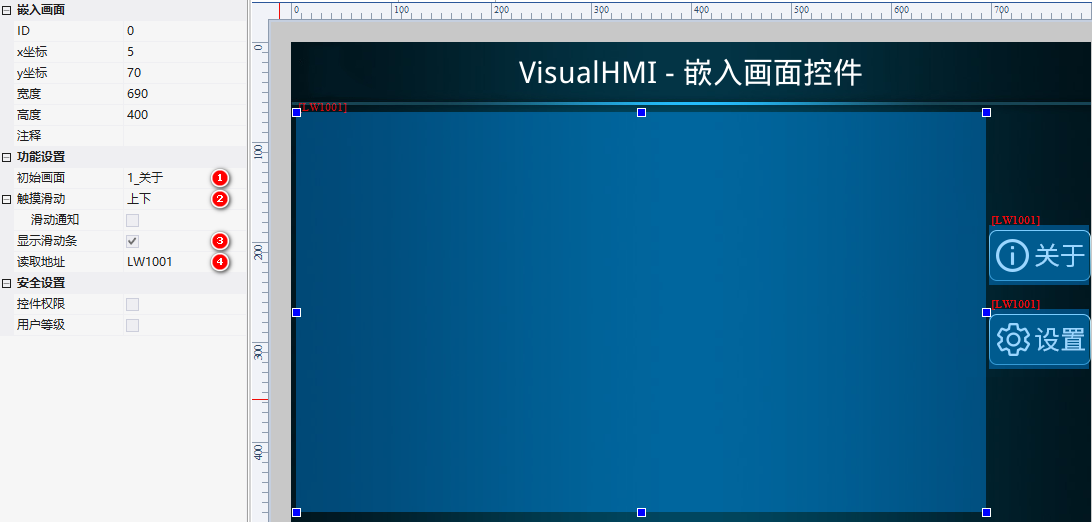
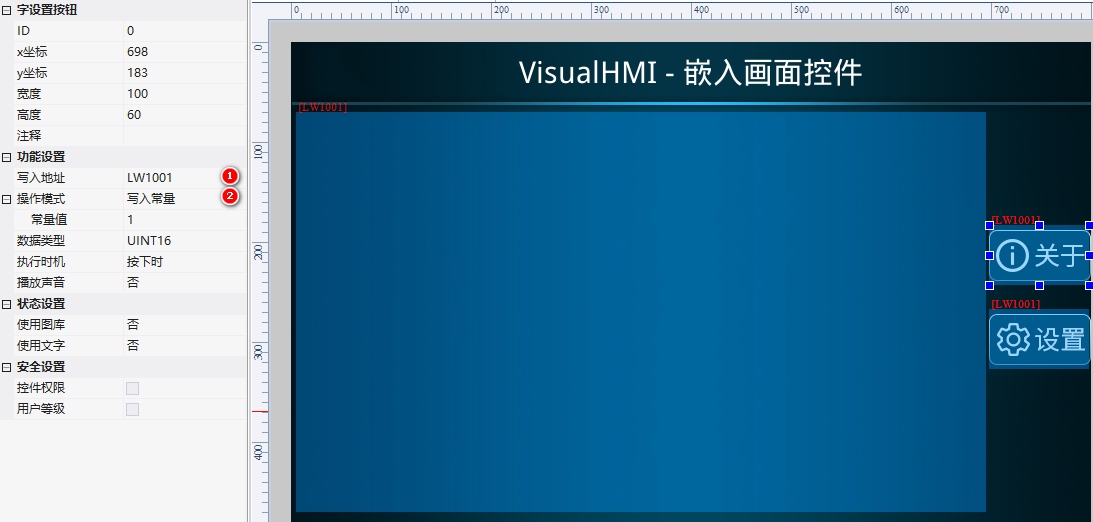
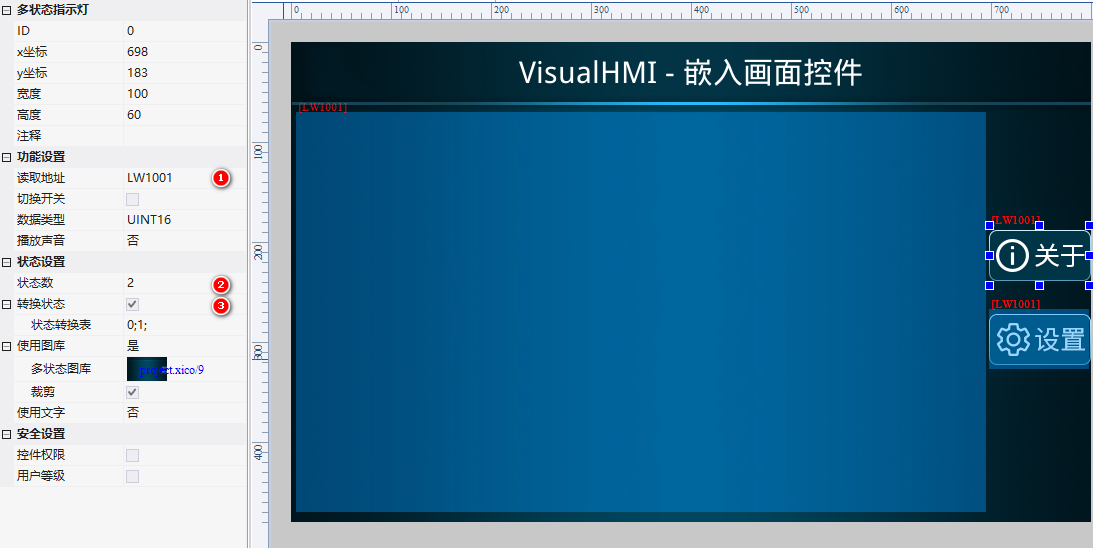
Embedded screen control: initial screen 1_About, touch to slide up and down, display slider, readLW1001. Configure button + multi-state indicator light for button exclusive switching to target screen (About=write 1, Settings=write 2):
- About-word configuration button: write address
LW1001, write constant 1; multi-state indicator light: state count 2, conversion table 0;1 - "About" screen logical size 700×1200 (place multiple text controls to introduce the software); "Settings" screen 700×1213 (place system parameter controls)
Operation: Embedded screen is associated with the "About" page, slide to view the full content; click the settings button to switch to the "Settings" page.
Compiled from the VisualHMI development documentation of Guangzhou Dacai Technology (hmi-doc.gz-dc.com), the configuration control tutorial "Embedding Screen", copyright belongs to Dacai Technology.


Leave a Reply