
The word setting button is awrite-onlycontrol dedicated to writing predefined values to registers: parameter setting, mode switching, and command issuing. It supports writing constants, increment/decrement, and pressing to write A and releasing to write B (pulse mode).
1. Core functions
- Constant writing: Click to write a fixed value (e.g., writing 100 = target temperature 100℃)
- Increment/decrement: Each click increments or decrements by +1 or -1, with step length/minimum/maximum/cycle settings, enabling frequency ±1Hz fine adjustment
- Button mutual exclusion: Multiple word setting buttons bound to the same register + multi-state indicator lights, enabling mutually exclusive mode selection
- Instant interaction: No state retention, releasing restores the default appearance;Pulse Write: Press to write A value, release to write B value (e.g., enable=1, disable=0)
2. Attribute Introduction
2.1 Function Settings
| Attributes | Description |
|---|---|
| Write Address | Bound Register Address |
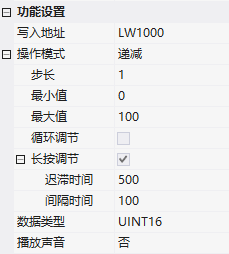
| Decrement/Increment | Step Size: Amount of change per operation; Minimum/Maximum: Upper and lower limits; Cyclic Adjustment: Cycle after exceeding bounds; Long-press Adjustment: Hysteresis time (ms) + Interval time (ms) for continuous adjustment with long press |
| Write Constant | Click to write a fixed value |
| Jog setting | Press value: written when pressed; Release value: written when released |
| Data type | UINT16, INT16, UINT32, INT32 |
| Execution timing / Play sound | Register setting timing; Click sound |
2.2 State setting
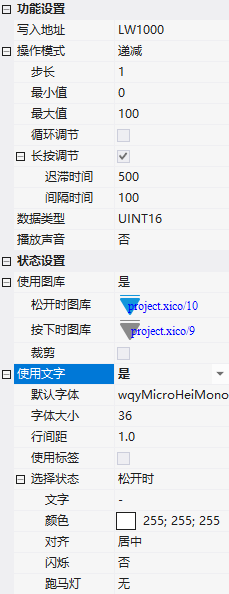
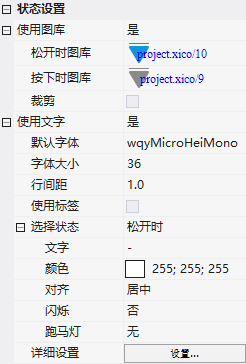
- Use gallery: Gallery when released/pressed, can be cropped
- Use text: Font/size/line spacing/label;Select state: Text content, color, alignment, blinking, and marquee for each state
3. Application case
3.1 Increment/decrement (with long press)
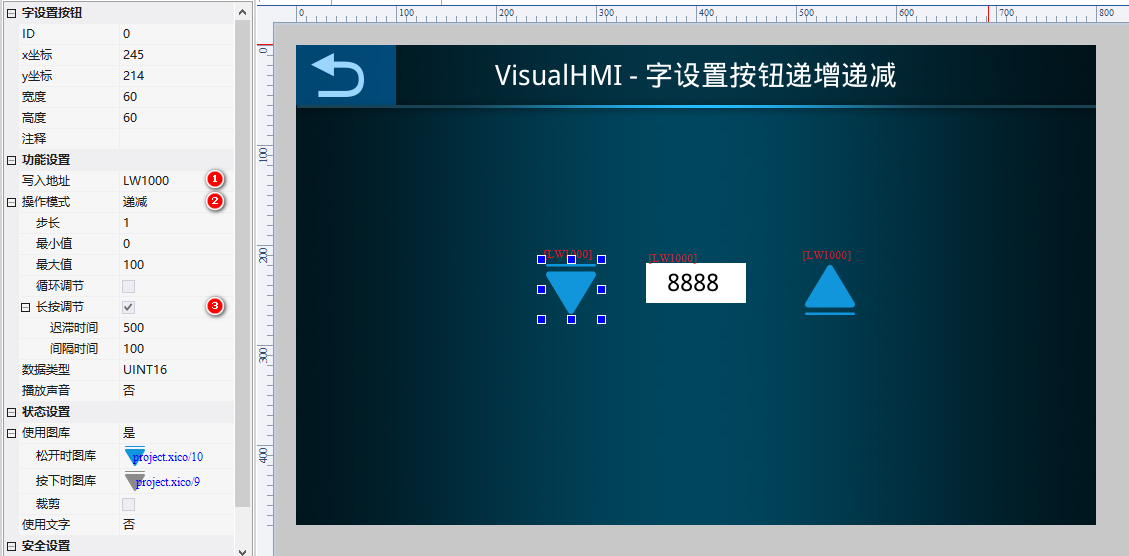
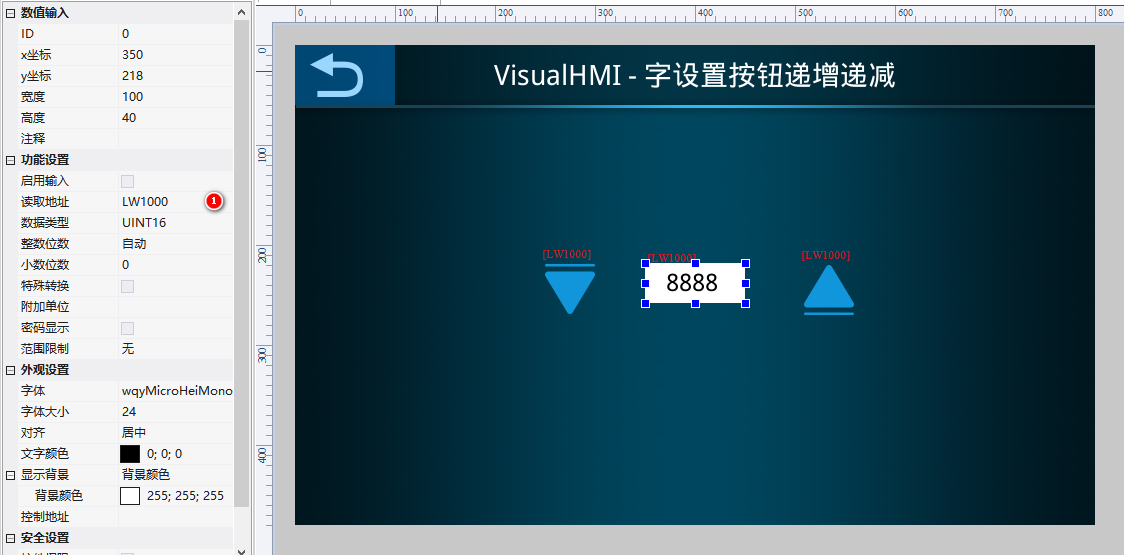
2 word setting buttons (increment/decrement) + numeric control. Write addressLW1000, step size 1, range 0~100, long press adjustment: hysteresis 500ms, interval 100ms - hold to continuously increment/decrement, release to stop.
3.2 Write constant + jog setting
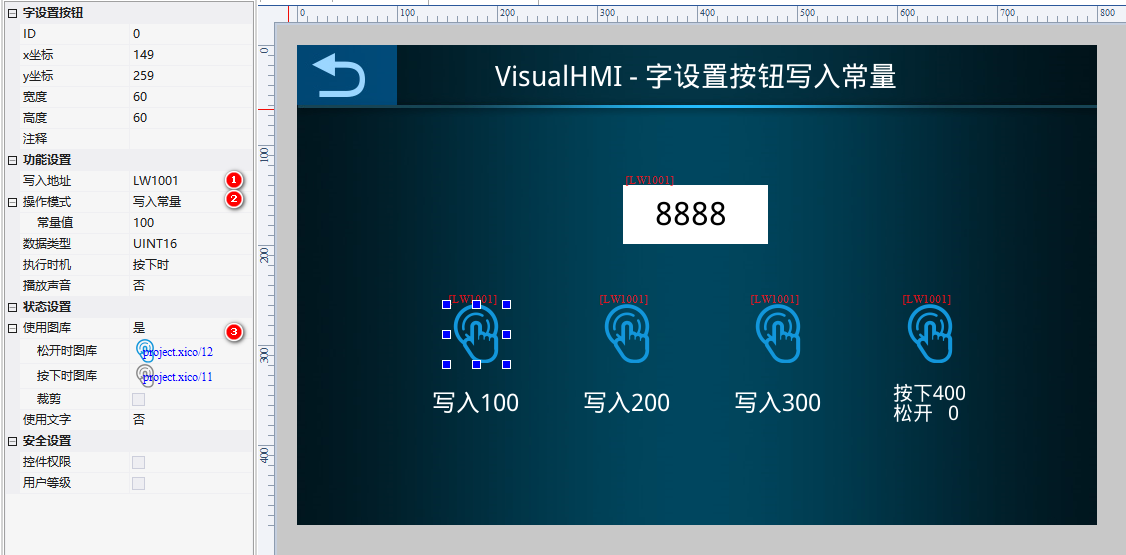
4 buttons: write 100, write 200, write 300 (write constant), 1 button press 400/release 0 (jog setting). BindLW1001, numeric control observation: click 100 displays 100; click the button for 400, press displays 400, release returns to 0.
3.3 Button mutual exclusion (mode selection)
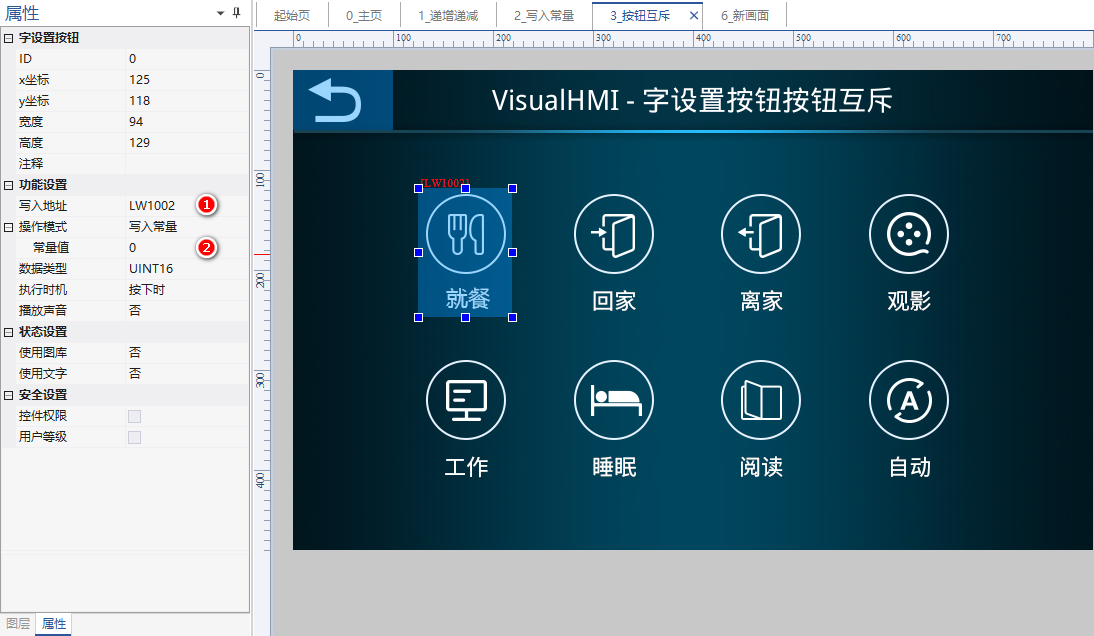
Classic scenario: 0-dining, 1-home, 2-away from home, 3-watching movies... 8 mode buttons are mutually exclusive. Method: 8 word setting buttons (write constants 0~7, bindLW1002) + 8 multi-state indicator lights (state transition table1;0;, display icon only when value matches). Which button is clicked, the corresponding light is on, and other lights are not displayed (background is exposed with unselected image).
1;0;indicates that "register value=1 displays frame 0 (selected), value=0 displays frame 1 (unselected)". When the register value does not equal any value in the table, the control does not display and the background is exposed - this is the "unselected" effect. The background image should be pre-placed with an unselected state image.Compiled from Guangzhou Dacai Technology VisualHMI development documentation (hmi-doc.gz-dc.com) configuration control tutorial "Word Setting Button", copyright belongs to Dacai Technology.


Leave a Reply