VisualHMI sound application: startup music/touch accompaniment sound/button sound and SysSnd playback control

freeFree Technical Resource

This content is free to read, suitable for basic learning and search traffic.

The HMI supports wav and mp3 audio files, enabling the playback of startup music, touch tones, and button sounds. It also allows for playback control through system registers. This section clarifies the application and playback control of audio.

1. Audio File Management

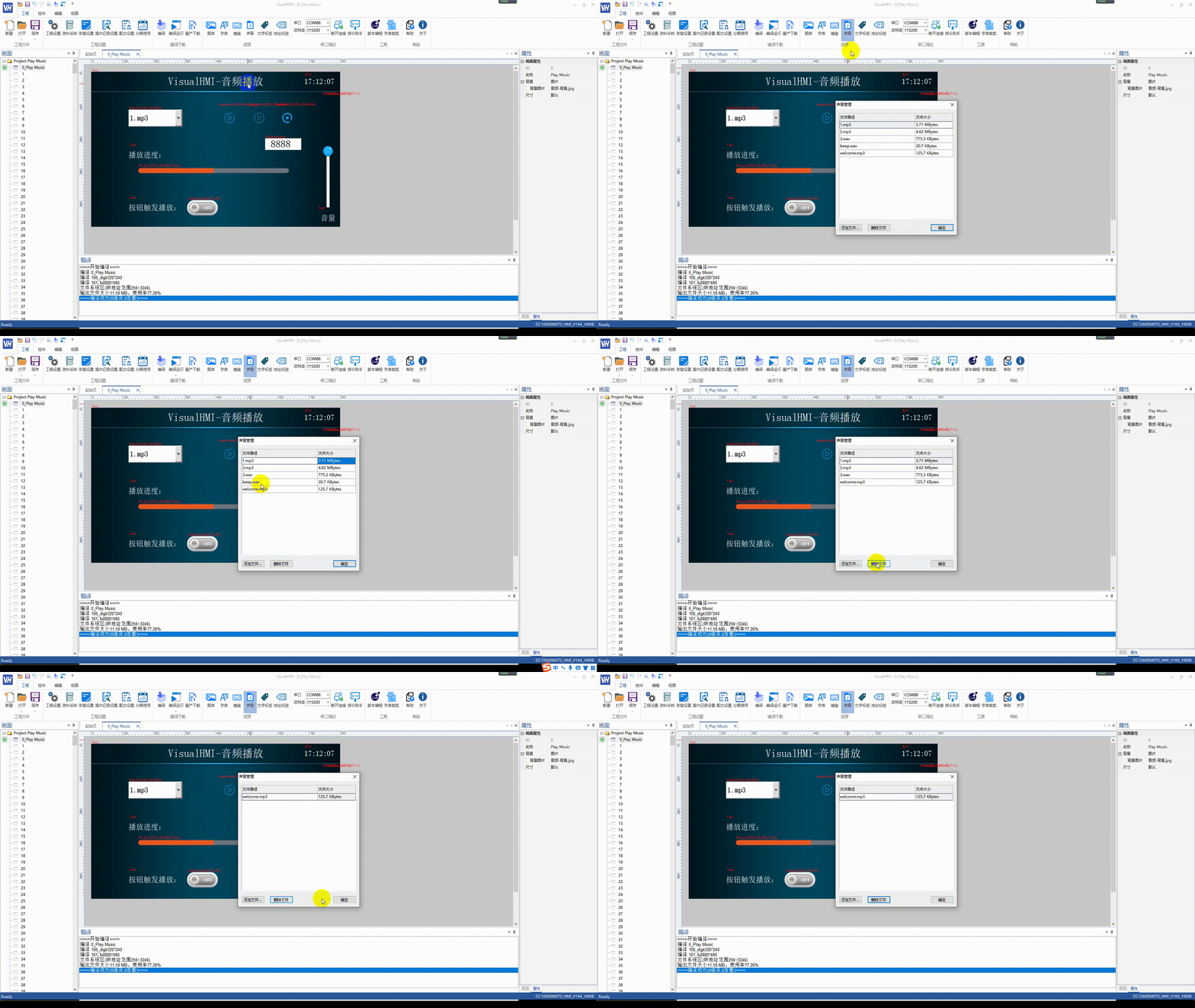
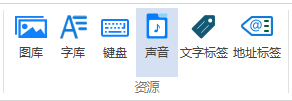
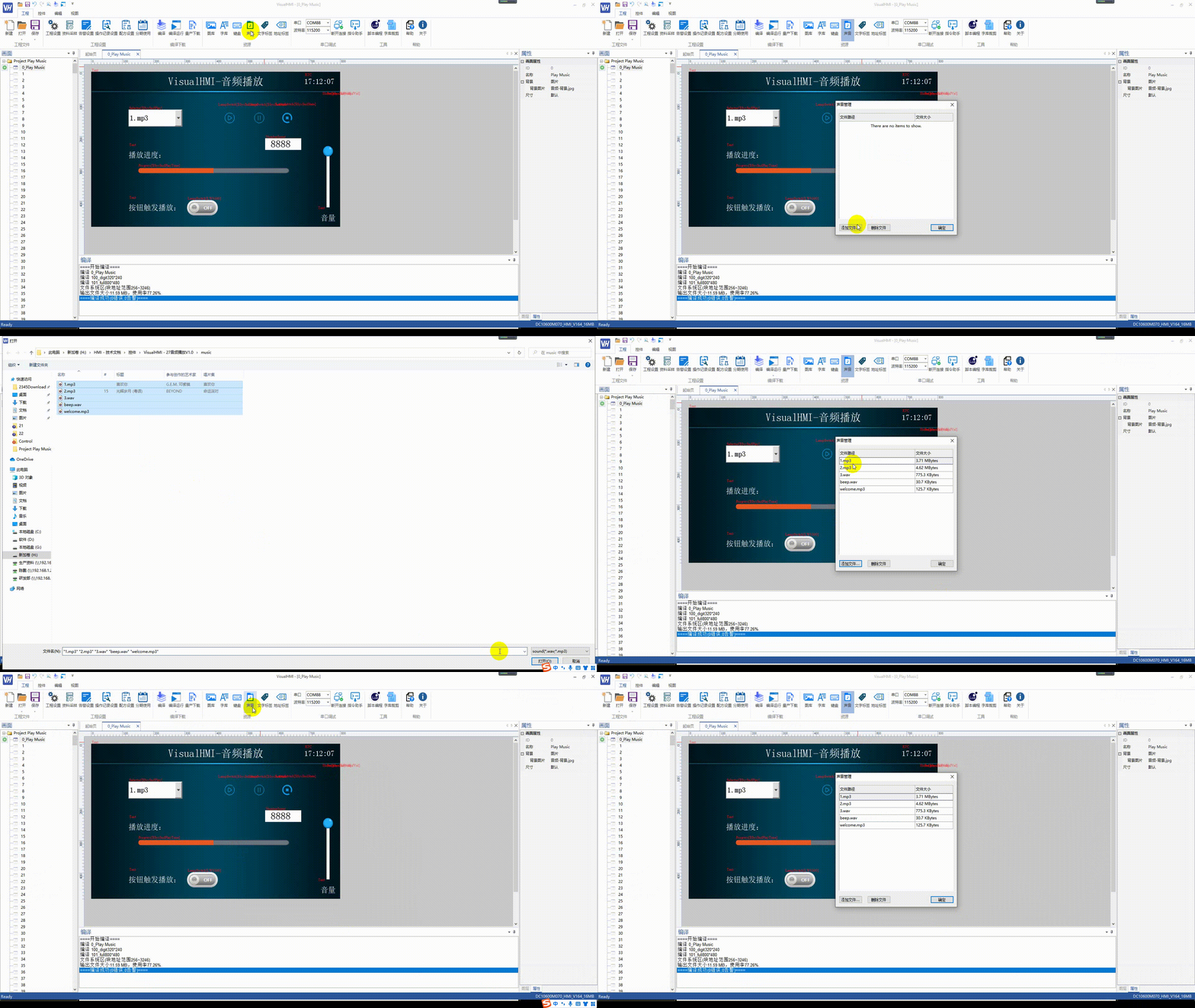
[Engineering] → [Resources] → [Audio Files], can add or delete audio files. Compile the audio file and generate it into the resource package.
VisualHMI sound application: startup music/touch accompaniment sound/button sound and SysSnd playback control插图

VisualHMI sound application: startup music/touch accompaniment sound/button sound and SysSnd playback control插图1

VisualHMI sound application: startup music/touch accompaniment sound/button sound and SysSnd playback control插图2

2. Four Applications of Audio

2.1 Startup Music

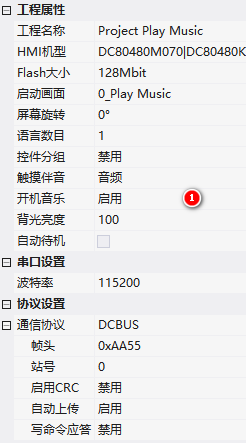
Fixed File Namewelcome.mp3[Project] → [Project Properties] → [Startup Music] → Enable.
VisualHMI sound application: startup music/touch accompaniment sound/button sound and SysSnd playback control插图3

2.2 Touch Tone

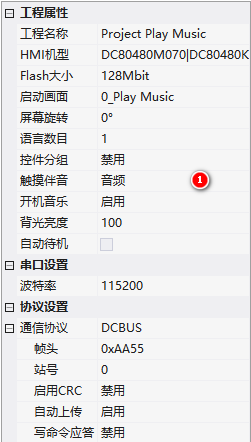
Fixed File Namebeep.mp3Play when operating controls. Configure in [Project Properties] → [Touch Accompaniment] → [Audio].
VisualHMI sound application: startup music/touch accompaniment sound/button sound and SysSnd playback control插图4

⚠️ After configuring touch accompaniment: If 1.mp3 is currently playing, operating the control willstop 1.mp3 and play the touch accompaniment. To avoid interrupting the background music, do not configure touch accompaniment.

2.3 Button sound

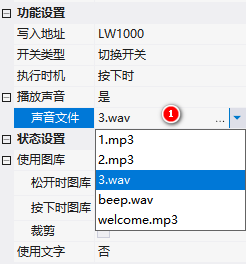
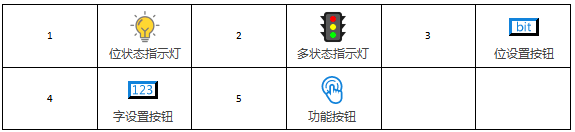
When a button is pressed, a specified audio file (named by numbers or letters) is played. Controls that support button sound (such as bit status indicators) select audio in the button properties.
VisualHMI sound application: startup music/touch accompaniment sound/button sound and SysSnd playback control插图5

2.4 Audio control (system register)

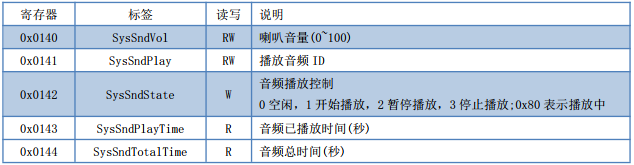
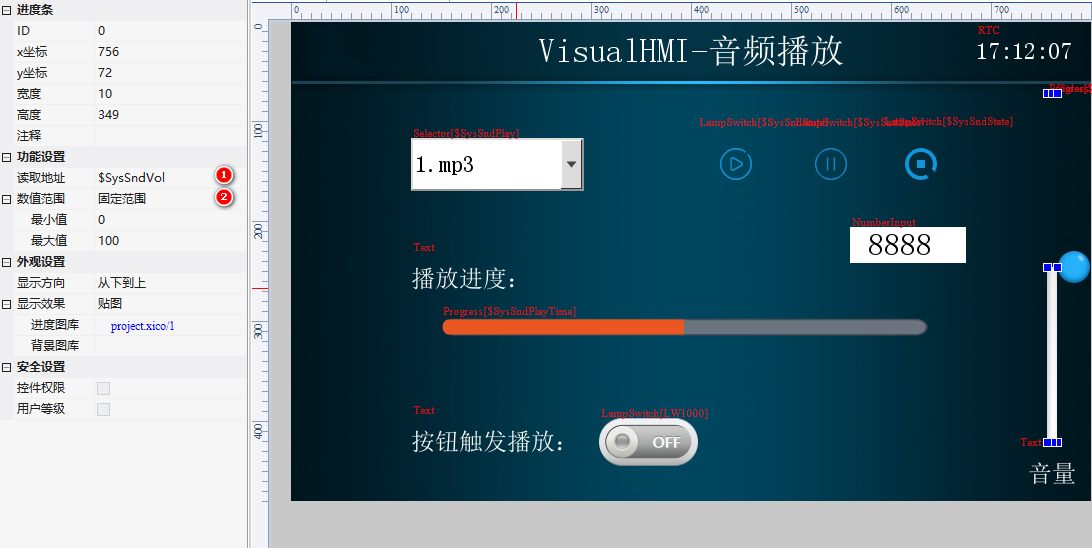
The file controlled for playback must benamed by numbers(such as 1.mp3, 2.mp3). Related registers:

RegisterFunction
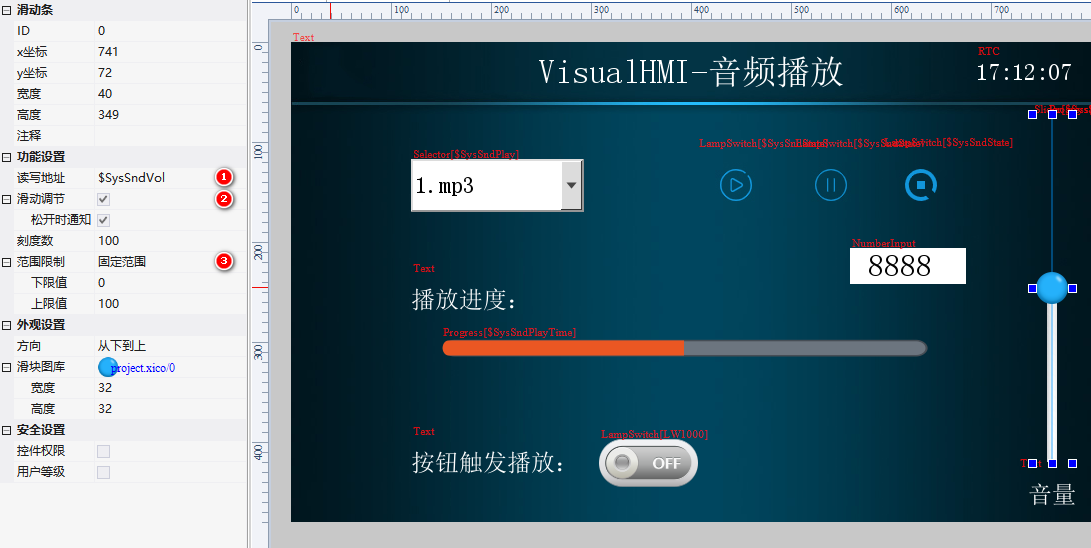
sysSndVolSpeaker volume (0~100)
SysSndPlayPlay specified audio ID (only files named with numbers can be played)
SysSndStatePlayback status: 0=idle, 1=started playing, 2=paused, 3=stopped, 0x80=playing
SysSndPlayTimeCurrent playback progress (seconds)
SysSndTotalTimeCurrent playback duration (seconds)

VisualHMI sound application: startup music/touch accompaniment sound/button sound and SysSnd playback control插图6

VisualHMI sound application: startup music/touch accompaniment sound/button sound and SysSnd playback control插图7

VisualHMI sound application: startup music/touch accompaniment sound/button sound and SysSnd playback control插图8

VisualHMI sound application: startup music/touch accompaniment sound/button sound and SysSnd playback control插图9

⚠️ Pitfalls of switching playback:After pausing the current song, before selecting a new audio ID for playback, you should first stop it. The correct sequence is: play ID1 → pause → stop → select ID2 → play; or play ID1 → stop → select ID2 → play. Simply changing the ID may not work.The correct sequence is: play ID1 → pause → stop → select ID2 → play; or play ID1 → stop → select ID2 → play. Simply changing the ID may not work.
Display playback progress in real time, requiring the current screen to have a control for "refreshing changes" - add an RTC control or Lua script redraw() otherwise the progress bar will not update.

Compiled from the "Voice" resource introduction in the VisualHMI development documentation of Guangzhou Dacai Technology (hmi-doc.gz-dc.com), copyright belongs to Dacai Technology.


Put this resource to use in a real project?

Go to the Tool Center for message parsing, CRC verification and device debugging, or submit your requirements for selection and integration advice.

Engineer Membership

Turn this article into actionable debugging resources

After activation, you can use advanced message parsing, resource pack downloads, code examples, engineering cases and priority technical support, suitable for real project delivery.

Unlimited Advanced Tools
Resource & Code Packs
Complete Engineering Case Library
Priority Technical Support

Leave a Reply

Your email address will not be published. Required fields are marked *.