
Address Label = Give a name to the register address. Write "Temporary_Temperature" for LW1000, and "Current01" for 4x0021 - this makes it easier to recognize the addresses referenced throughout the screen. Supports batch import and export, which is essential for large projects.
1. Two types of address labels
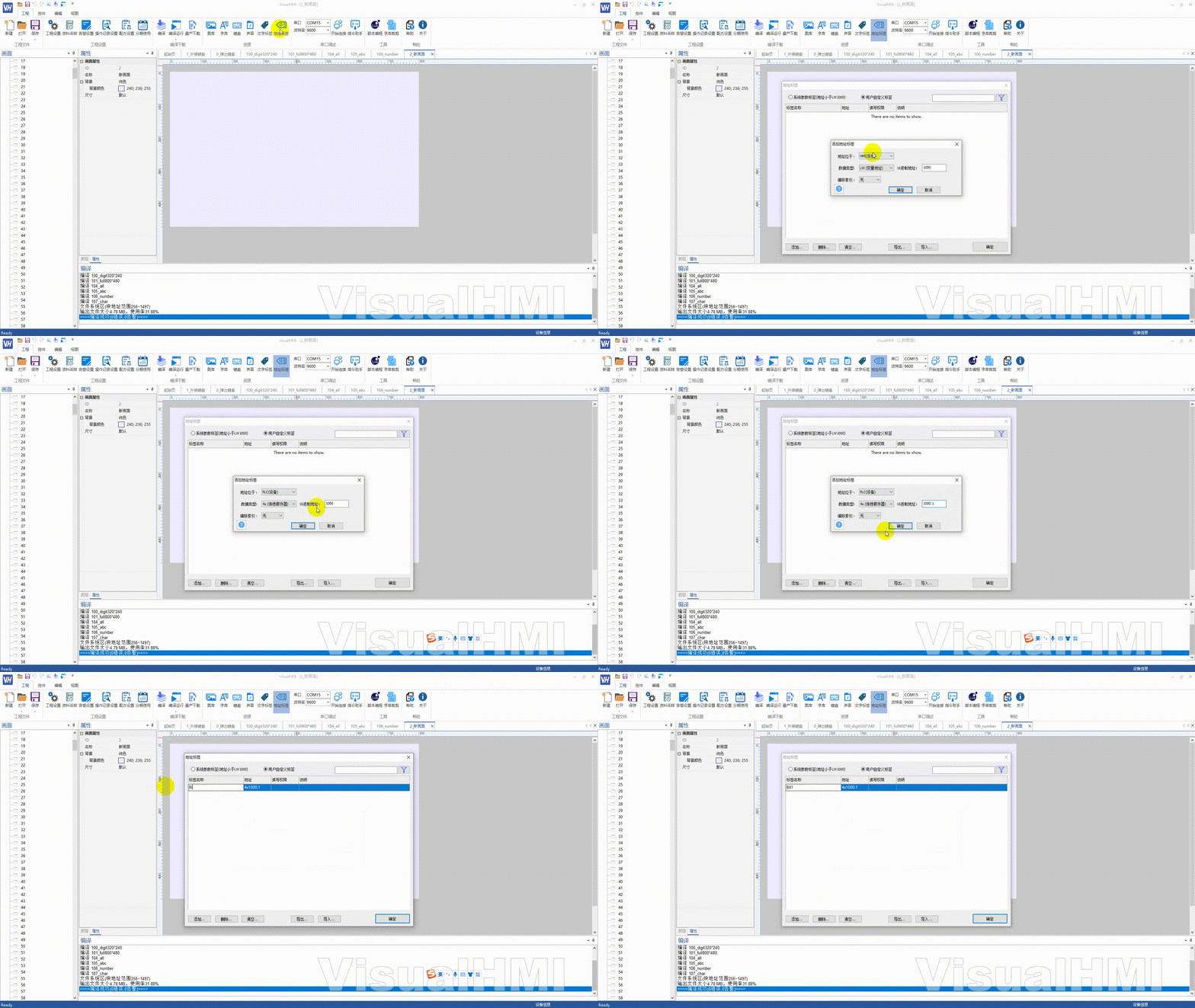
Open the menu by clicking on "Project" and then selecting "Address Label":
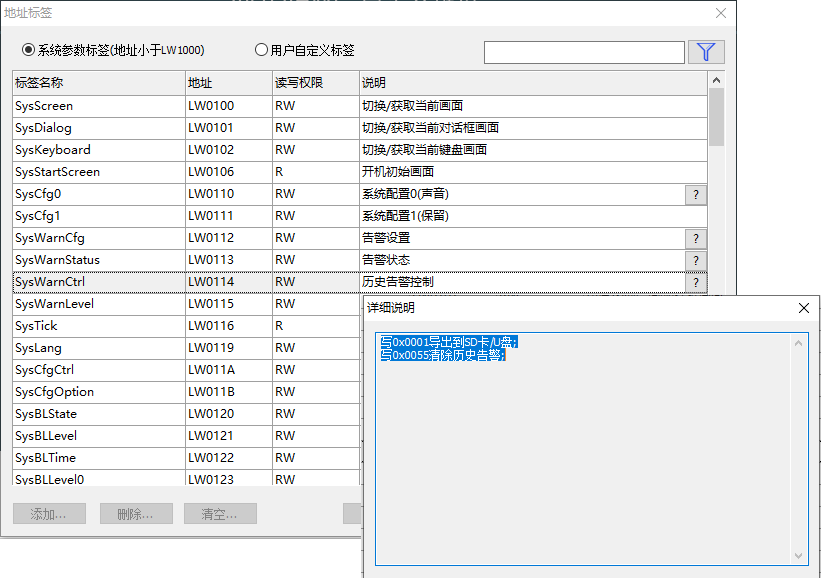
- System Parameter Label: LW addresses less than 0x1000,cannot be modified, imported, or exported(system reserved area)
- User-defined Label: Self-defined, can be added, deleted, modified, imported, or exported
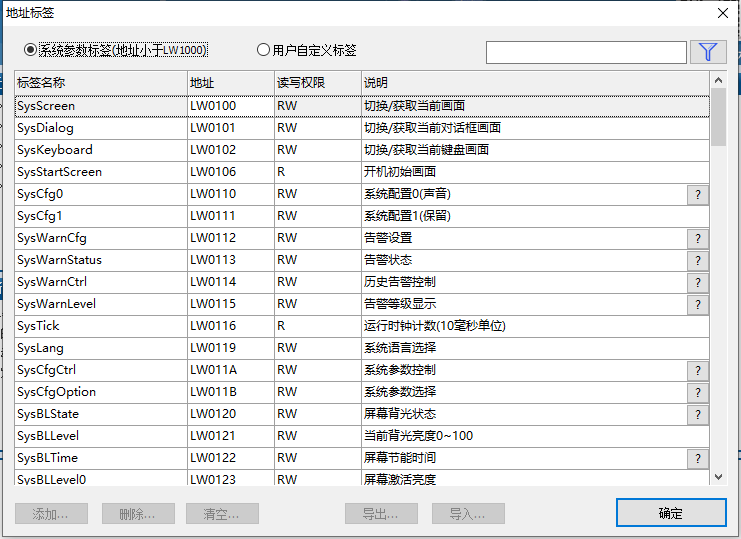
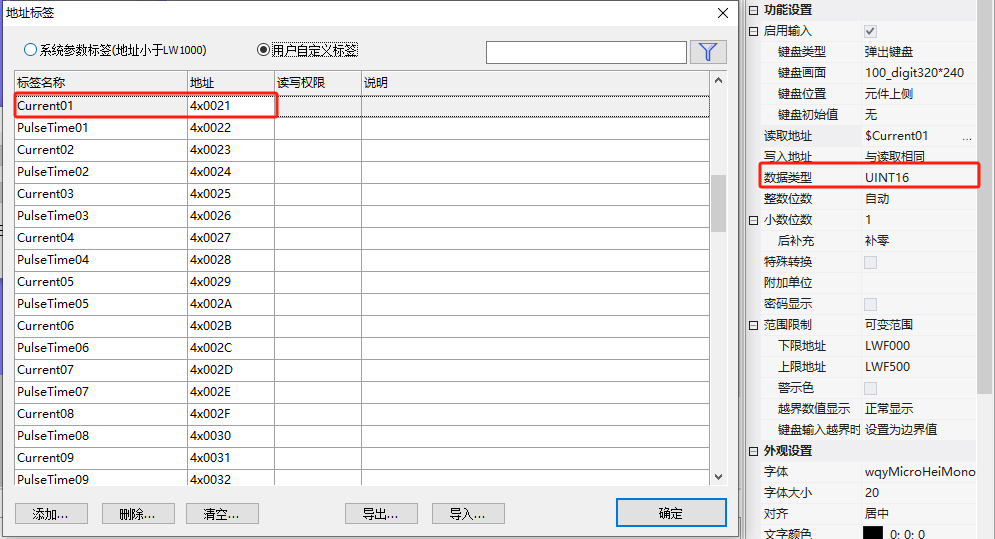
Labels do not distinguish data types(UINT16/INT16/UINT32/String...), labels only indicate thestarting address of the variableThe specific type is determined by the control property.
Example: Numerical control associated with "Current01 (4x0021)": Data type: INT16 → Address range: 4x0021; INT32 → 4x0021~4x0022.
2. Add tags
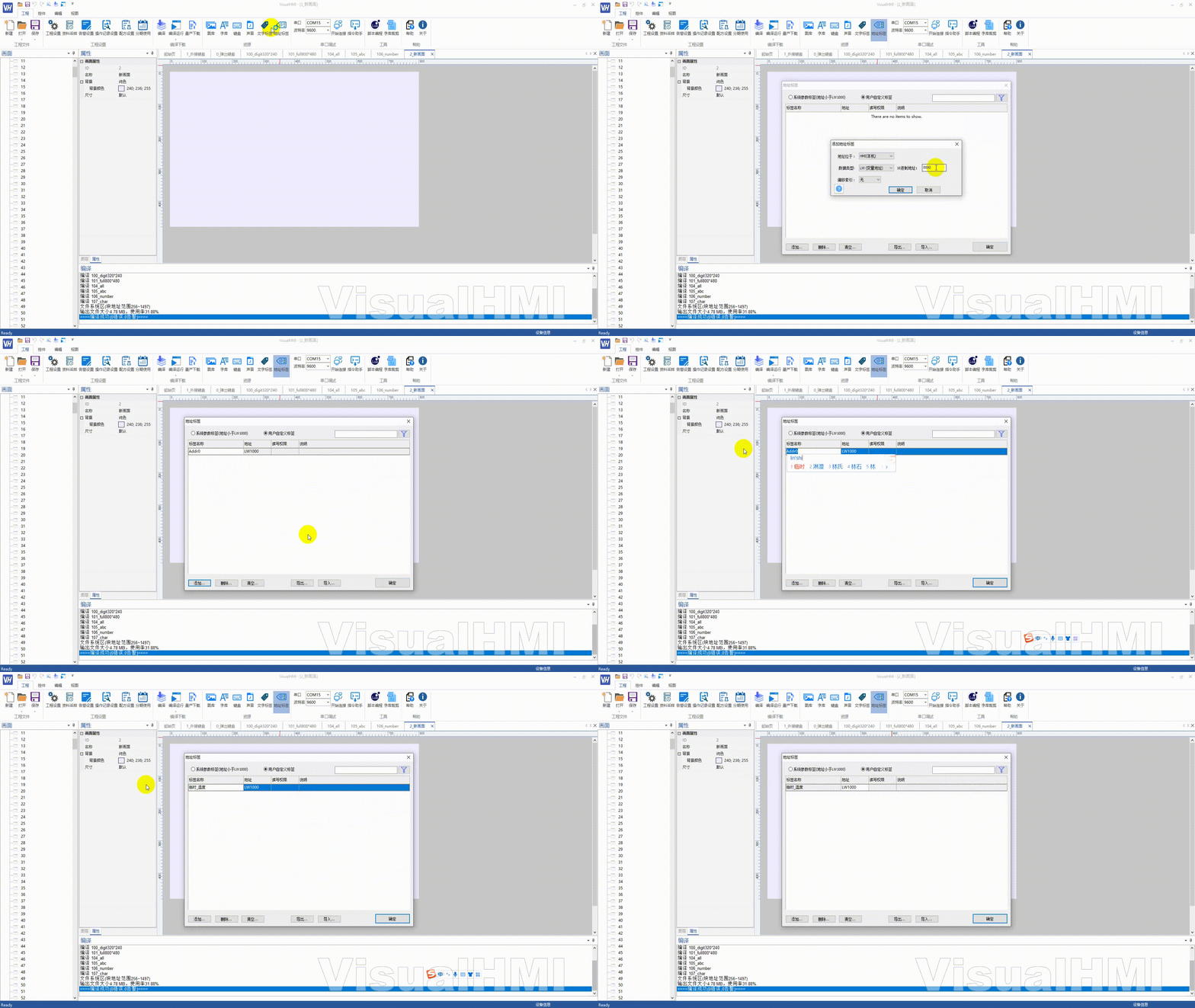
2.1 LW address tag (HMI local)
Address location: HMI local; Data type: LW; Hex address: 1000 (Memory variable must be >= 1000 hexadecimal). The tag name is defaulted to Addx, which can be changed to a meaningful name such as "Temporary_Temperature".
2.2 Modbus hold register specific bit
Use .Reference to a specific bit of a non-bit register: Label bit1 of 4x1000 → Address filled with1000.1.
2.3 Modbus hold register consecutive bits
Use .~Reference to consecutive bits: Label bit0~bit3 of 4x1000 → Address filled with1000.0~3.
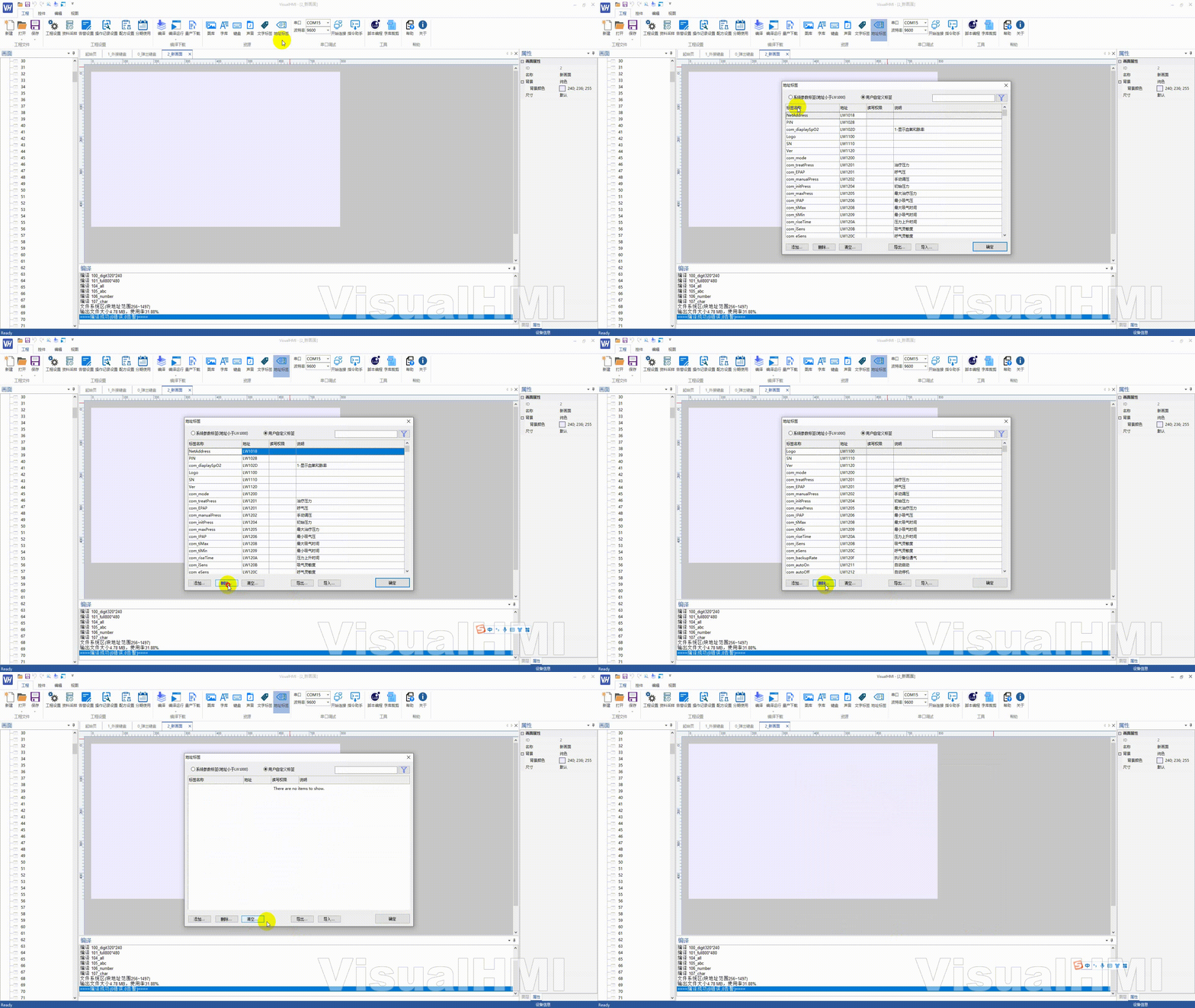
3. Delete / Export / Import
- DeleteSelect and delete rows, or click [Clear] to clear all
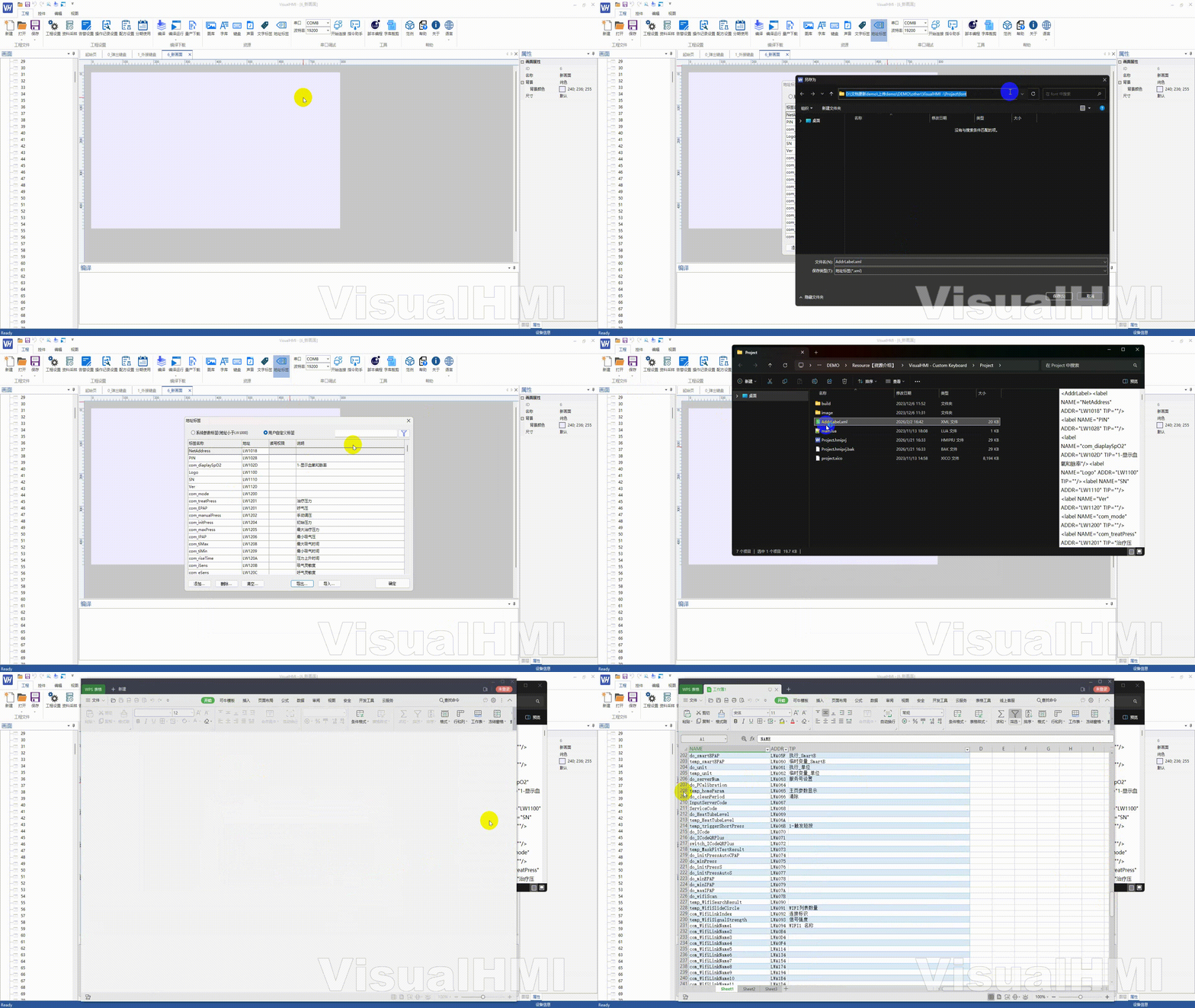
- Export: Export as xml or csv. Modify
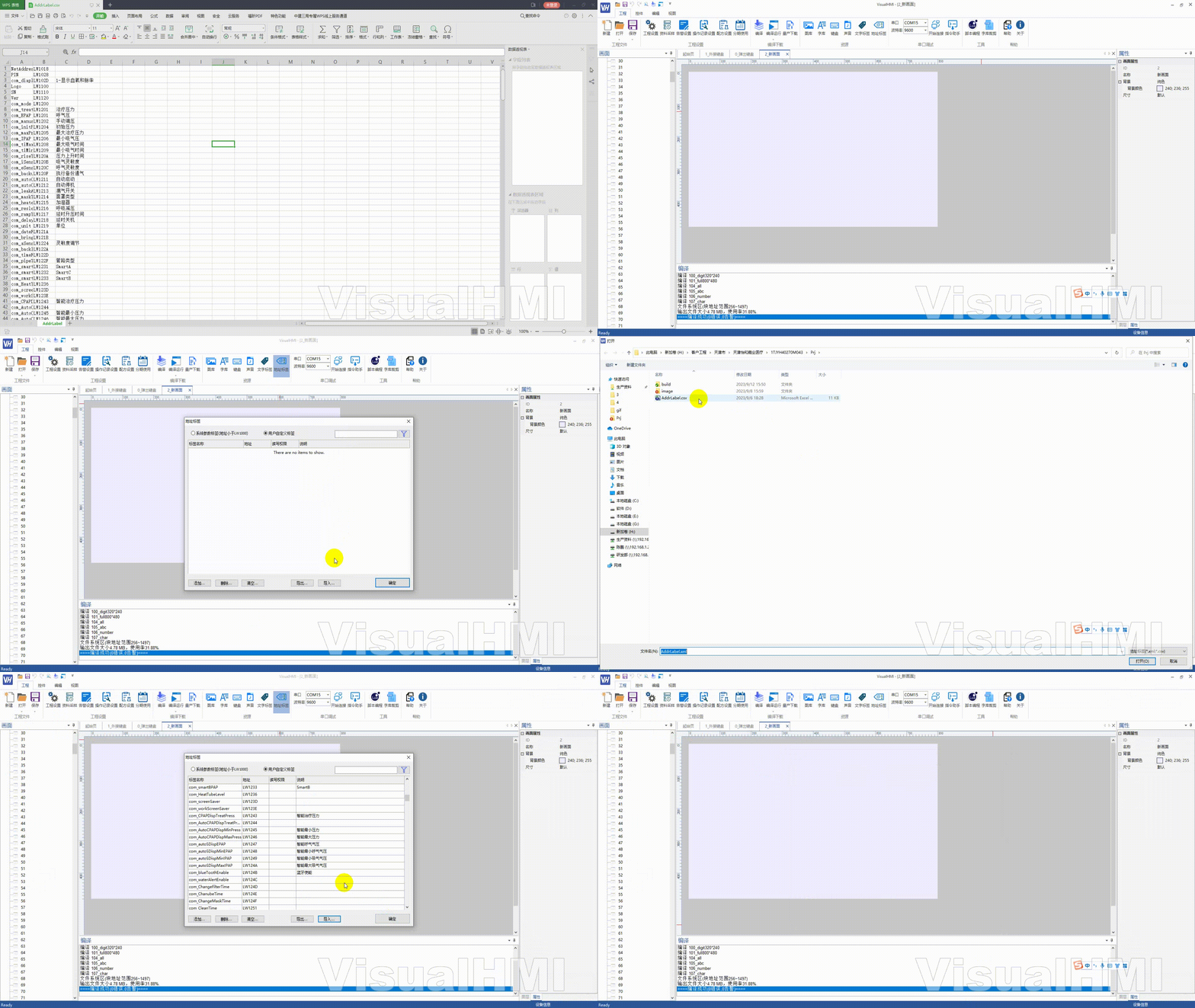
- Import csv: Column 1 is label name, column 2 is variable address, column 3 is description (open and edit in WPS).
- Import xml:
NAMEas name,ADDRas address,TIPas description.
4. Use address label in the control.
Control property panel → Address selection → Select [Label] → User label → Choose the corresponding address label and click OK. From then on, the control will display the label name, making it easier to recognize and maintain.
Compiled from the VisualHMI development documentation of Guangzhou Dacai Technology (hmi-doc.gz-dc.com) resource introduction "Address Label", copyright belongs to Dacai Technology.


Leave a Reply