
The circular progress bar integrates the value/unit into the ring, forming an integrated view of "graph + data", which naturally fits with circular data such as electricity, completion, and threshold warnings.
1. Core Advantages
- Central Focus: The value/unit is within the ring, reducing visual jumps
- Circular Semantics: The expression of electricity/completion/cycle data is more intuitive
- Dynamic Feedback: Color gradient (mapping green→yellow→red threshold warning)

Typical Scenarios: Battery electricity/SOC, task completion progress (percentage displayed in the center), process parameter monitoring (pressure/temperature simulation instruments).
2. Attribute Introduction
2.1 Function Settings
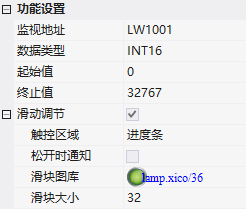
| Attributes | Description: |
|---|---|
| The monitoring address | value represents the rotation angle of the progress bar; it only responds within the range of the starting value to the ending value. |
| Data type: | INT16/INT32/INT64/FLOAT/DOUBLE |
| Starting value/Ending value | Angle correspondence range |
| Sliding adjustment | Touchable adjustment angle; touch area (slider/progress bar); notify when released |
| Slider gallery/size | Slider style; display size |
2.2 Appearance settings
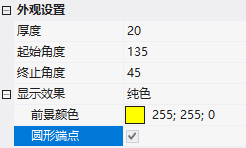
- Thickness: Progress bar thickness
- Starting angle/Ending angle: Clockwise, with 0° at 3 o'clock on the clock face, increasing clockwise (6 o'clock = 90°);A complete circle requires 135 to 495
- Display effect: Pure color or image; pure color can be paired with circular endpoints
3. Application case
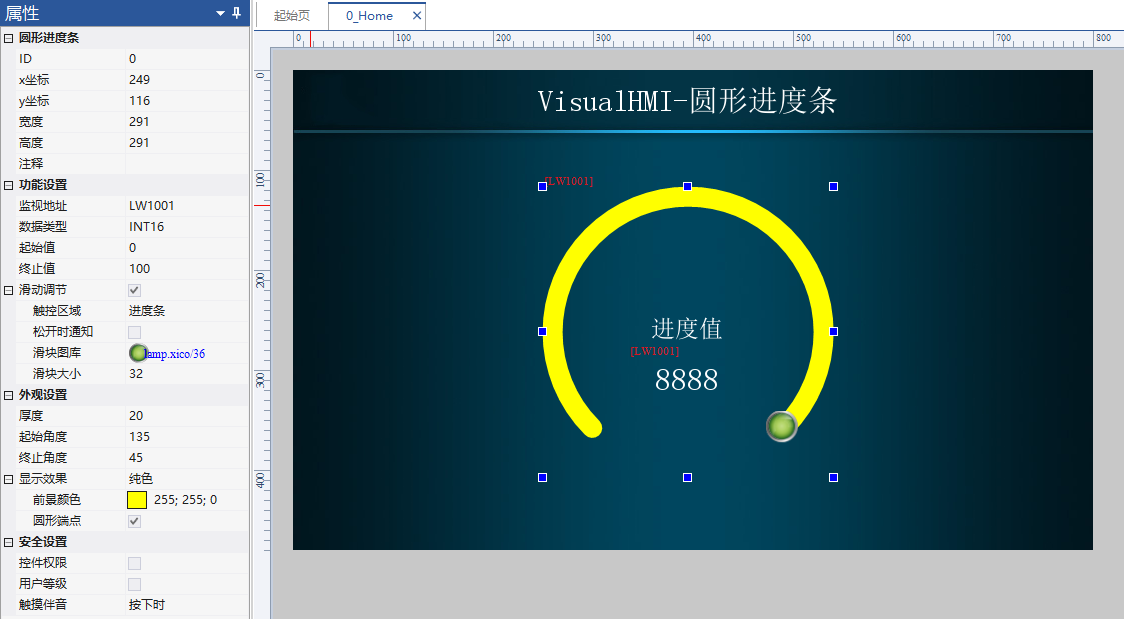
ReadLW1001(INT16), 0~100, sliding adjustment + touch area = progress bar, slider gallery lamp.xico/36, size 32, thickness 20, starting angle 135, ending angle 45 (complete circle), pure color foreground yellow + circular endpoints.
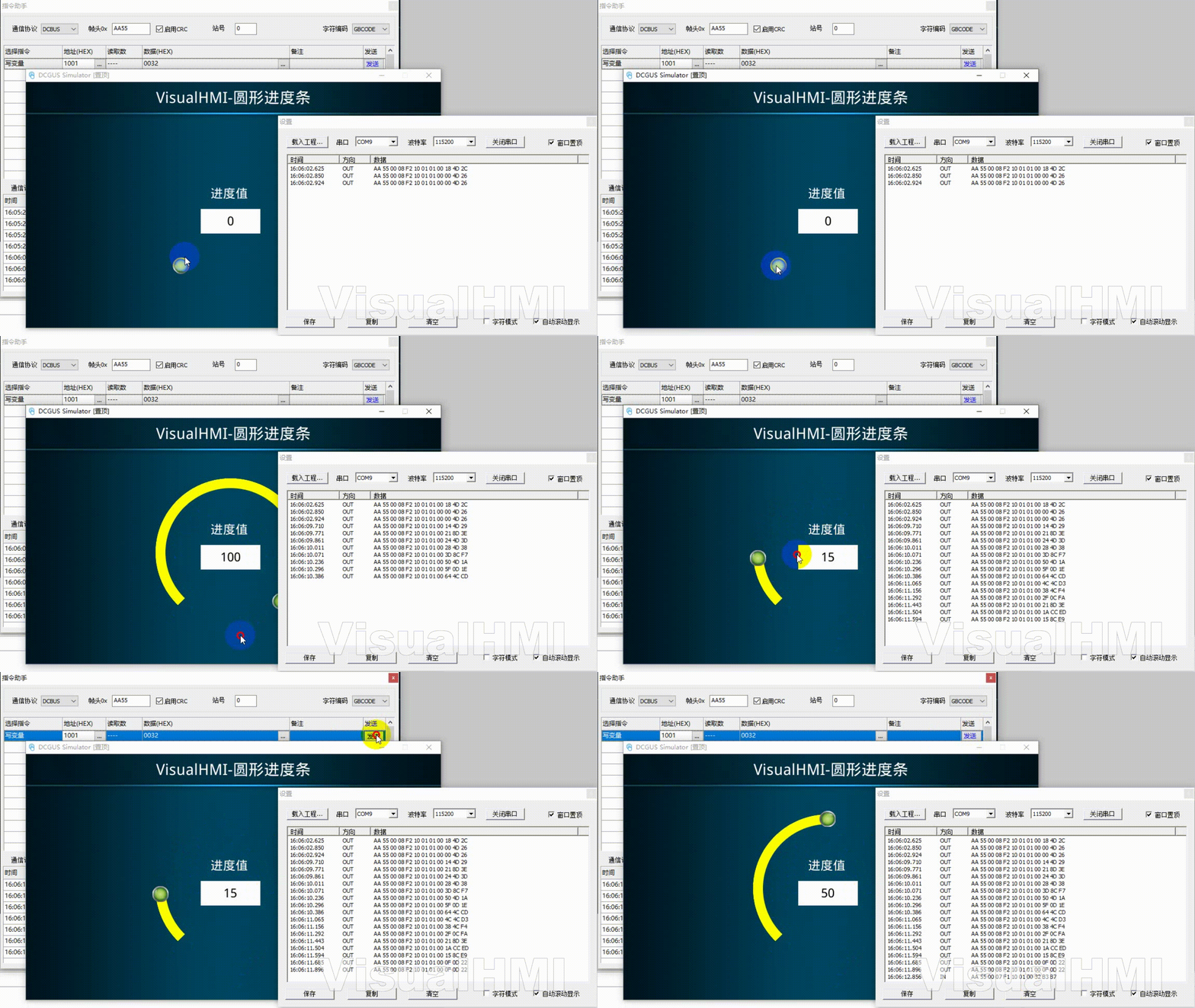
Operation: By default, LW1001=0 corresponds to 135°; slide the slider to refresh the value in real time; PLC set to 50 displays a half-circle effect.
Compiled from Guangzhou Dacai Technology VisualHMI development documentation (hmi-doc.gz-dc.com) configuration control tutorial 'Circular Progress Bar', copyright reserved by Dacai Technology.


Leave a Reply