
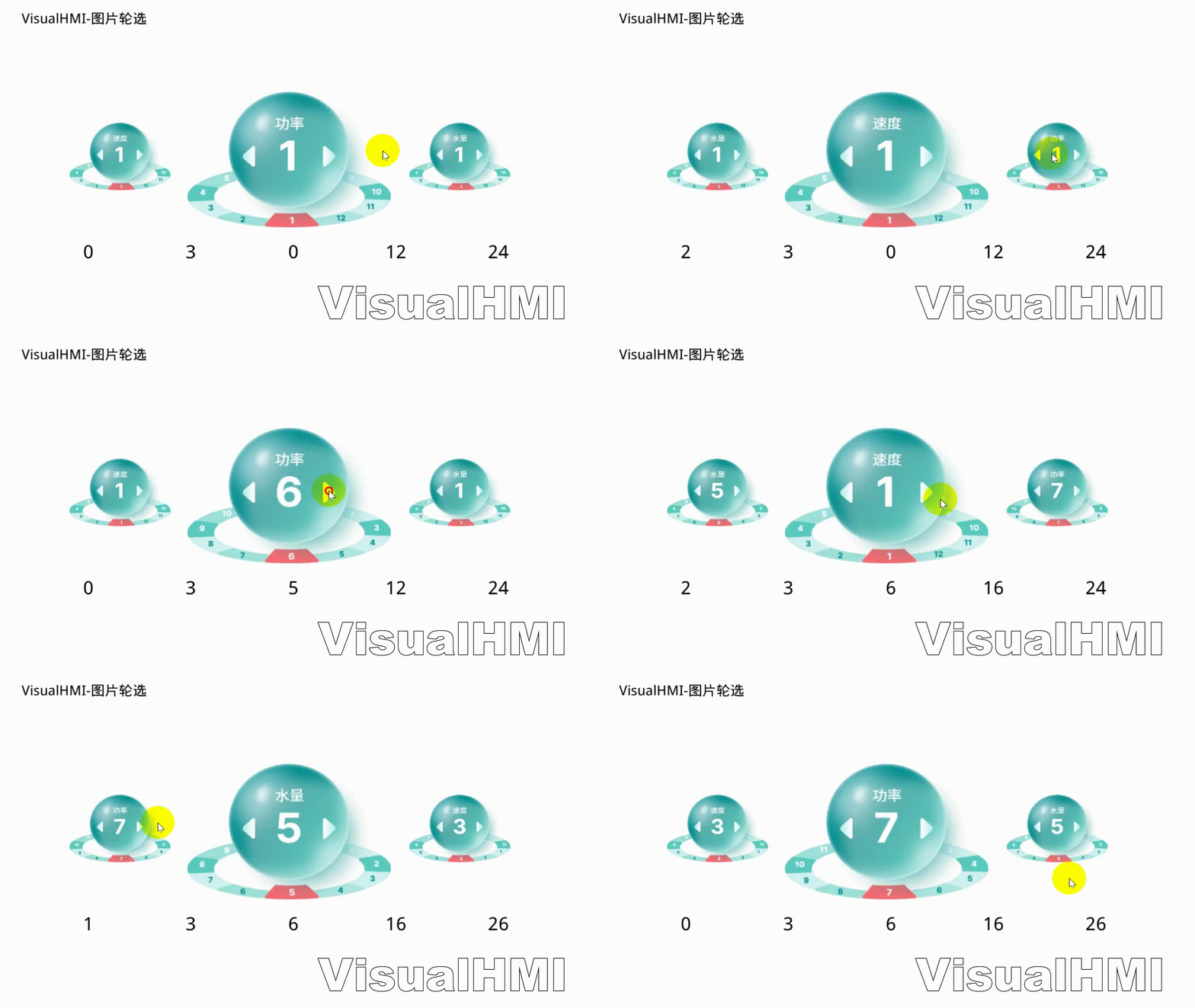
The image carousel control displays a set of images in a limited space by sliding left and right. It has two modes - basic carousel and dynamic icon mapping -which essentially represent two completely different data architectures. Using the wrong mode can lead to significant detours.
1. Two modes (core differences)
1.1 Basic carousel mode (without selecting 'Select icon')
- Gallery frame count = total options: Gallery 10 frames → automatically identified as 10 options (index 0~9)
- Single address drive: The monitoring address directly stores the index of the currently selected item, and the value changes to switch frames
- Static mapping: Option i is permanently bound to gallery frame i
1.2 Dynamic icon mapping mode (with 'Select icon' selected)
- Dual-layer decoupling: Option layer + icon layer. Monitoring address = selected item; Monitoring address + 1 = total options; Monitoring address + 1 + N = icon frame index of each option
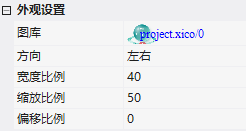
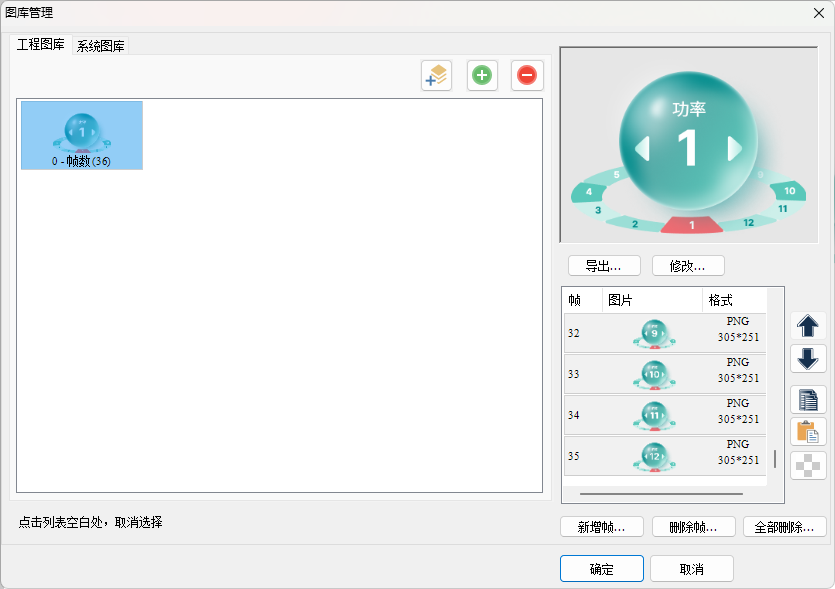
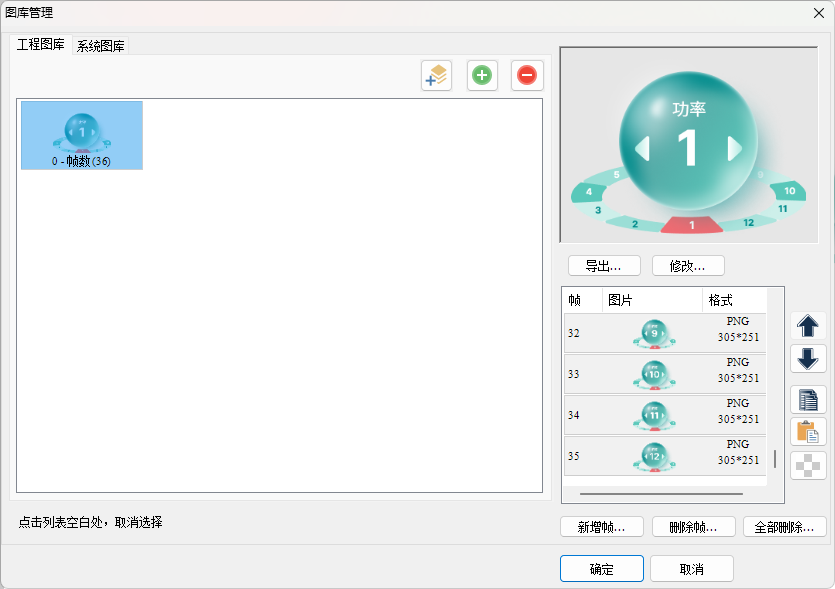
- Dynamic frame pool: Gallery 36 frames are divided into 3 groups (each group has 12 frames), with option 0 using LW1003 to point to frames 0~11, option 1 using LW1004 to point to frames 12~23, and so on
- Dual-dimensional control: Sliding to switch options changes the index; changing LW1003+N updates the icon state of that option
| Dimension | Basic Carousel | Dynamic Icon Mapping |
|---|---|---|
| Data Architecture | Single Layer: Frame=Option | Dual Layer: Option+Dynamic Icon Frame |
| Register Occupancy | 1 (Current Index) | 1+1+N (Index+Total Count+Frames of Each Option) |
| Runtime Flexibility | Only Option Switching | Independent Update of Visual State for Any Option |
| Typical Applications | Static Content Display | Multi-state Device Monitoring, Process Stage Indication |
2. Attribute Introduction
| Attributes | Description |
|---|---|
| Monitoring Address | Bound Variable Address |
| Selected Icon | Checked = Dynamic Icon Mapping Mode |
| Candidates | 3 or 5 Items |
| Touch slide / sliding inertia / alignment / click to switch | Slide to switch; inertia; alignment; click to directly select |
| Auto-tracking / tracking time | Dynamic tracking of image numerical changes; tracking scrolling time (in seconds) |
| Gallery / direction | Rotating images; scrolling direction |
| Width ratio / zoom ratio / offset ratio | Option image aspect ratio 20~80; scaling at both ends 20~100; height offset at both ends -100~100 |
3. Application cases
3.1 Basic carousel
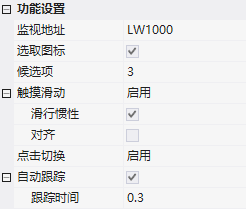
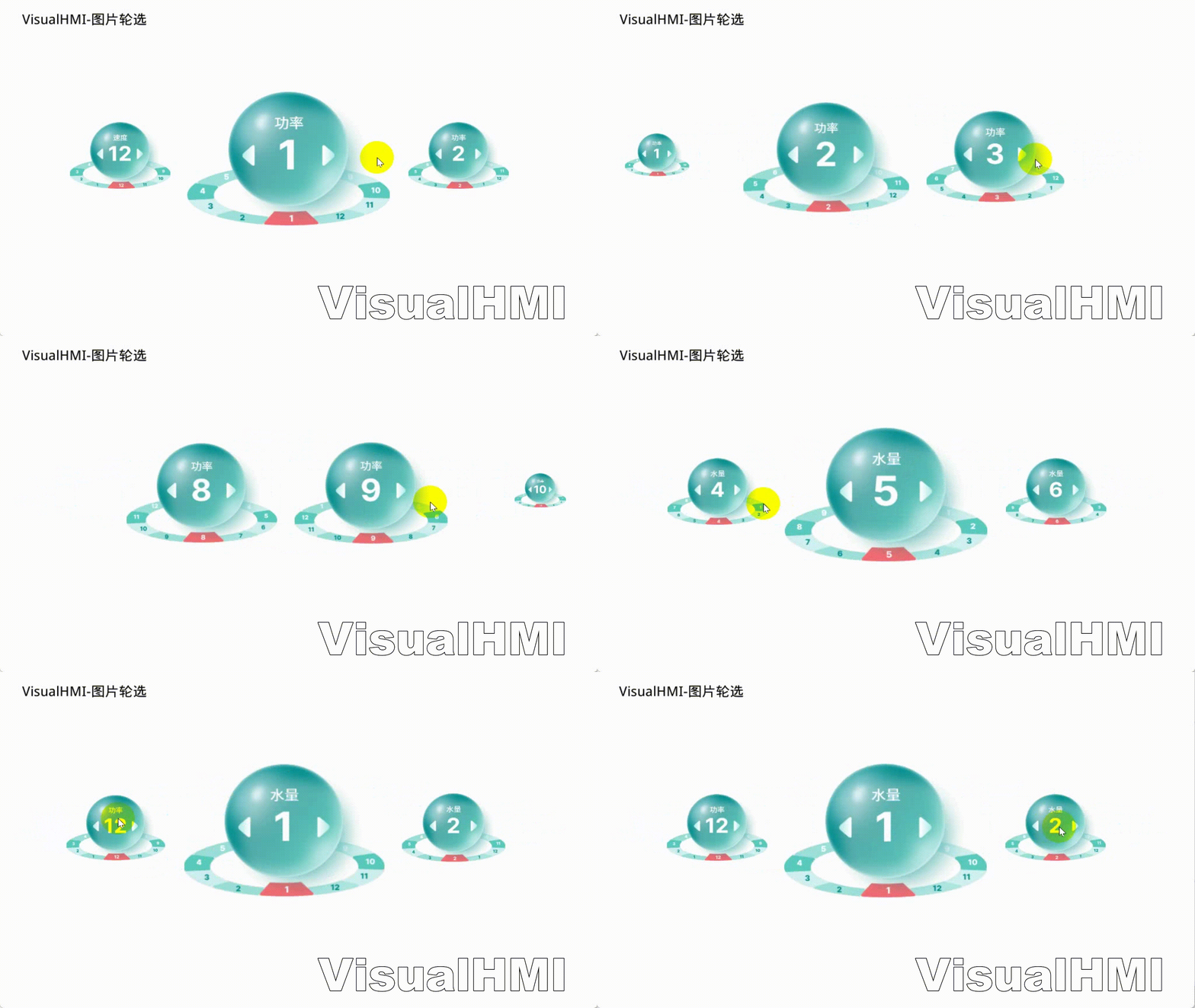
MonitoringLW1000, option 3, slide + inertia + alignment + click to switch + auto-tracking, gallery direction left and right, width ratio 40, zoom 50. Slide to switch index, LW1000 value follows changes.
3.2 Dynamic Icon Mapping (LUA Initialization)
MonitoringLW1001, check the Selected icon, option 3. Address layout: LW1001=Selected item, LW1002=Total options, LW1003~LW1005=Icon frames for each option. on_init initialization:
function on_init()
  set_uint16(VT_LW, 0x1002, 3)     -- 总选项数 3
  set_uint16(VT_LW, 0x1003, 0*12)  -- 选项1 图标起始帧 0
  set_uint16(VT_LW, 0x1004, 1*12)  -- 选项2 图标起始帧 12
  set_uint16(VT_LW, 0x1005, 2*12)  -- 选项3 图标起始帧 24
end
Runtime: slide to switch options to LW1001; when the device status changes, PLC/LUA updates the icon frames of the corresponding options by changing LW1003~LW1005 (write 0~11, 12~23, 24~35).
Organized from Guangzhou Dacai Technology VisualHMI Development Documentation (hmi-doc.gz-dc.com) Configuration Control Tutorial "Image Rotation", copyright reserved by Dacai Technology.


Leave a Reply