
The dynamic button is a switch control withvisual sliding feedback: clicking to toggle ON/OFF, sliding the slider from left to right (or in the opposite direction) to simulate a physical switch. It is most intuitive for operations with a strong "switch feel" such as device start/stop and enabling/disabling.
1. Attribute introduction
1.1 Function settings
| Attributes | Description |
|---|---|
| Read/write address | Bound register address |
| Circle | Color of slider circle |
| Unselected | Color in closed state |
| When selected | Color in open state |
| When disabled | Color displayed when permission is insufficient and touch is disabled |
2. Application case
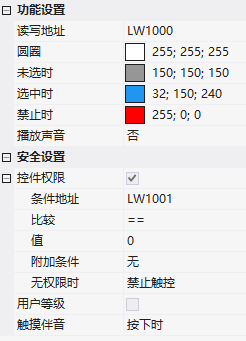
Add dynamic buttons to the screen, read and write addressesLW1000; circle white (255;255;255), unselected gray (150;150;150), selected blue (32;150;240), disabled red (255;0;0); permission control: touch is disabled when LW1001=0.
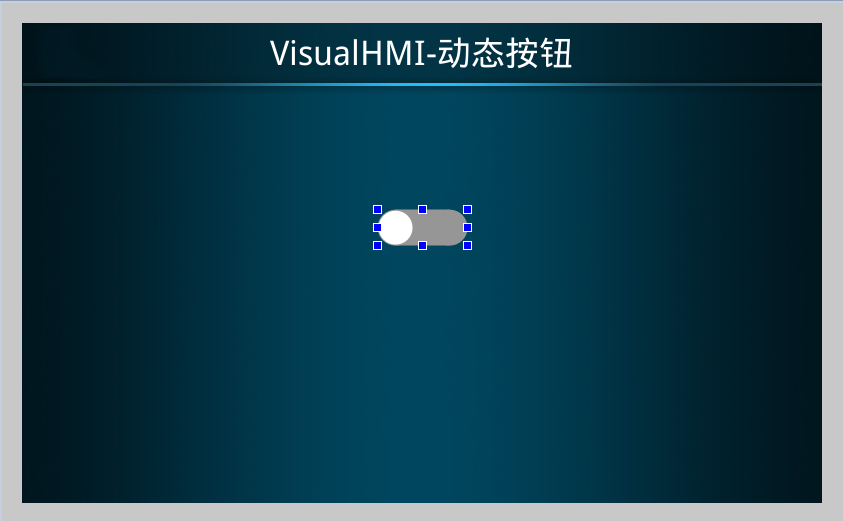
Operation: Click 0→1, the slider turns blue as it slides from left to right; PLC register modification also has a dynamic effect. When permission is insufficient, the button is red and touch is disabled, but the status set by the instruction will still be displayed dynamically.
Compiled from the VisualHMI development documentation of Guangzhou Dacai Technology (hmi-doc.gz-dc.com), the configuration control tutorial "Dynamic Buttons", copyright reserved by Dacai Technology.


Leave a Reply