
LUA is the scripting language for VisualHMI, responsible for transforming the HMI from a "display terminal" into a "functional host": protocol parsing, logical judgment, data computation, and file operations are all handled within the script. First, understand the program structure and system callbacks of main.lua, so that all APIs can be placed in their proper places later.
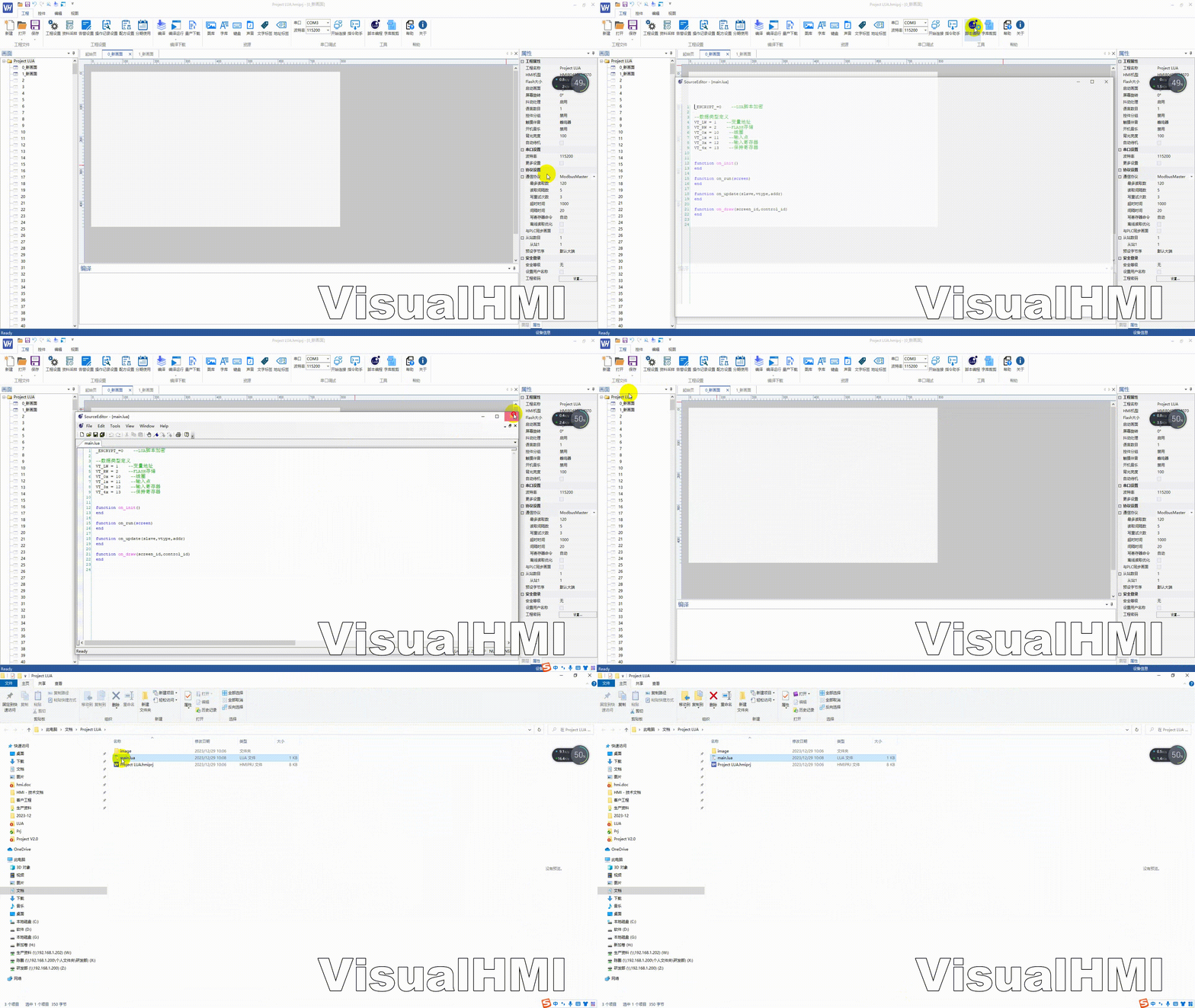
1. Basic structure of main.lua
_ENCRYPT_ = 0            -- LUA 脚本加密开关(量产加密置1)
-- 数据类型定义(随协议变化,Modbus 常用这些)
VT_LW = 1               -- 内部变量(掉电不保存)
VT_RW = 2               -- Flash 掉电保存区
VT_0x = 10              -- 线圈
VT_1x = 11              -- 输入
VT_3x = 12              -- 输入寄存器
VT_4x = 13              -- 保持寄存器

-- 系统回调函数(自动被调用,不用自己调)
function on_init() end              -- 上电加载后执行一次
function on_run(screen) end         -- 周期执行
function on_update(slave,vtype,addr) end  -- 变量变化
function on_draw(screen,control) end      -- 自绘
main.lua is the entry file, which is packaged together during project compilation. For large projects, it is recommended to divide them into modules: separate the dofile("xxx.lua") in on_init for easier maintenance.
2. Editing tools and coding
Officially recommended editors for scripting include NotePad++, Lua editor, and VS Code.Coding must be careful: the file encoding and HMI project settings must be consistent (UTF-8 or GB2312). Incorrect encoding will result in messy Chinese characters and incorrect string comparisons.
3. Debugging methods (LUA does not have breakpoint debugging)
LUA is an interpreted language and cannot be debugged step by step with breakpoints. There are three common types of exceptions in virtual screen debugging:
- nil value error: accessing undefined variables/table elements - first check the initialization of variables
- type error: When using table, concatenate with string and print to confirm the type.
- Memory overflow, restart.: Global cumulative data is not released - check if there is continuous table.insert in the loop.
For physical screen debugging, use TTL to debug serial port J2 with baud rate 115200 8N1. The print output goes through this port.
4. Dofile for modular management.
function on_init()
  dofile("config.lua")     -- 参数配置
  dofile("protocol.lua")   -- 协议解析
  dofile("ui.lua")         -- 界面逻辑
end
Shared global variables between modules, be careful not to have naming conflicts (add prefixes such as g_ or m_ as a habit).
Compiled from the VisualHMI development documentation of Guangzhou Dacai Technology (hmi-doc.gz-dc.com), the LUA tutorial titled "What is LUA" is owned by Dacai Technology.


Leave a Reply