
The bit setting button is awrite-onlycontrol: it does not read the current state, but writes ON(1) or OFF(0) to the target address each time it is clicked. It is suitable for triggering instantaneous actions - reset, start, confirm. The difference between the bit status indicator light and the bit setting button is that the light "looks at the status", while the button "issues commands".
1. What addresses can be bound?
- Native Boolean (Modbus): coil
0x0000~0xFFFF(readable and writable); discrete input1x0000~1xFFFF(readable only, not writable, for reference only). The bit setting button is usually bound tocoilfor remote start-stop - bit addressing register (DCBUS/XGUS): these protocols do not have native Booleans, so they use
.Access word bit:LW1000.0= bit0 (lowest bit),LW1000.15= bit15 (highest bit)
Interaction behavior: Instantaneous action- Press to trigger action, release to immediately return to the unpressed appearance, not retained.
2. Attribute introduction
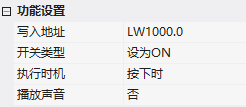
2.1 Function settings
| Attribute | Description |
|---|---|
| Write address | Bound register address |
| Switch type | Set to ON / Set to OFF |
| Execution timing | Timing to set registers |
| Play sound | Play specified sound when clicked |
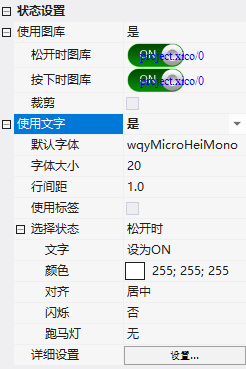
2.2 State setting
- Use gallery: Gallery when released/Gallery when pressed, with cropping capability
- Use text: Font/size/line spacing/label;Selection state: Text content, color, alignment, blinking, marquee for each state
3. Application Cases
3.1 Set to ON/OFF
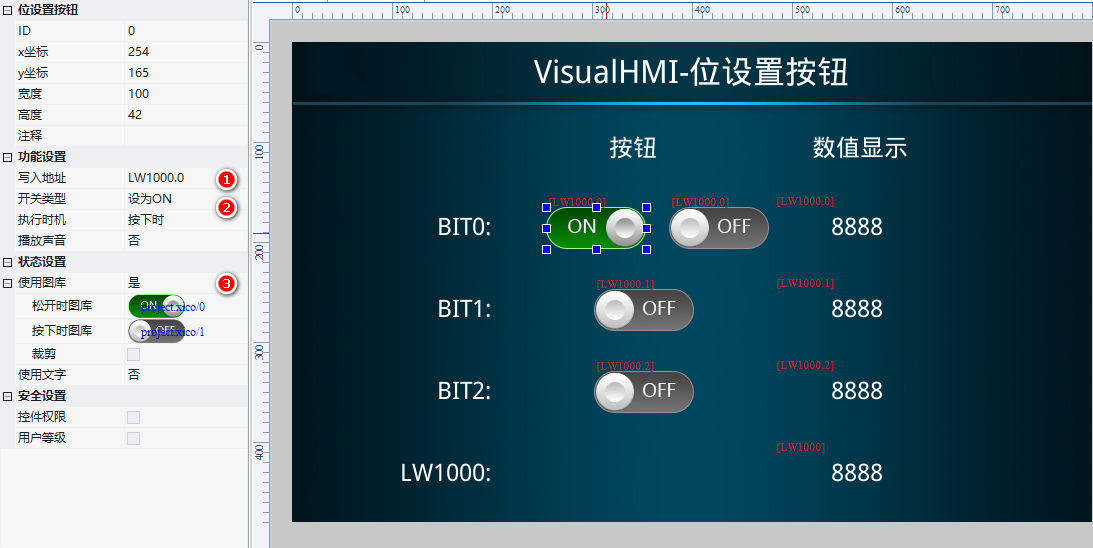
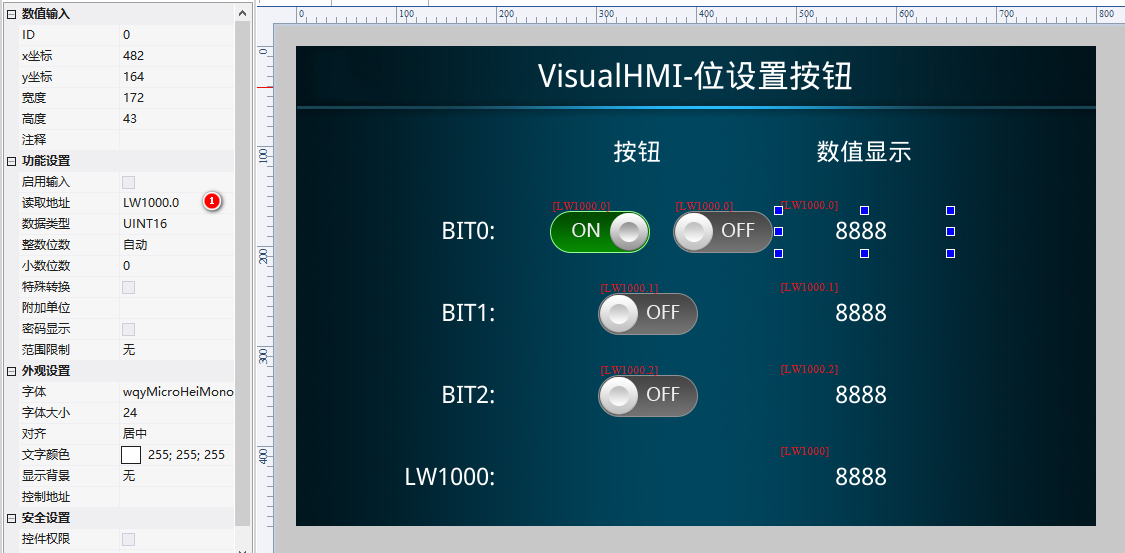
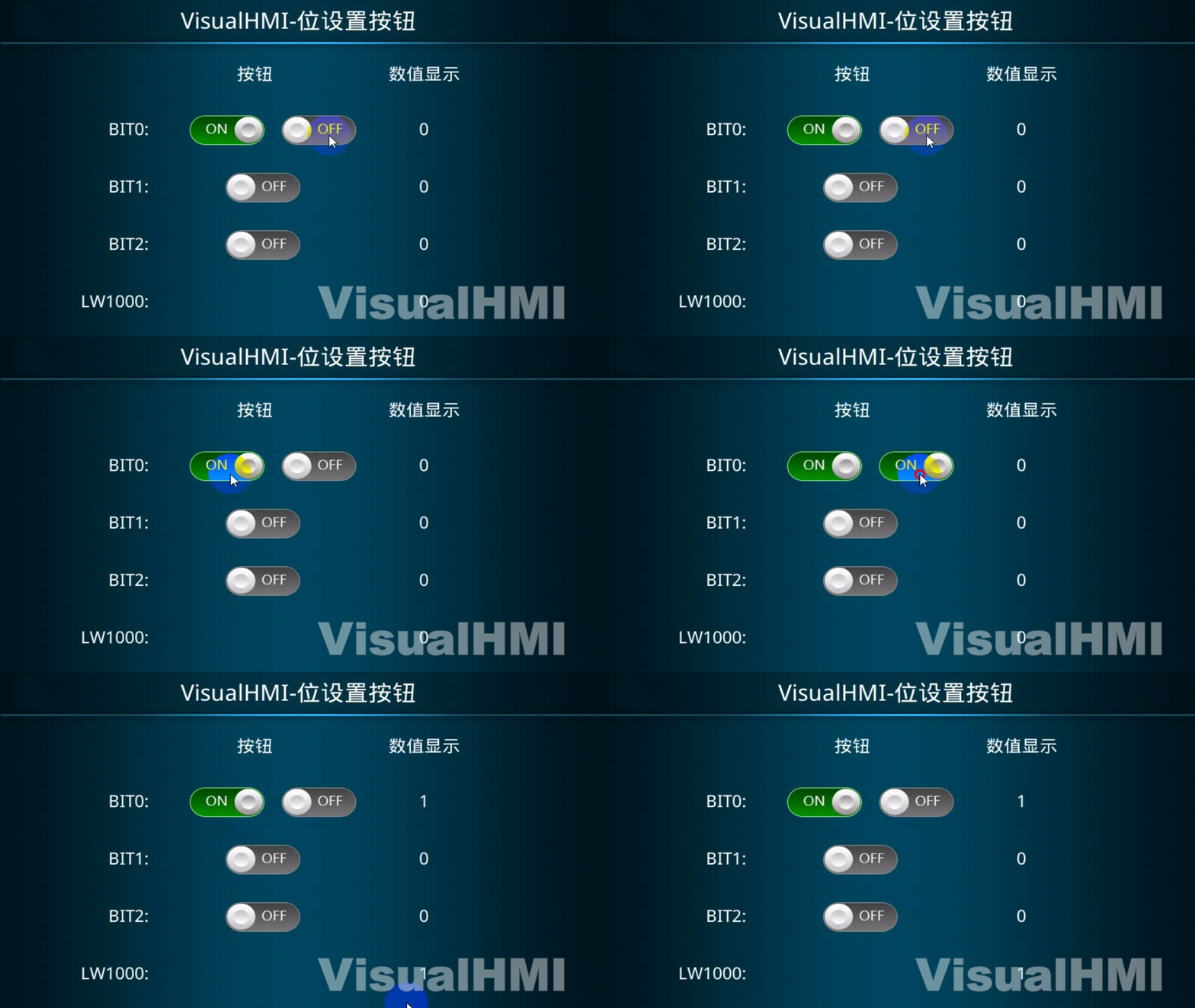
2 position setting buttons (Set to ON, Set to OFF) + 1 numeric control. Write addressLW1000.0. Click ON to write 1, click OFF to write 0, and the numeric control displays in real time.
3.2 Toggle Switch
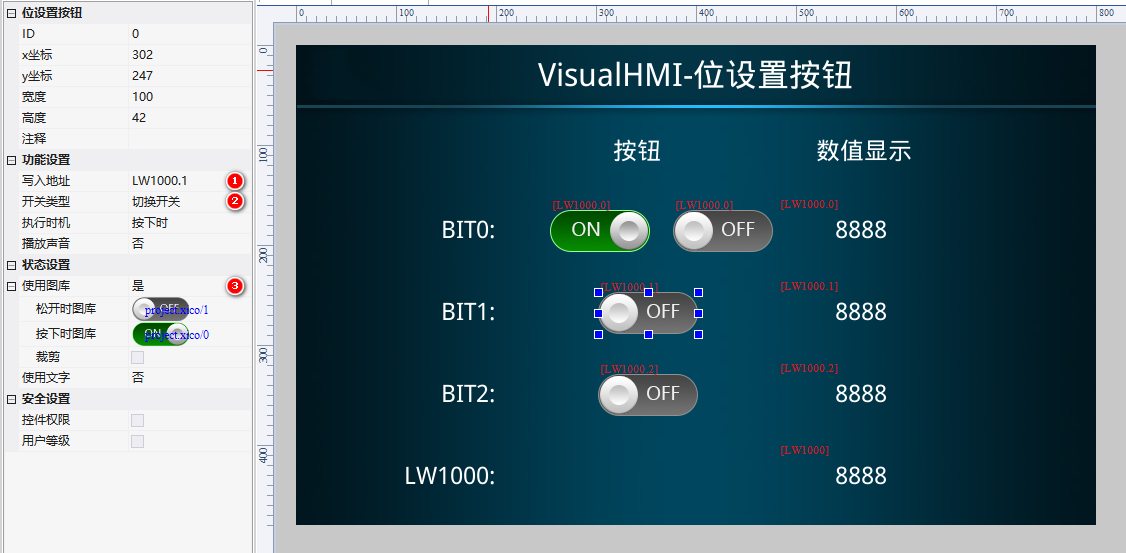
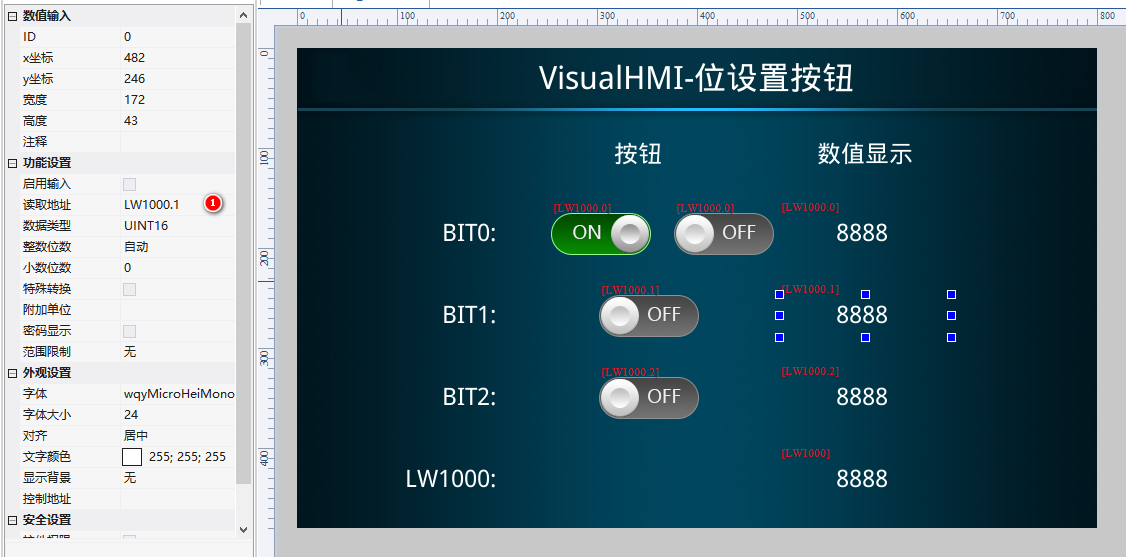
1 position setting button (switch type=toggle switch, bound toLW1000.1) + numeric control. Click once to toggle from OFF to ON, then click again to toggle from ON to OFF.
3.3 Jog Switch
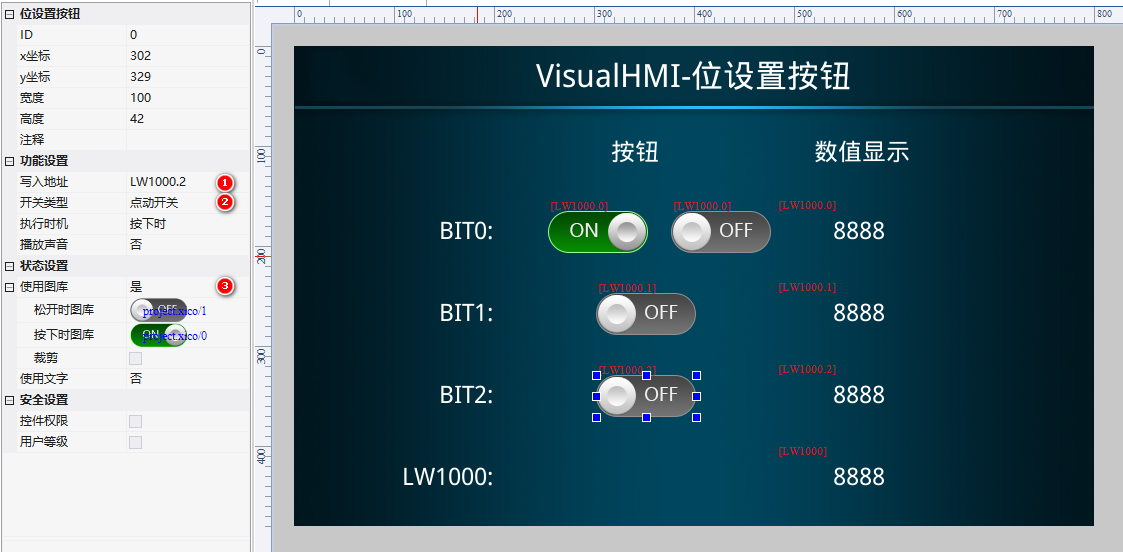
1 position setting button (switch type=jog, bound toLW1000.2) + numeric control. Press ON, and it automatically returns to OFF when released.
Compiled from Guangzhou Dacai Technology VisualHMI Development Documentation (hmi-doc.gz-dc.com) Configuration Control Tutorial "Bit Setting Button", copyright reserved by Dacai Technology.


Leave a Reply