
The bit status indicator is the most frequently used control in HMI screens - specifically designed to display a binary value (Boolean): equipment start/stop, alarm confirmation, IO status, and more. The core principle is simple:When the register is set to 1, it illuminates in one state; when set to 0, it illuminates in another state.
1. What variables can be bound?
- Native Boolean variables: Modbus coils (such as
0x0001), discrete inputs (such as1x0001). Value 1=active (illuminated in green), 0=inactive (extinguished in gray) - Bit addressing: Non-Boolean registers (4x hold registers, 3x input registers) reference specific bits with
.-4x1000.1represents bit1 of 4x1000,3x0200.7represents bit7. A 16-bit register can carry 16 independent states, ensuring high communication efficiency

2. Attribute Introduction
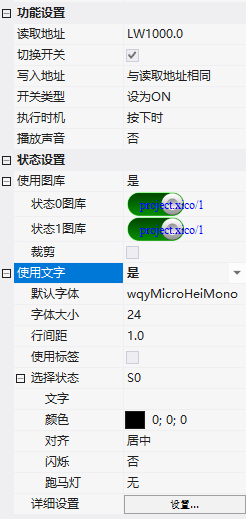
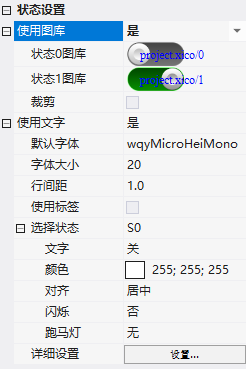
2.1 Function Settings
| Attribute | Description |
|---|---|
| Read Address | Variable Address Bound to Control |
| Toggle Switch | Checked allows touch (write operation), unchecked = pure display |
| Write Address | After checking the toggle switch, you can set whether the write address is the same as the read address |
| Switch Type | Set to ON: press to write 1, release to hold; Set to OFF: press to write 0, release to hold; Toggle switch: press to toggle (with lock); Jog switch: press to write 1, release to write 0 (automatically pops up) |
| Execution timing | Register setting timing |
| Play sound | Play specified sound (wav/mp3) when clicked |
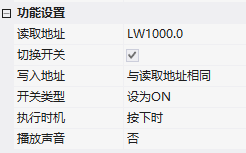
2.2 State setting
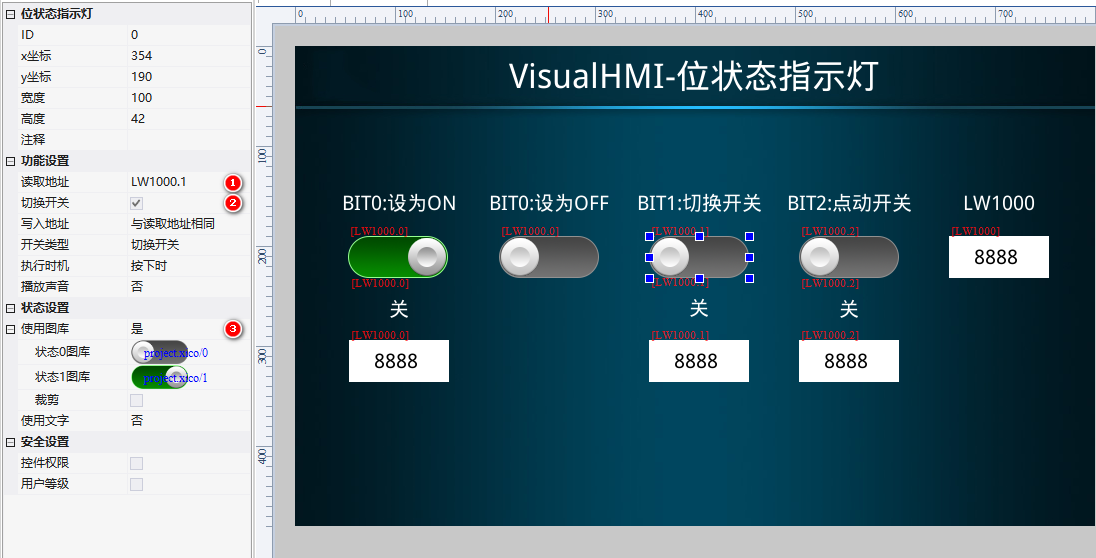
- Use gallery: State 0 gallery (pop-up/inactive), State 1 gallery (pressed/active), croppable
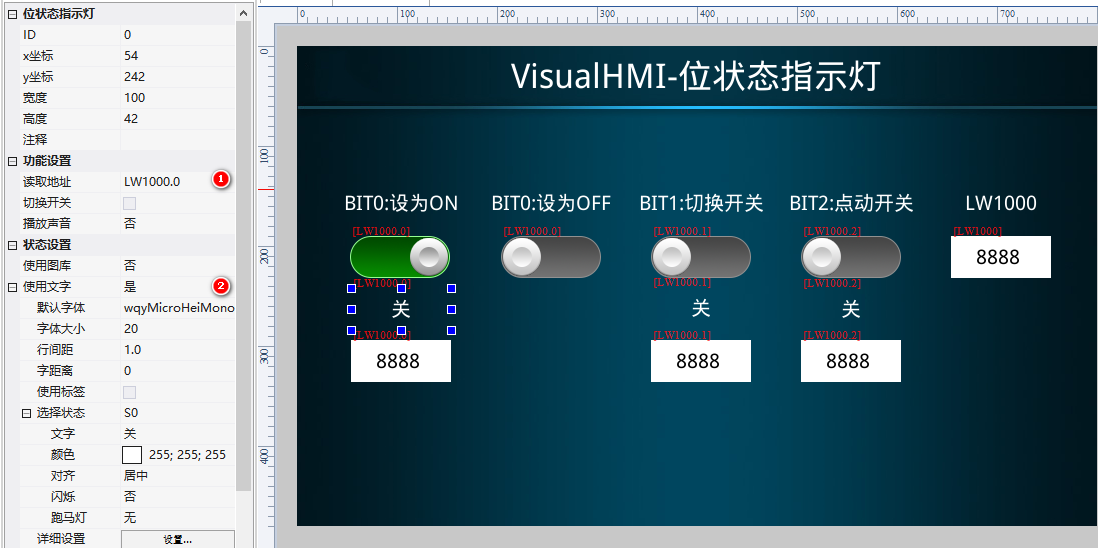
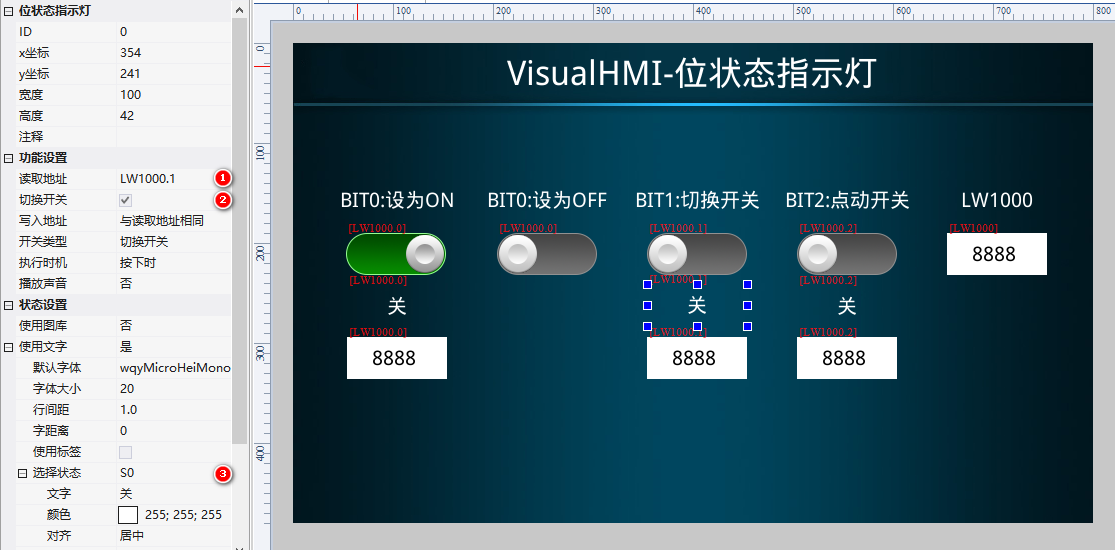
- Use text: Display text separately for State 0/1, with font, size, and line spacing configurable; display label content if using labels
- Select state: Set the content, color, alignment, blinking, and marquee of text for each state individually
3. Application cases
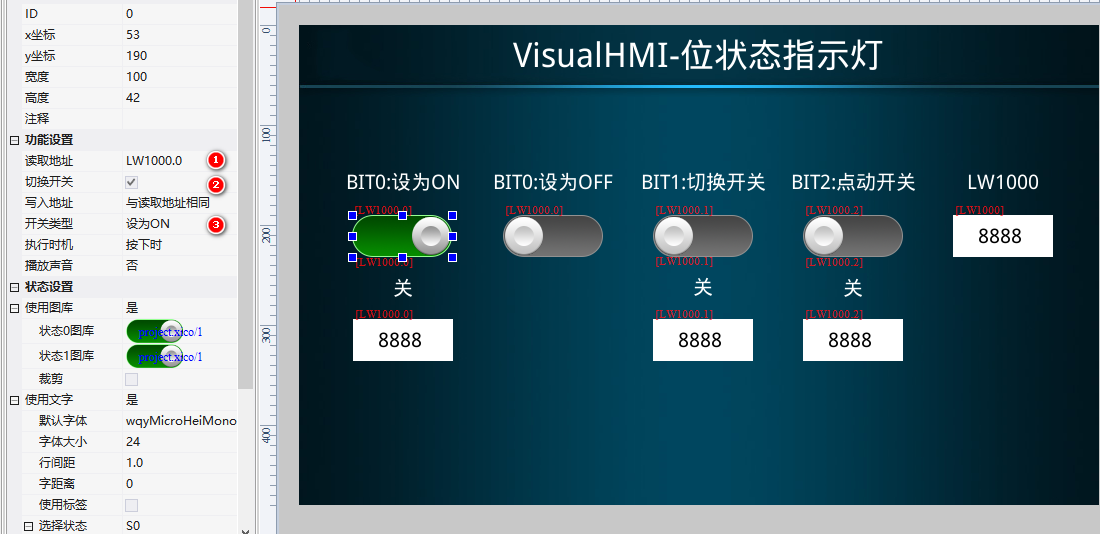
3.1 Set to ON/OFF (Write 1 / Write 0)
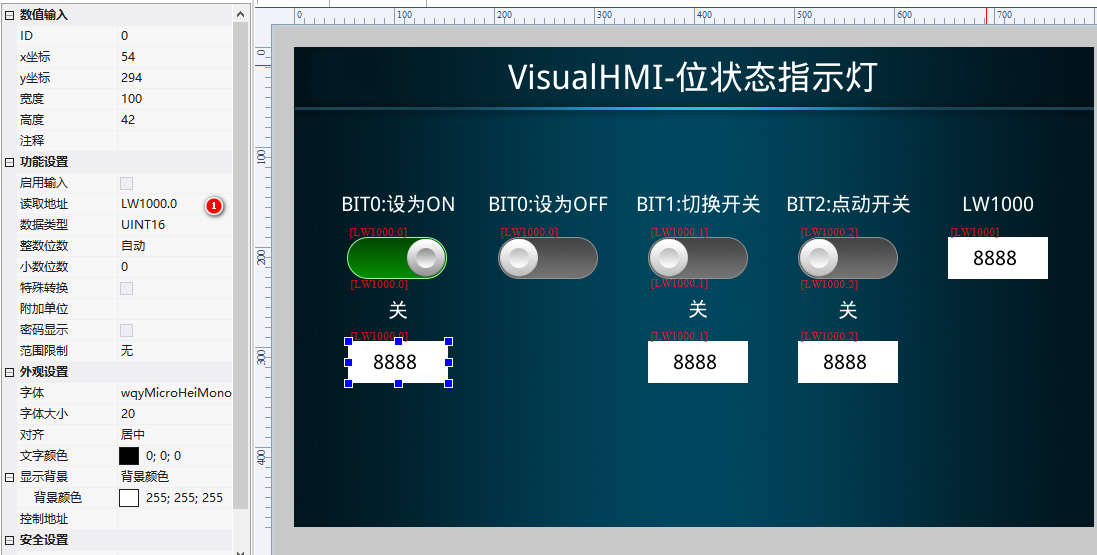
Display two read-write bit status indicators on the screen (Set to ON/Set to OFF, read addressLW1000.0) + one read-only (text display Off/On) + one numeric control to display the bit value.
3.2 Toggle Switch (Flip)
Select the switch type as "Toggle Switch", bindLW1000.1: Click ON, then click OFF, similar to a lockable switch. Equip with a read-only text indicator and numeric control for observation.
3.3 Jog Switch (Momentary)
Select the switch type as "Jog Switch", bindLW1000.2: Press to set to 1, release to automatically return to 0. Suitable for start buttons, self-reset buttons.
Compiled from the VisualHMI development documentation of Guangzhou Dacai Technology (hmi-doc.gz-dc.com), the configuration control tutorial "Bit Status Indicator", copyright reserved by Dacai Technology.


Leave a Reply