
Drop-down selection control forto selectfrom a predefined set of options: Click to open the drop-down list and select an item, which will be automatically synchronized to the associated variable. Options can be static content, dynamic content (written in LUA), or historical data dates.
1. Attribute introduction
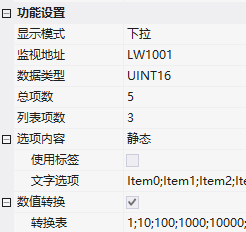
1.1 Function settings
| Attributes | Description |
|---|---|
| Display mode | Drop-down or List |
| Monitoring address | Bound variable address |
| Data type | UINT16/INT16/UINT32/INT32 |
| Total items / List items | Total options; List display items (scroll bar drags when less than total items) |
| Menu direction | Auto / Down / Up |
| Option content | Static (fixed text) / Dynamic (variable address + max length, UTF-8, separated by semicolon;) / Historical data date (time of data recording control, with data sampling index + date format + sorting) |
| Numerical conversion | Conversion table: Each item corresponds to a value, such as options Item0~Item4 corresponding to values 1; |
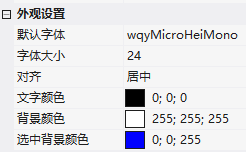
1.2 Appearance settings
- Font/Size/Alignment/Text Color; Background Color/Selected Background Color (takes effect when background mapping is not enabled)
- Reset dropdown menu: Menu item height (percentage of control height), menu item font (percentage)
- Background image: Main display area gallery + List area gallery
2. Application case
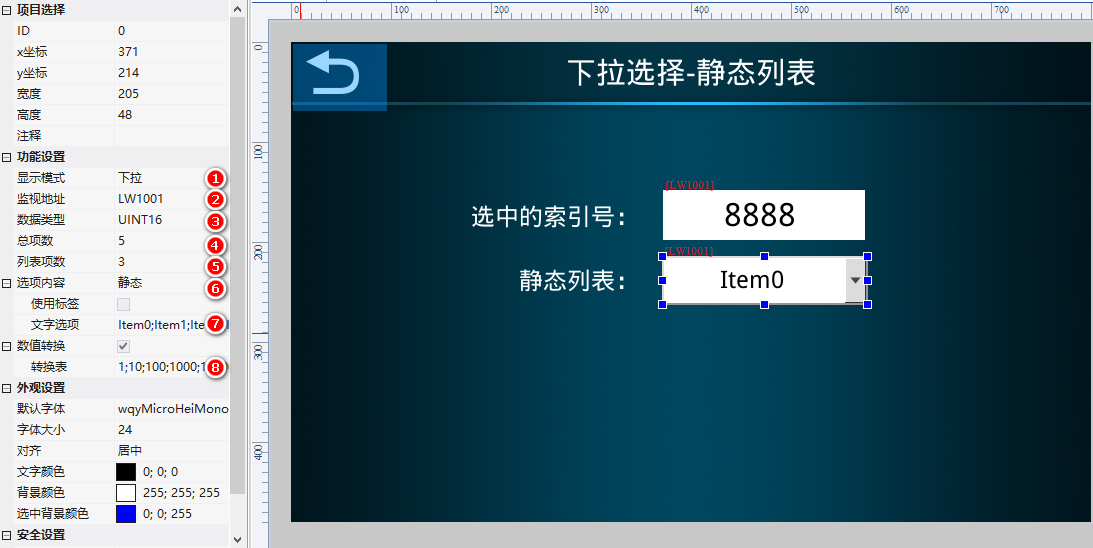
2.1 Static list + Numerical conversion
MonitoringLW1001(UINT16), 5 items, 3 items in list, text Item0~Item4, numerical conversion 1;
2.2 Dynamic list (written in LUA)
monitorLW1002, dynamic option content, variable addressLW1050The maximum length is 256 bytes. LUA uses set_string to write "ac;!?; Hello" (UTF-8, separated by semicolons), and the drop-down menu displays these three items.
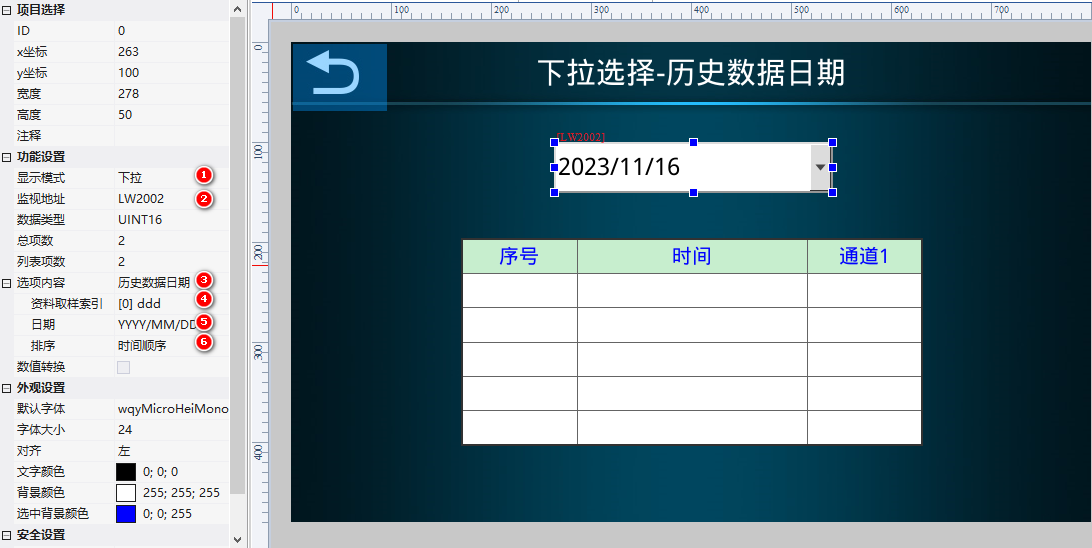
2.3 Historical data date
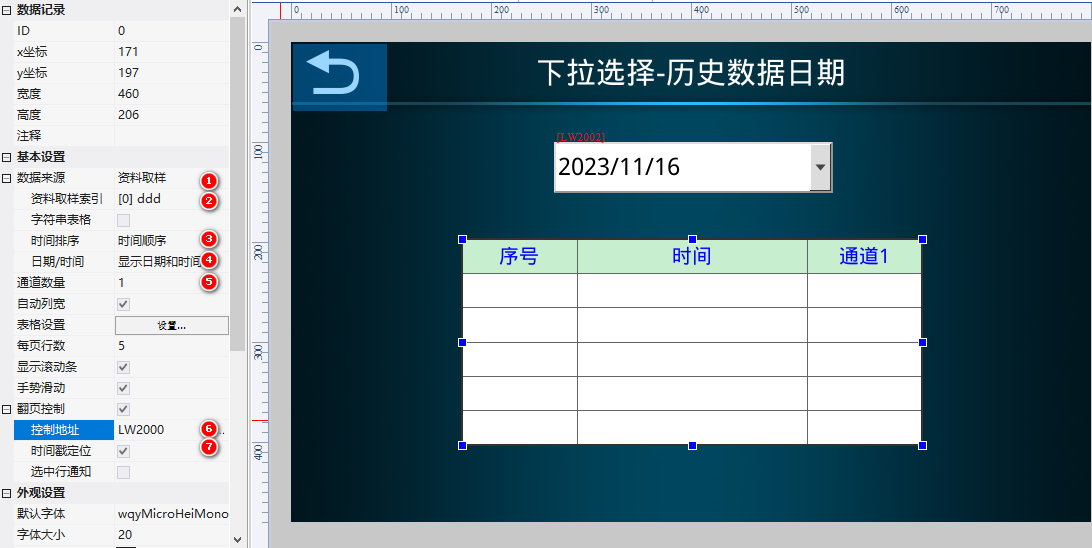
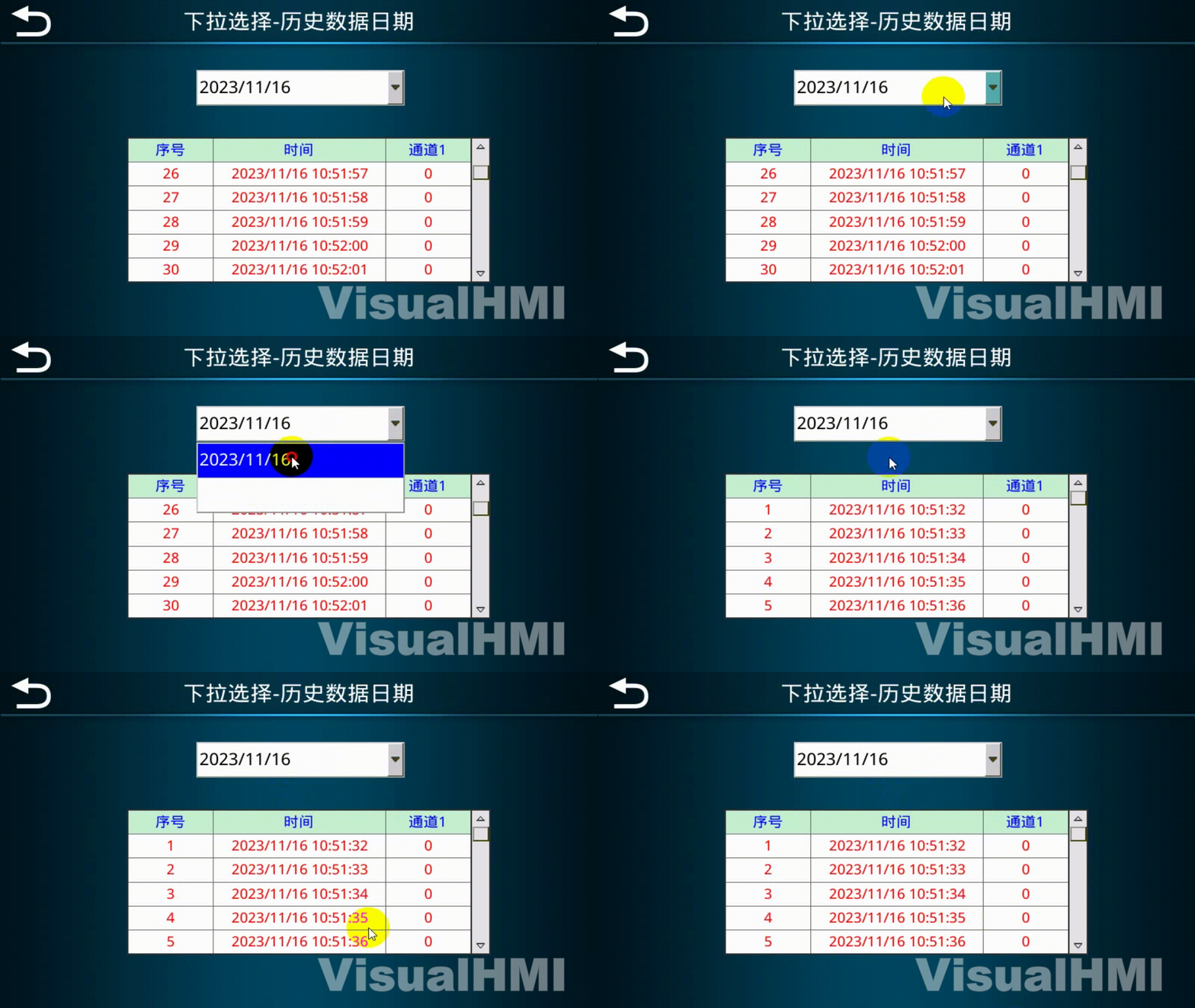
MonitorLW2002Option content = historical data date, data sampling index [0], date format YYYY/MM/DD. Note: The variable address bound to the dropdown control = the control address of the data recording control + 2 (LW2000+2=LW2002). Configure the data recording control (data source = data sampling, channel 1, control address LW2000, timestamp positioning). Select the log date, and the data collection table will be positioned to the earliest entry of the current day.
Compiled from Guangzhou Dacai Technology VisualHMI development documentation (hmi-doc.gz-dc.com) configuration control tutorial "Dropdown Selection", copyright belongs to Dacai Technology.


Leave a Reply