
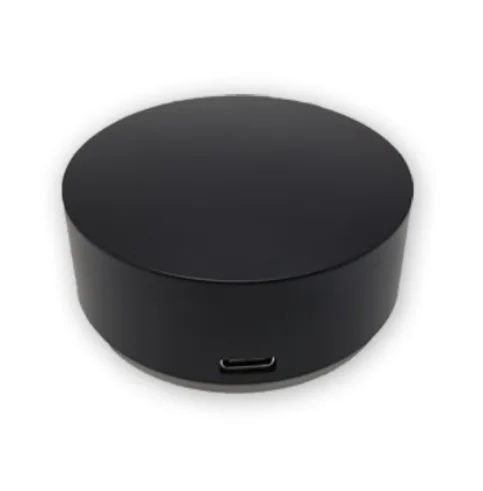
Function Description:
By using the bus control module to learn and send infrared signals, the intelligent control system can control infrared devices.
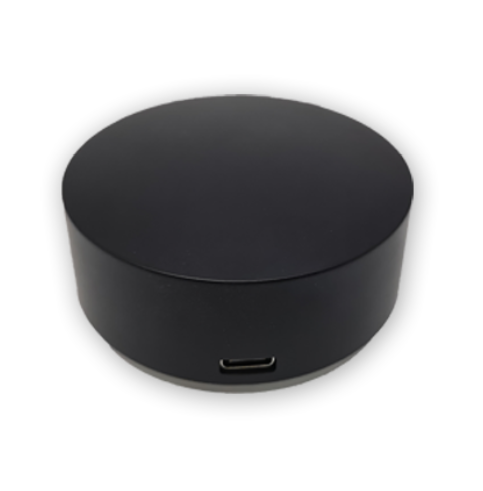
Product images
Selection suggestion:
Widely applicable to users with infrared control needs such as homes, office buildings, hotels, banks, hospitals, schools, airports, museums, laboratories, factories, etc. It is also suitable for centralized control applications for professional users such as smart cinemas and listening bars.
Product Features:
1. Supports signal learning and control for over 95% of infrared household appliances.
2. Supports configuring batch import and export, quick batch project copying
3. Supports sending 8 sets of infrared signals with adjustable delay when powered on.
4. Supports two protocols: simple control and industrial control. 5. Provides upper computer operation software for easy configuration. 6. Supports 5 sets of scene instructions for easy operation in the audio and video room. 7. Default 9600 baud rate, supports 5 baud rate modifications.
6. Support 5 sets of scene commands for easy operation in the audio and video room
7. Default 9600 baud rate, supports 5 baud rate modifications.
8, Choose the latest frosted acrylic infrared transparent shell, compact and exquisite
9, TYPEC interface, and lead out 4-core control wire VGAB.
10. Supports 12-24V wide voltage power supply
11. Directly obtain the protocol through the upper computer and copy and paste it. 12. Four independent infrared emission heads can be driven, with high power and long distance
Usage:
1. USB to 485 connection module, module powered on
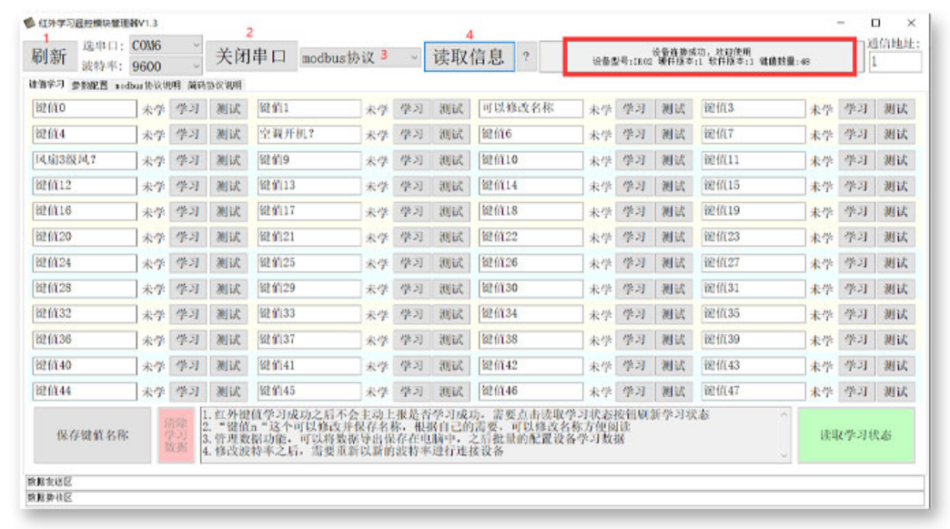
2. Turn on the upper computer, connect the device, module initial baud rate 9600, address 1
Connect the devices one by one, click "Refresh", select the serial port, select the baud rate, open the serial port, and then select the corresponding protocol (default Modbus protocol) to read the information. After successfully connecting to the module, a prompt message will be displayed.
3. Infrared learning
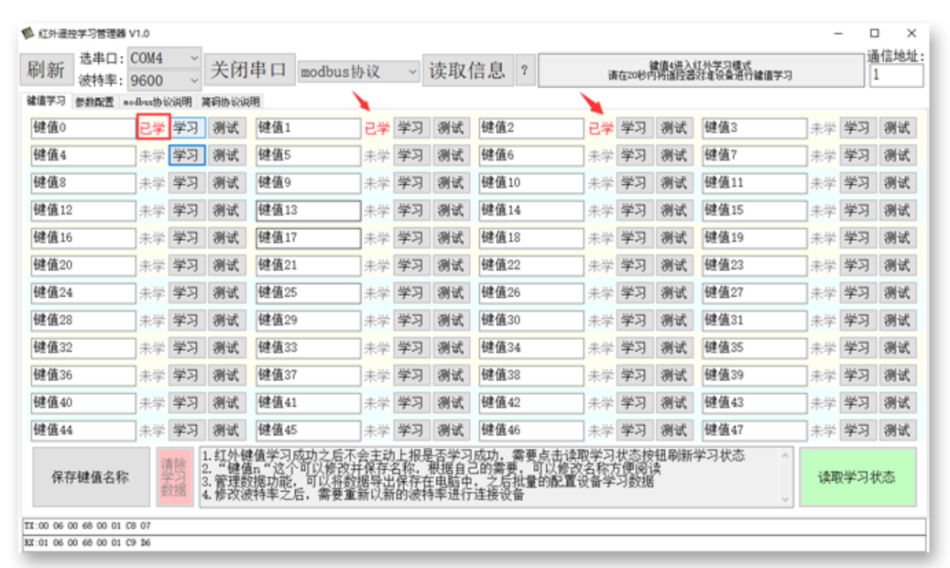
Select the corresponding button and click "Learn" - follow the prompts in the upper right corner to aim the remote control at the device for learning within 20 seconds - click "Read Learning Status" in the lower right corner to check the learning status. After successfully learning the infrared key value, it will not automatically report whether the learning is successful. You need to click the "Read Learning Status" button to refresh the learning status
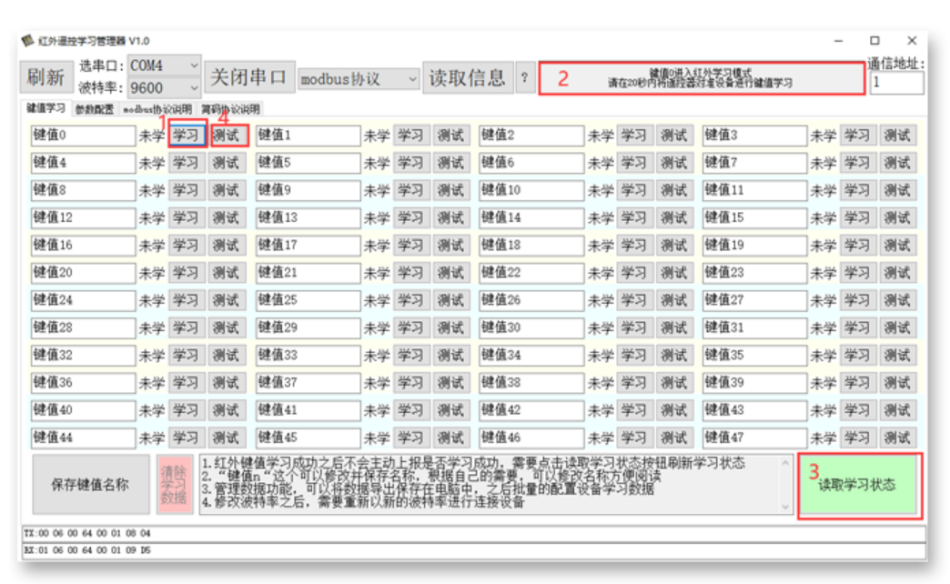
If the learning is successful, after clicking "Read Learning Status", the button status will change to "Learned". At this time, you can click the "Test" button to perform an infrared signal transmission test.
3. Button name modification
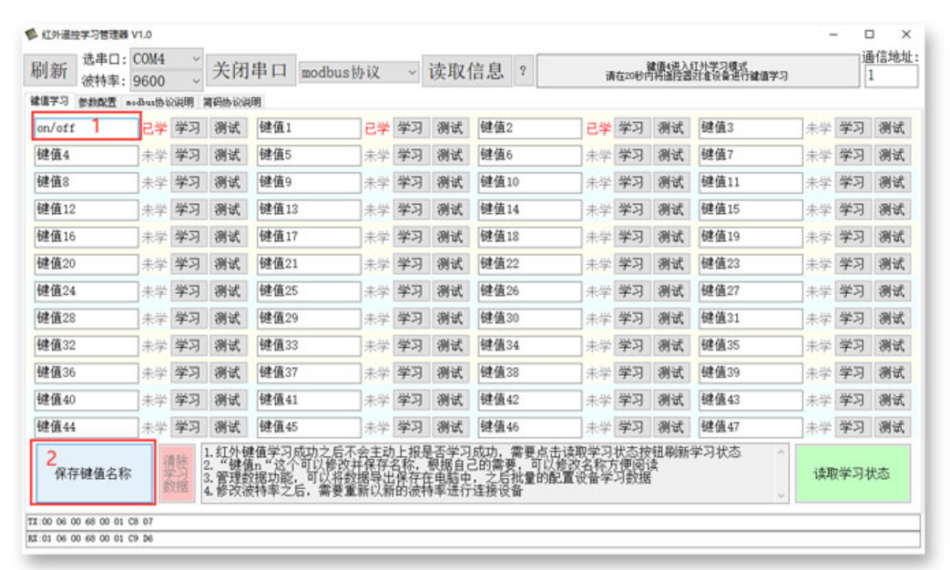
The "key value n" can be modified and saved with a name. According to your needs, you can modify the name for easy reading and select the corresponding key name to modify. After modification, click "Save Key Value Name" in the bottom left corner
4. Bus protocol acquisition
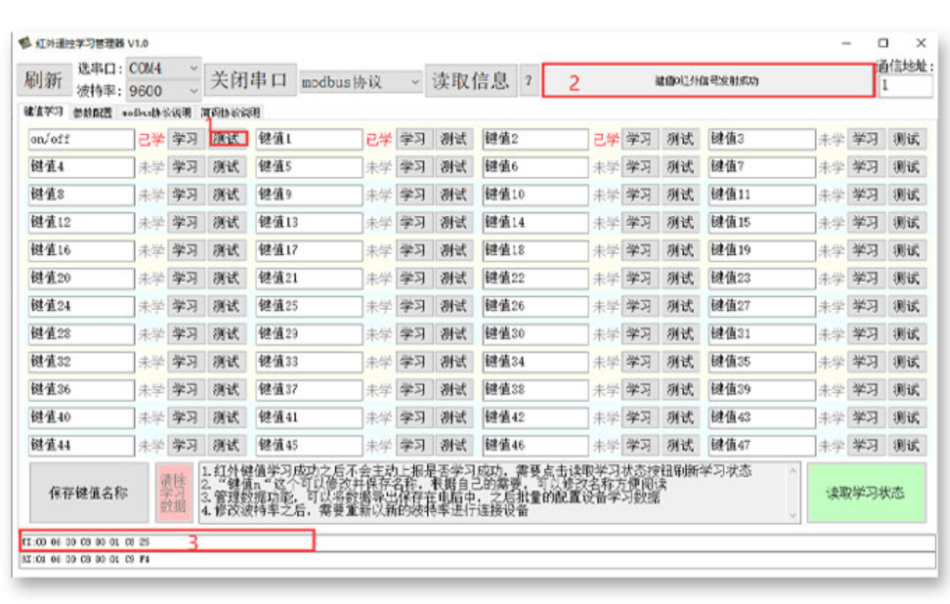
Click on 'Test', the information prompt box in the upper right corner will indicate what operation has been performed, and the corresponding protocol will be generated in the 'TX' column in the lower left corner.
5. Directly use the serial port protocol to control the infrared module
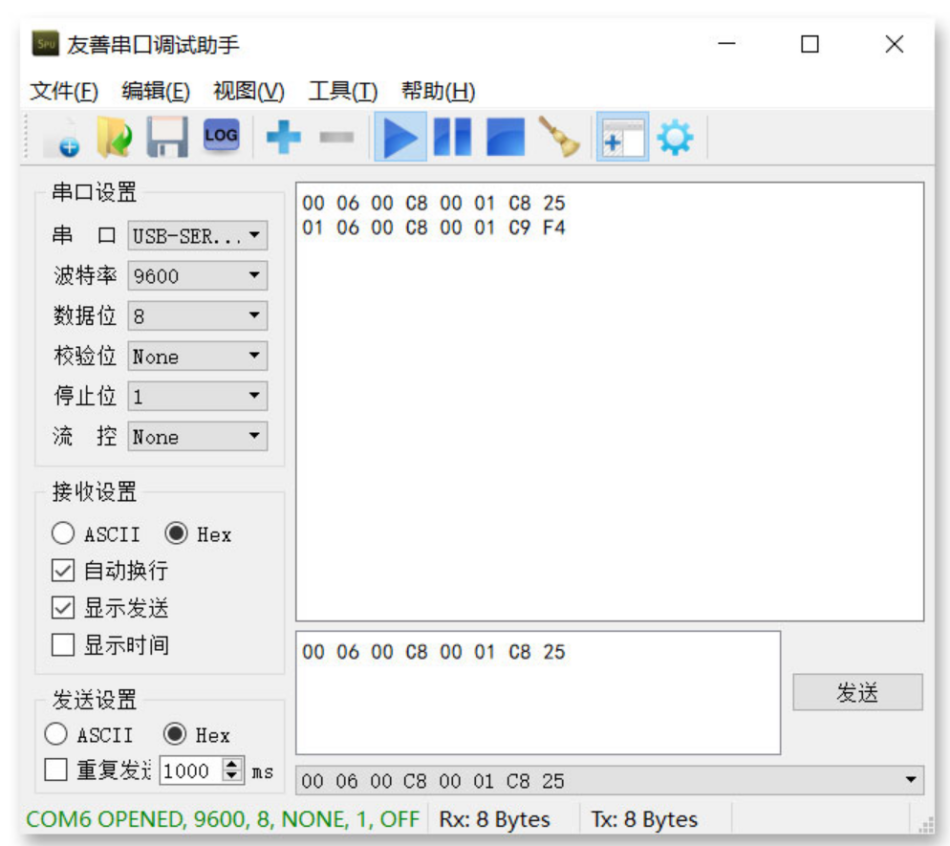
Send the protocol obtained in the fourth step through the serial assistant, and the protocol control module can be sent through the serial assistant.
Pay attention to whether the serial port settings are consistent with the upper computer
Please contact us if you need this product! ! !


Leave a Reply