
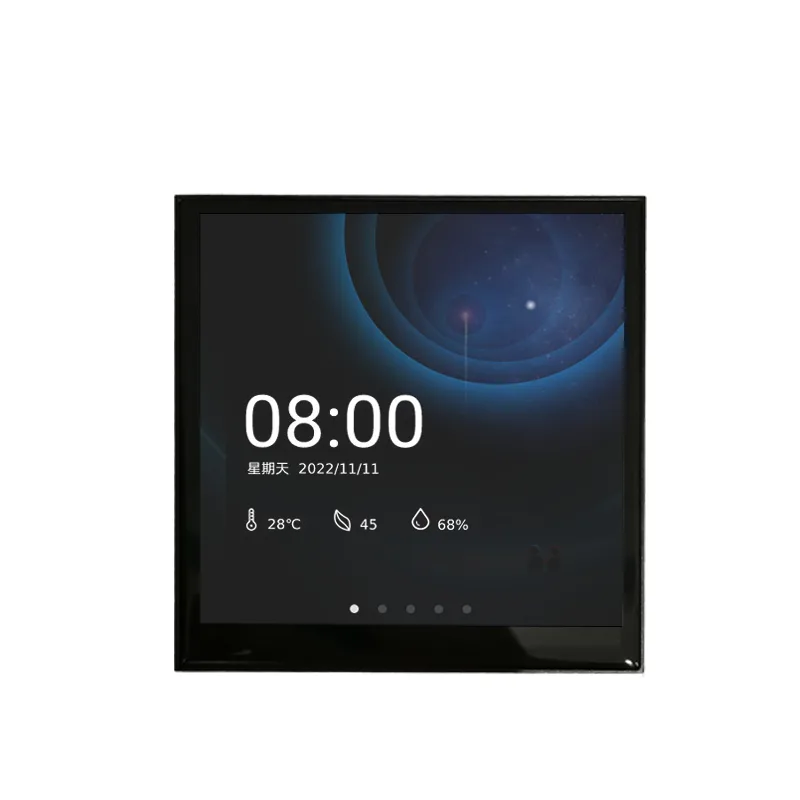
The 4.3-inch intelligent touch panel TDFH-P04C is a multifunctional touch panel. It can achieve control over lighting, curtains, scenes, air conditioning, background music, underfloor heating, and fresh air. It adopts a 7-inch color IPS capacitive touch screen design with a resolution of 720 × 682. Appearance black. It can be used to display status and control various RS485 devices, and execute pre-set functions through graphical buttons on the touch screen. Such as sending on/off light messages, scene messages, on/off curtains, air conditioning control messages, etc. to control other devices on the bus system. Compared to ordinary button type panels, smart touch panels can display images and emit prompt sounds through LCD screens, and can be easily and clearly operated through human-computer interaction interfaces.
Application areas
Home appliances, HVAC equipment, Industrial automation, Electricity, Telecommunications, environment protection medical care, finance, Oil, Chemical industry, Transportation, Energy, Geology, Metallurgy, Public inquiry and monitoring, Function Overview
Inch color
- 4.3 resolving power IPS, Capacitive touch screen design 720×682, Equipped with a switch
- Dimming, curtain Scene, Value sending, Switch indication function, Temperature controller function, Air conditioning control
- Background music module control
- Control and color temperature adjustment
- Fresh air
- RGB, RGBW, RGBCW Underfloor heating control
- Display air quality detection values, Display energy monitoring values
- Weekly timer
- Users can modify the triggering time of the timer on the screen
- Scene group function, Logical function
- Support logical gate forwarding
- Threshold comparator, Conversion of different data types, Homepage navigation function, Alarm function
- Built in temperature sensor
- Time, Date display
- Temperature display, Having confidentiality protection, Screen saver and lock screen function
- Screen saver with optional clock, Technical parameters, Working voltage, LOGO
Communication method
– The farthest distance: 12V~24V DC
– Rice: RS485 (Communication baud rate1200Display resolution)
– Storage space: 1200~921600bps
– Firmware upgrade method: 720×682
– card: 128Mbit
– Firmware upgrade method: SDcard
– Working temperature: -20~+70℃
– Storage temperature: -30~+80℃
– Vibration testing: 10 to 25Hz (X,Y,ZDirection 2G 30minute)
– ESDTesting: Air=±8KV, Contact=±6KV (Can support higher)
– High and low temperature testing: 70℃±3℃,72H/-20℃±3℃,72H; 50℃±3℃,90%±3%RH, 72H
– Product size: appearance 86×86×6 mm; Bottom box diameter86 mm
Develop video tutorials:
1, Basic background, Button replacement video tutorial
2, Button to send custom protocol tutorial
3, Button send custom scene and delay instruction video tutorial
4, Video tutorial on variable learning and usage
5, System variable call video tutorial
6, Protocol analysis display video tutorial
7, Progress bar sending custom change protocol video tutorial
8, Video tutorial on sending variables with computational logic
9, Video tutorial on changing variables through input boxes
10, CRCVerification sending protocol video tutorial.
11, Video tutorial on implementing the interlock button function.
12, Change power onLOGO, Export upgrade video tutorial
13, The implementation method of sliding screen effect
14, Tutorial on using protocol conversion function
15, Color palette matchingXRGBDimming tutorial
16, Tutorial on timed instruction sending.
17, Tips for using and resizing password controls
18, How to display the week on the page again
19, How to implement a pop-up selection button tutorial
20, How to change text display through Chinese input keyboard
21, Control of verification equipment, for exampleLSElectric curtain tutorial
22, Change the display page or popup according to custom data
23, How to change button state through custom protocol
24, How to lock and unlock the screen through a custom protocol
The development version provides a complete setUIBackgroundPSDSource file; Provide single product version engineering source files and video tutorial engineering source files. Provide development tools.


Leave a Reply