
Modbus is a serial communication protocol applied to electronic controllers, which is a commonly used connection method between industrial electronic devices. Through this protocol, controllers can communicate with each other and with other devices via networks (such as Ethernet). It has become a universal industrial standard, and control equipment produced by different manufacturers can be connected to an industrial network for centralized monitoring. Taking the 4-in-4-out relay module (Modbus RTU) as an example, this article explains how to connect terminal devices that support the Modbus protocol to the Modbus IoT cloud platform, and demonstrates how to wire and configure them. The communication device selected is a manned 4G DTU USR-DR15X as an example.
1, Prepare
Material Preparation
Register Modbus Cloud Platform
Register a Modbus cloud platform pass with your phone number/email,Log in to the Modbus cloud platform.
2, Connect devices
1. Connect the relay and DTU through a 485 serial port cable
2. Power the relay and DTU separately (12V) (brown positive, black negative)
3, Add devices to the cloud
Adding devices to the cloud only requires three steps: basic information, product selection, and device cloud deployment, to quickly connect the devices to the Modbus cloud platform.
1. Basic Information
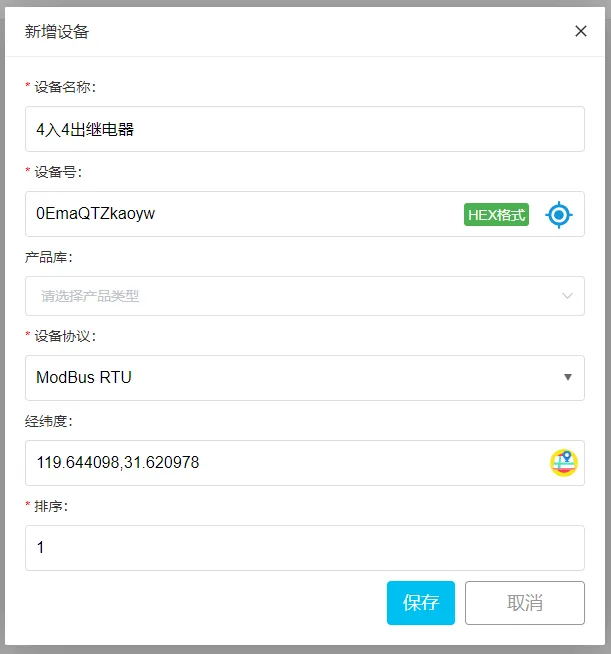
Fill in the basic information of the device, including device name, device number, device protocol, device latitude and longitude, sorting and other information.
Custom addition method:
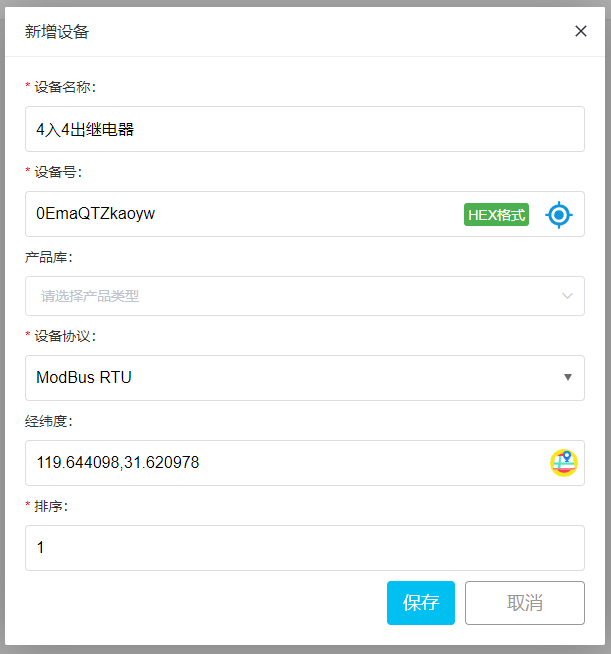
Device number: It can be automatically generated by the system by default or "custom filled in".
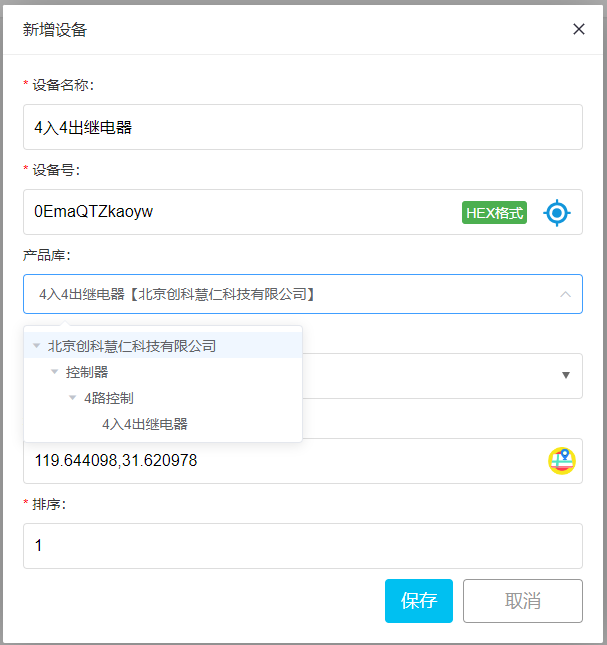
One click addition method for product library:
Excellent products from various cooperative manufacturers are gathered and registered in the Modbus product library. Users can select the brand, category, and model through "Device Management" → "New Device" → "Product Library", and click to complete the one click device addition.
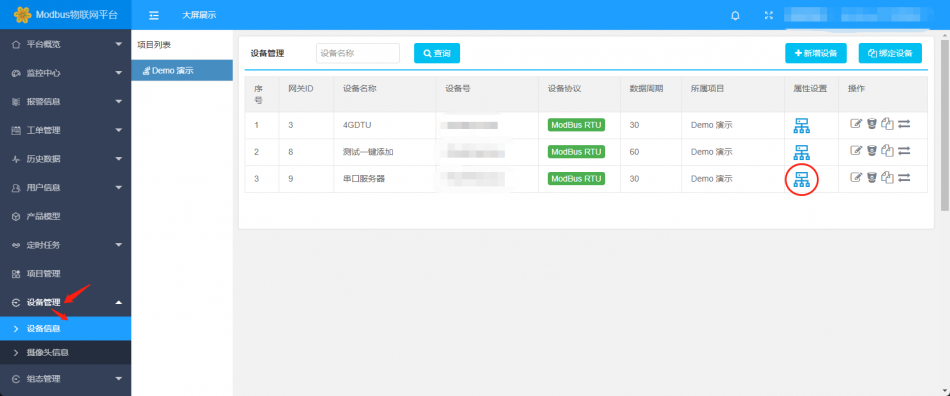
Add new sensors
Click on Device Information under Device Management ->(Device) ->Attribute Settings (Icon) ->Add Sensor
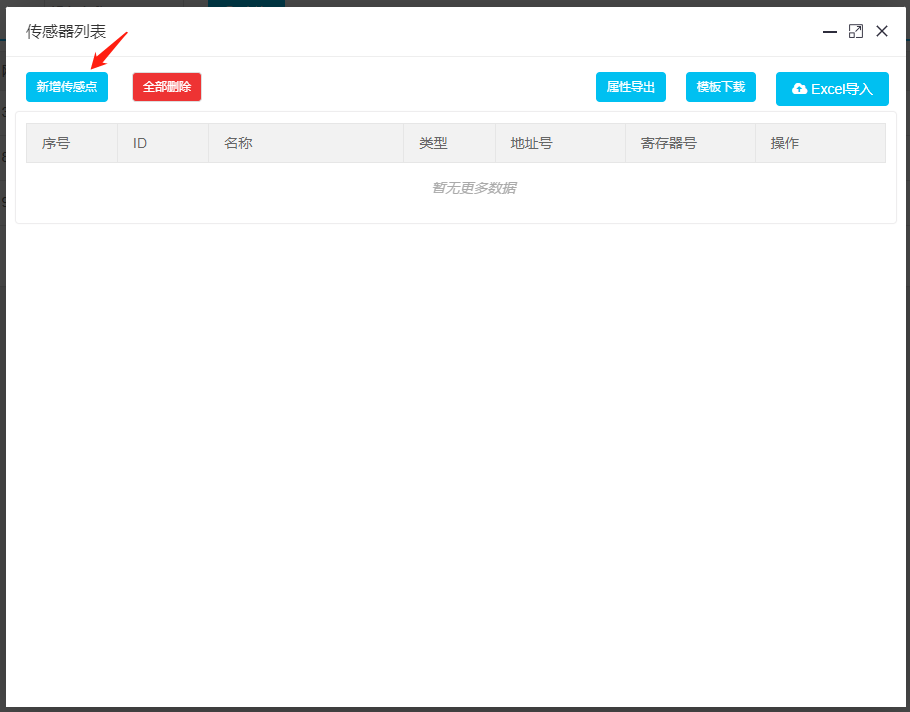
Sensor List
The address number here is the slave address, and the register number is the offset address. When adding sensor information, we need to add it according to the properties of the collected parameters. Below, we will explain the meanings of each field in the sensor in detail.
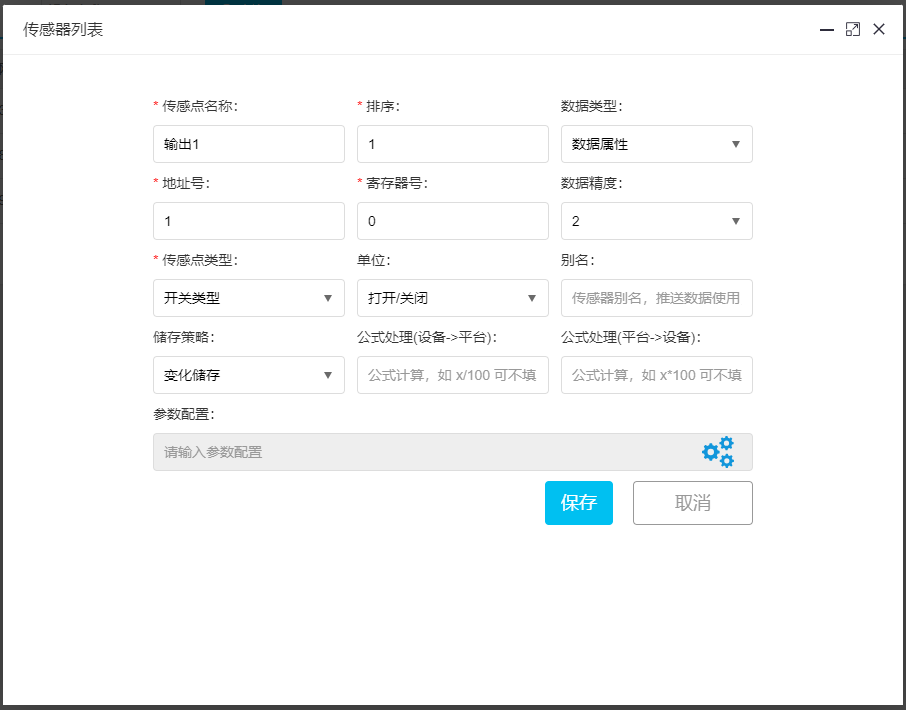
Detailed explanation of sensor points
data type
The typical data type for reading display data is data attributes. In some scenarios, we need to write data to the device, and then we can choose to configure the attributes.
Address number
The address number is the address of the Modbus slave device, which ranges from 1 to 255. The data we fill in here is displayed in decimal format. For example, if the address of a certain Modbus slave device is 0x 11, then filling in 17 is sufficient.
Register number
The register number is the offset address of the Modbus slave's register. When we browse the device manual in daily life, there are generally two forms: one will provide the register address, and the other will provide the PLC or configuration address as shown in the figure below. We can see that if it is a register address, then the humidity acquisition attribute register address is 0, and the temperature acquisition attribute register address is 1. If a PLC or configuration address is given, the conversion usually involves removing the highest bit and subtracting 1, such as 40001,
Removing the highest bit becomes 00001, subtracting 1 results in 0, 40001->040002->1. We must not confuse them here.
data precision
The data precision is the significant number of digits of the data, for example, the number passed is 10.234. If the data precision is selected as 2, the third decimal place will be rounded to 10.23, and so on.
Storage strategy
Storage strategy, the mode of storing data in the database, can be understood by name without special requirements, default is sufficient.
Formula processing
Formula processing (device ->platform) is the process of collecting data, storing and displaying it after formula calculation. For example, if the collected value is 100 and we need to divide it by 10, we can fill in x/10. The formula for Platform ->Device is used when writing data.
Parameter Configuration
Parameter configuration is used to configure the properties of data. Generally, Modbus properties have functions such as 01, 02, 03, 04, 05, 06, etc. The corresponding functions for each function are as follows. The default function code is 03, and we do not need to configure it. However, for example, when writing data and controlling switches, we need to configure them according to the corresponding rules. For example, if we commonly use 40001, its function code is 03 and register address is 0. Similarly, if we use 10003 information, its function code is 02 and register address is 2. The following figure has provided a very detailed explanation of how to configure parameters when setting up sensors
Switch (coil) configuration05Instructions, the system will default to using 05 for writing and 01 for reading;Read and write data configuration06The system will default to using the 06 command for writing and the 03 command for reading;
Others can be configured according to the normal instruction function code;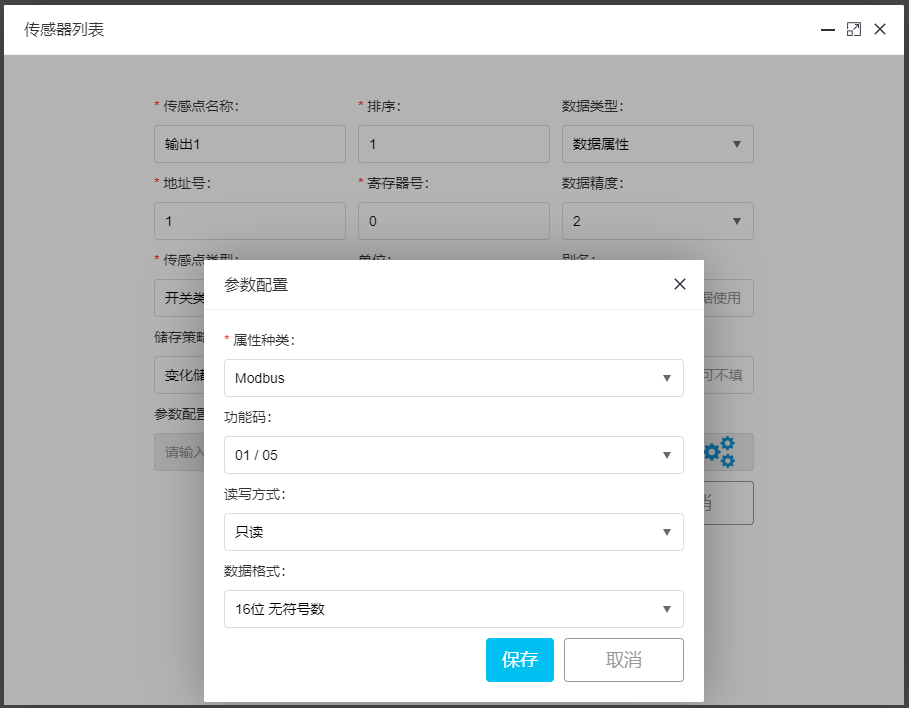


real cialis online Now the last one will take a week to cook, Just put it here and let it cook on its own, and come how do i lower my bottom blood pressure and check it from time to time