
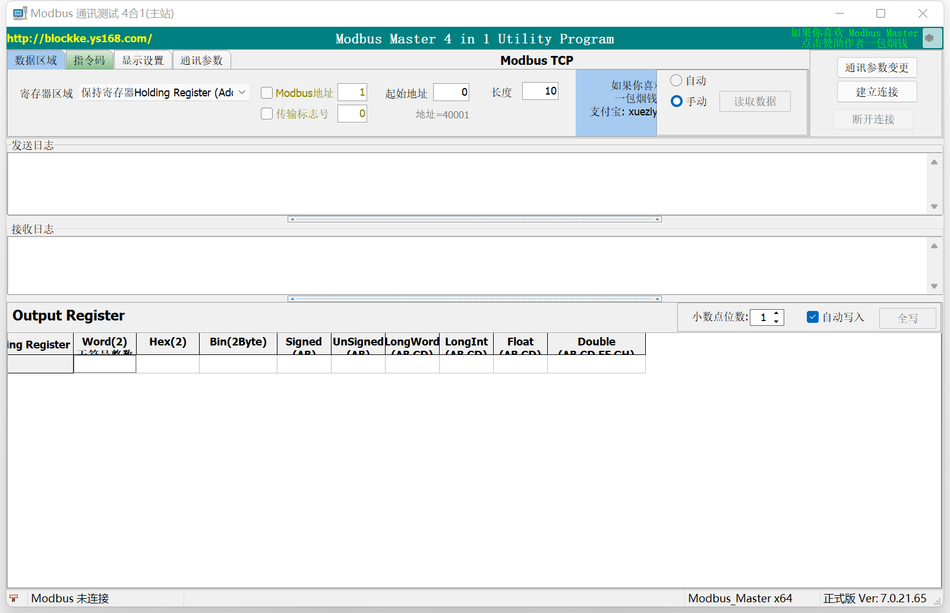
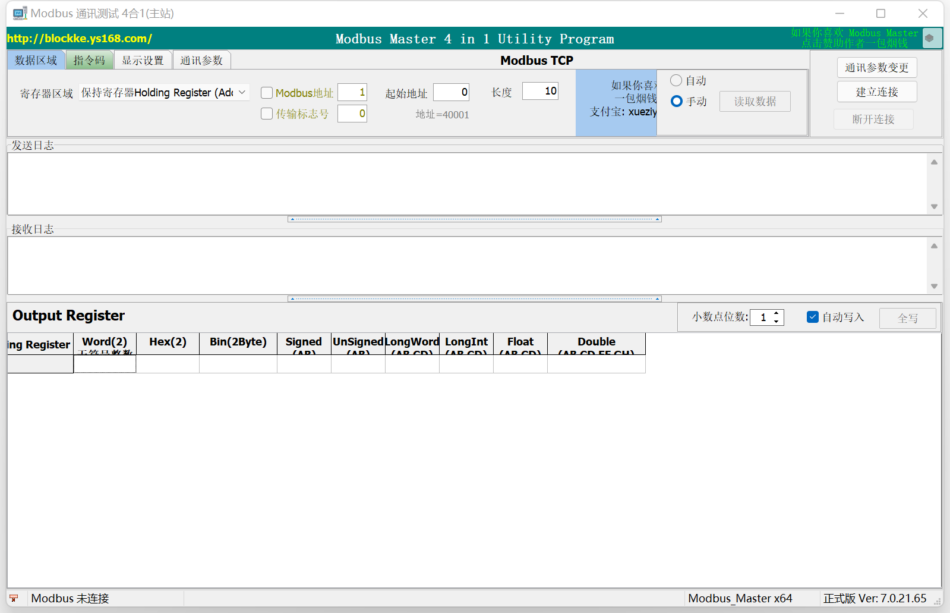
Modbus Master 7.0.21
04H -- Read Input Register, Byte Operation
Modbus RTU, Modbus ASCIICan be based onTCP/IPOrUDP/IPMethod of communication mode. Suitable for running on any platformWindowsUnder the platform. Green software, No need for any runtime libraries.
Feature Overview:
- Select Ethernet as the connection methodTCP, EthernetUDP, serial portRTU, serial portASCII, Modbus RTU(TCPTong
News)Modbus RTU(UDPCommunication), Modbus ASCII(TCPCommunication), Modbus ASCII(UDPCommunication) - If it is a serial portRTU, ASCII: Set serial port client serial port and parameters, Click to open, Different registers can be selected for read and write operations.
if it isTCP, UDP, RTU(TCP|UDP), ASCII(TCP|UDP):
Set up the clientIPAnd ports (Default502) , Click the link, After successful connection, Different registers can be selected for read and write operations. - This software serves asModbus main site(i.e.Mdobus client)
Use, can read coil register(Output Coil), Discrete input register(Input Relay), holding register(HoldingRegister), input register(Input Register), Extended register(Extended Register)the data, At the same time, it can be written into the coil register(Output Coil), Maintain the sender(HoldingRegister), Extended register(Extended Register)data; Data can be displayed in a formatted format, Bring convenience to testing work.
Last updated
v 7.0.21 (Build 2022/11/8)
- Add function code14H--Read expansion register(Extended
Register) - Add function code15H--Write extension register(Extended
Register) - Modify software icon
- Add non-standard03H, 04HDetermination of Function Code Data Length v 6.2.20 (Build 2022/08/30)
- Modify the way of reading the serial port list to correctly read valid serial ports v 6.2.19 (Build 2022/06/2)
- Modify the way of reading the serial port list to only display valid serial ports v 6.2.18 (Build 2022/05/11)
- Correct serial communication, Received a specific character interruptionbug.
- Change the address starting from 0 (Originally starting from 1) v 6.2.17.53(Build 2022/04/01)
- CorrectModbus ASCII Function code command sending error in mode
Information v 6.1.16.52(Build 2022/03/27) - Adjust the function code page, better understandingmodbusThe composition method of commands
- Modify the display of function code databug
- New software top function added v 6.0.15.50(Build 2022/03/25)
- Adjust the interface, The working mode is modified using a dialog box
- TCP, UDPNewIPv4andIPv6Selection of Connection Methods
- Add automatic continuous reading of data
- NewTCP, UDPConnected underRTU, ASCIIProtocol parsing selection function code composition command function
- Add automatic continuous sending command v 5.2.13.49(Build 2021/12/18)
- Modify the display mode of floating-point numbers, Exceeding accuracy using scientific counting methods
display - Adjustable width of data column v.5.1.12.46(Build 2020/12/11)
- Double click to quickly modify coil register(Output Coil)
- Coil register(Output Coil)AddHEX, BINFormat input
- Modify the working mode of internal threads
- The modified program inexplicably exitedBug v.5.0.0.42(Build 2020/12/03)
- NewModbus ASCII Work Mode
- Add display of sending and receiving time, And time format
- Add display of different colors for sending and receiving data
- Add data saving function v.4.1.2.39(Build 2020/12/02)
- Add data display type:
- 21: String character(AB)
- Expand the starting address range andModbusAddress Range v.4.0.1.36(Build 2020/11/26)
- Modifying addresses that exceed the limitbug v.4.0.0.30(Build 2020/09/30)
- By merging TCP, UDP, RTUCommunication method, Modified from v.3.1.0.29(Build 2020/09/27)
- Revise the coil register, Discrete input register data display
- New0FHFunction code function
- Improve feedback prompts and abnormal information for various function codes
- Add local port parameters v.3.0.0.26(Build 2020/09/21)
- Adjust the interface
- Upgrade compiler version Release32Position and64Positional program
- Significant correction of data displayBug Bug Bug! !
- Improve various data transposition formats and choose the following display methods
1: Signed (2 Byte)Signed integer(AB)*
2: Signed (2 Byte)Signed integer(BA)
3: UnSigned(2 Byte)Unsigned integer(AB)*
4: UnSigned(2 Byte)Unsigned integer(BA)
5: LongWord (4 Byte)Unsigned integer(AB CD)*
6: LongWord (4 Byte)Unsigned integer(CD AB)
7: LongWord (4 Byte)Unsigned integer(BA DC)
8: LongWord (4 Byte)Unsigned integer(DC BA)
9: LongInt (4 Byte)Signed integer(AB CD)*
10: LongInt (4 Byte)Signed integer(CD AB)
11: LongInt (4 Byte)Signed integer(BA DC)
12: LongInt (4 Byte)Signed integer(DC BA)
13: Float(4 Byte)Single precision floating point(AB CD)*
14: Float(4 Byte)Single precision floating point(CD AB)
15: Float(4 Byte)Single precision floating point(BA DC)
16: Float(4 Byte)Single precision floating point(DC BA)
17: Double(8 byte)Double precision floating point(AB CD EF GH)*
18: Double(8 byte)Double precision floating point(GH EF CD AB)
19: Double(8 byte)Double precision floating point(BA DC FE HG)
20: Double(8 byte)Double precision floating point(HG FE DC BA) v.2.2.0.18(Build 2020/06/4) - Corrected a fewBUG. v.2.0.0.16(Build 2018/08/9)
- Adjust the interface and display all data formats in parallel
- Add data display format, add16Signed whole
numbers),Bin,Double - Increase the decimal point setting,
- increaseFloat(Swap),Smalint(Swap),Double(Swap)
Supported Function Codes:
- 01H--Read coil register(Output Coil),bit manipulation
- 02H--Read discrete input registers(Input Relay),bit manipulation
- 03H--Read and hold register(Holding Register),Byte operation
- 04H--Read input register(Input Register),Byte operation
- 05H-Write a single coil register(Output Coil),bit manipulation
- 06H--Write a single hold register(Holding Register),byte
- 0FH--Write multiple coil registers(Output Coil),Byte instruction operation, can write multiple
- 10H--Write multiple hold registers(Holding Register),Byte instruction operation, can write multiple
- 14H--Read multiple extension registers(Extended Register),Byte operation
- 15H--Write multiple extension registers(Extended Register),Byte operation


试试