
S7 is a proprietary protocol of Siemens, used for exchanging data between PLCs.
Device and Network Configuration: Add twoCPU
PLC connections.
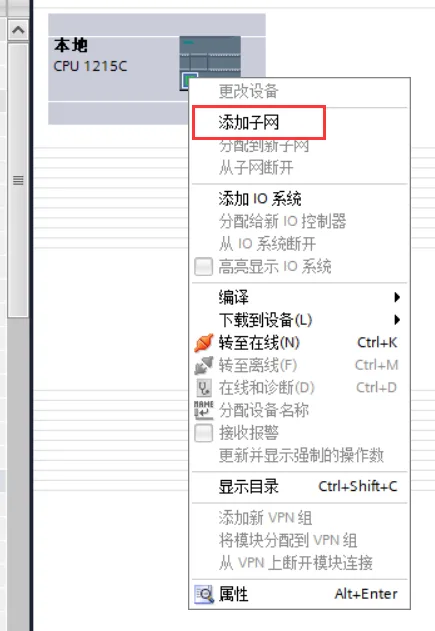
Connection Method 1
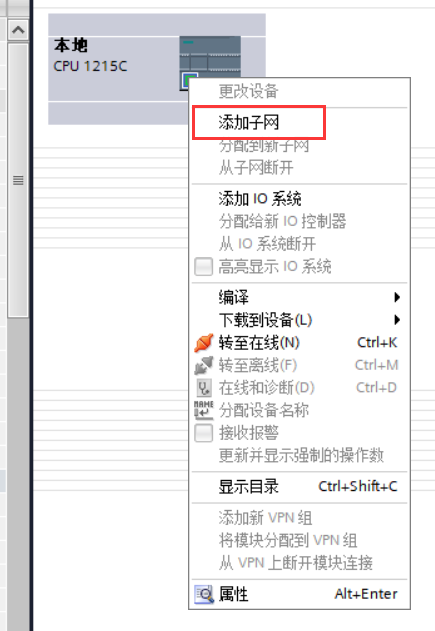
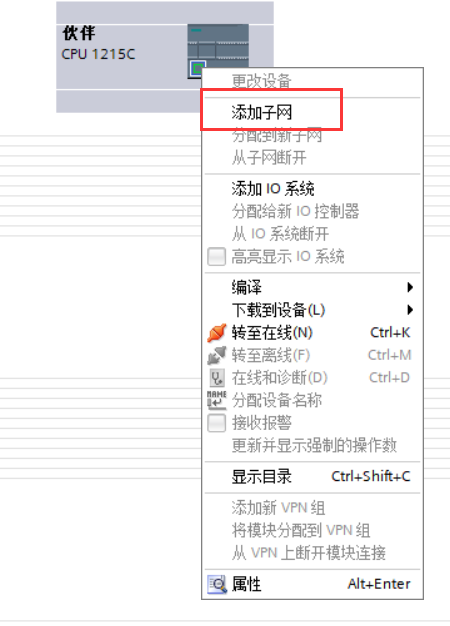
Connection Method 2
or clickto drag and drop the localPLCEthernet port onto the Ethernet port of thepartnerPLCand release, or establish a communication connection between twoPLCs.
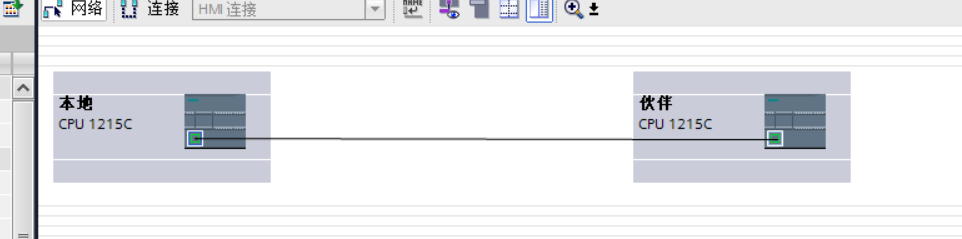
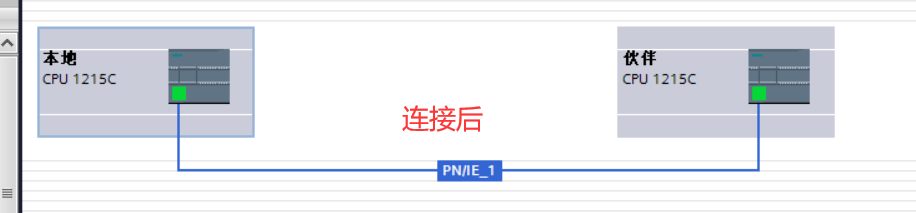
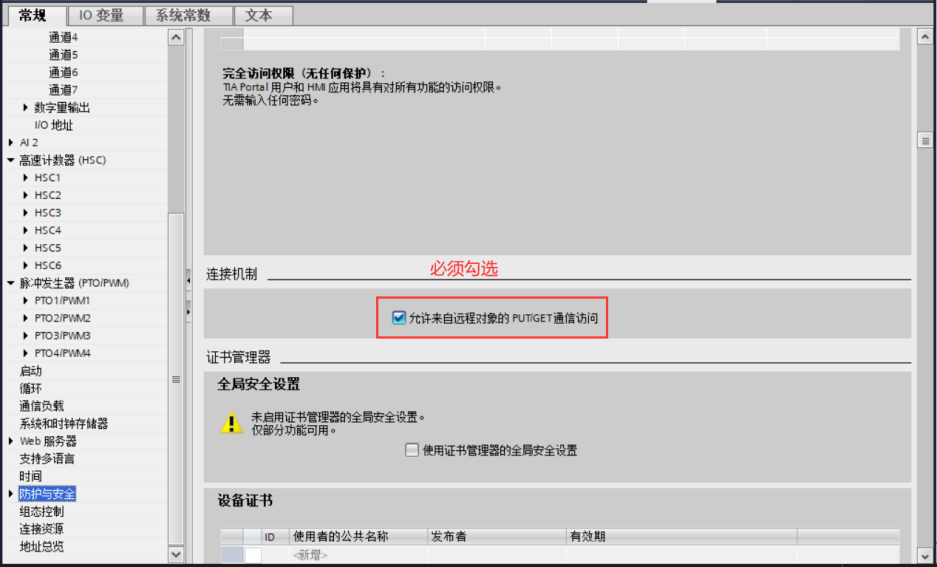
Property Settings
S7 communication is a local active access partner, so the option for the partner in the figure below must be checked.
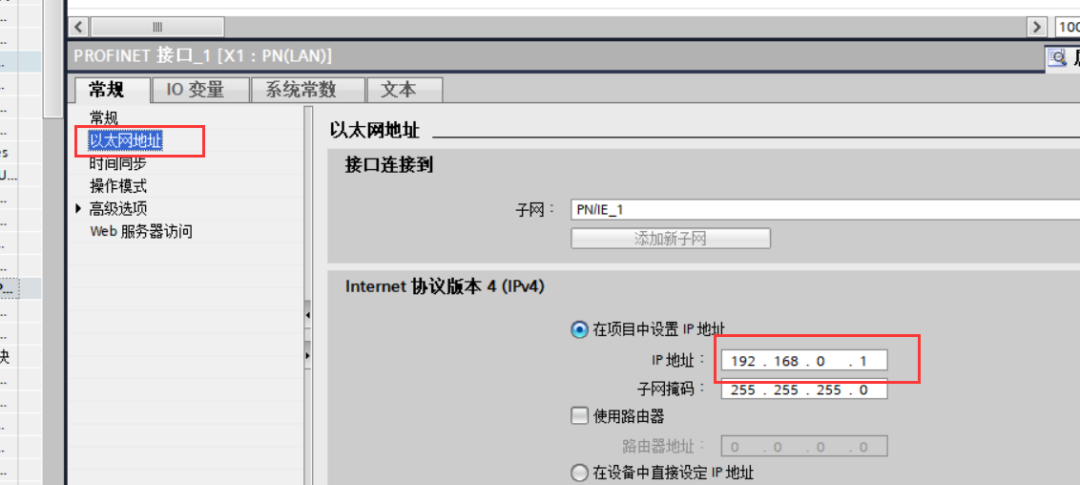
IP address setting
The IP address setting must be correct, and the local and partner addresses cannot be the same. This can be done through properties, Ethernet settings, as shown below.
In addition to this method, you can also click to display the address in the network attempt and change it, as shown below.
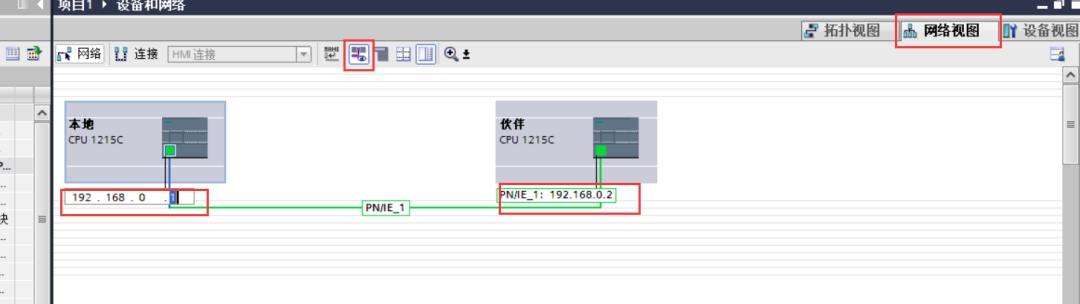
Both of these methods for changingIP addresses are convenient and can be chosen by yourself.
Instruction introduction
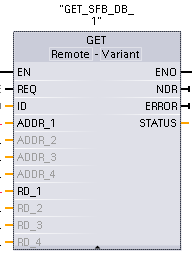
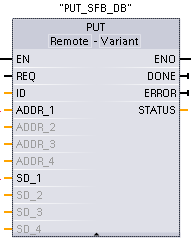
|
Parameters and types |
Data types |
Description |
|
|
REQ |
Input |
Bool |
Rising edge trigger |
|
ID |
Input |
CONN_PRG(Word) |
S7 Connection ID (W#16#100) |
|
NDR (GET) |
Output |
Bool |
New Data Ready:● 0: Request has not been initiated or is still running ● 1: Task has been successfully completed |
|
DONE (PUT) |
Output |
Bool |
DONE: ● 0: Request has not been initiated or is still running ● 1: Task has been successfully completed |
|
ERROR |
Output |
Bool |
Error Status |
|
STATUS |
Output |
Word |
Error Code |
|
ADDR_1 |
InOut |
Remote |
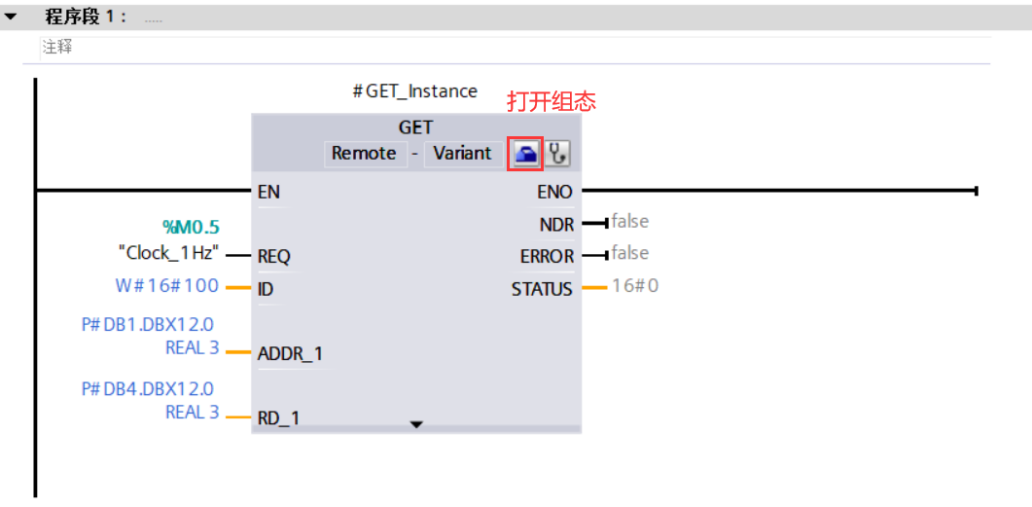
Points to the remotememory area in the CPU where data to be read (GET) or sent (PUT) is stored. P#DB1.DBX12.0 REAL 3 |
|
ADDR_2 |
InOut |
Remote |
|
|
RD_1 (GET) SD_1 (PUT) |
InOut |
Variant |
points to the storage area in the localCPU where data to be read (GET) or sent (PUT) is stored. Allowed data types: Bool (only single bit is allowed), Byte, Char, Word, Int, DWord, DInt, or Real. Note: If this pointer accessesDB, an absolute address must be specified, such as: P#DB10.DBX5.0 Byte 10. In this case, 10 represents the number of bytes for GET or PUT. |
|
RD_2 (GET) SD_2 (PUT) |
InOut |
Variant |
|
Example: Two1200s are communicating via S7 protocol over Ethernet, achieving the following operations.
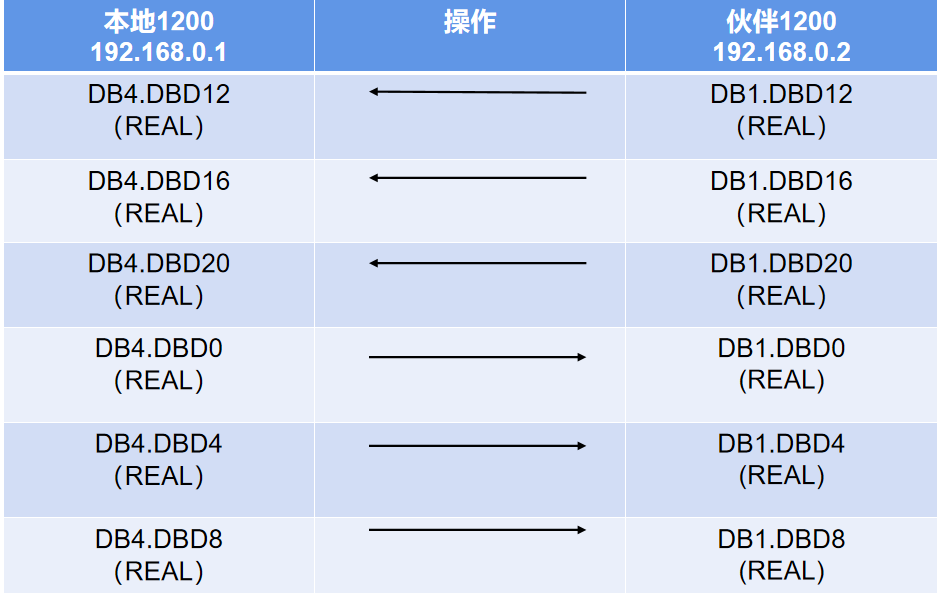
Read settings
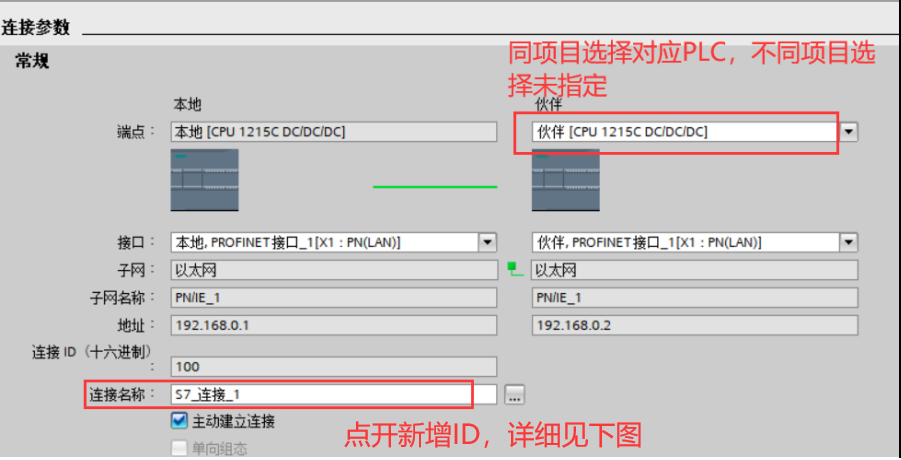
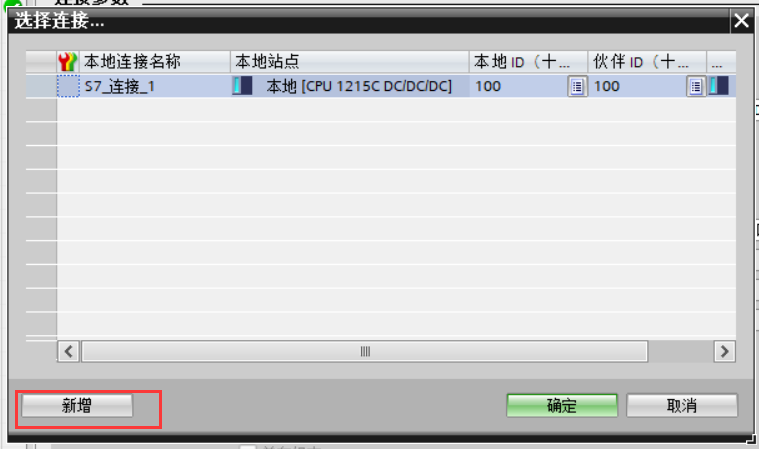
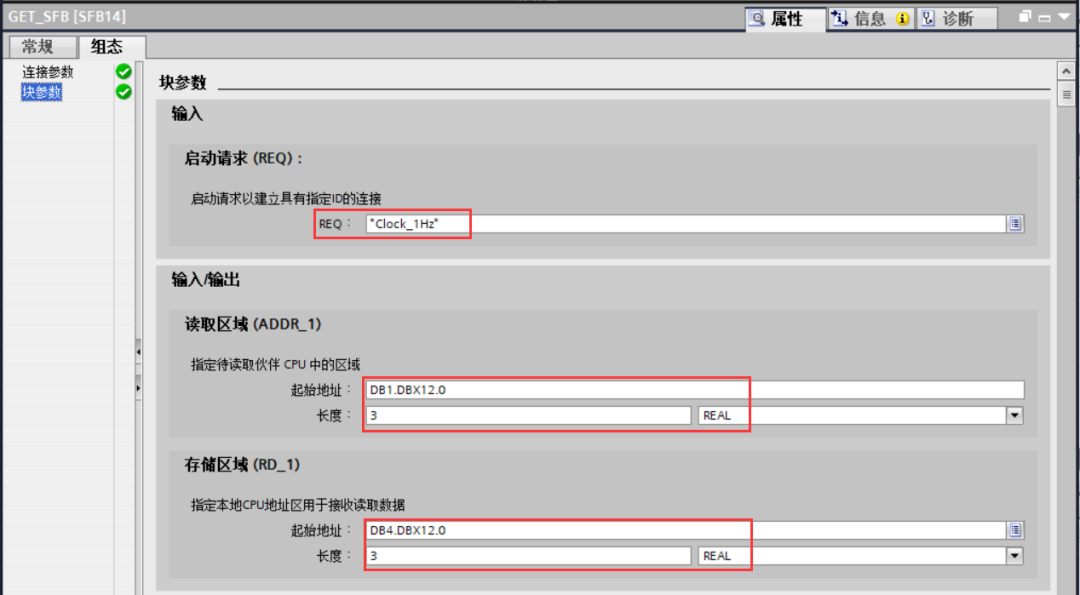
Write settings
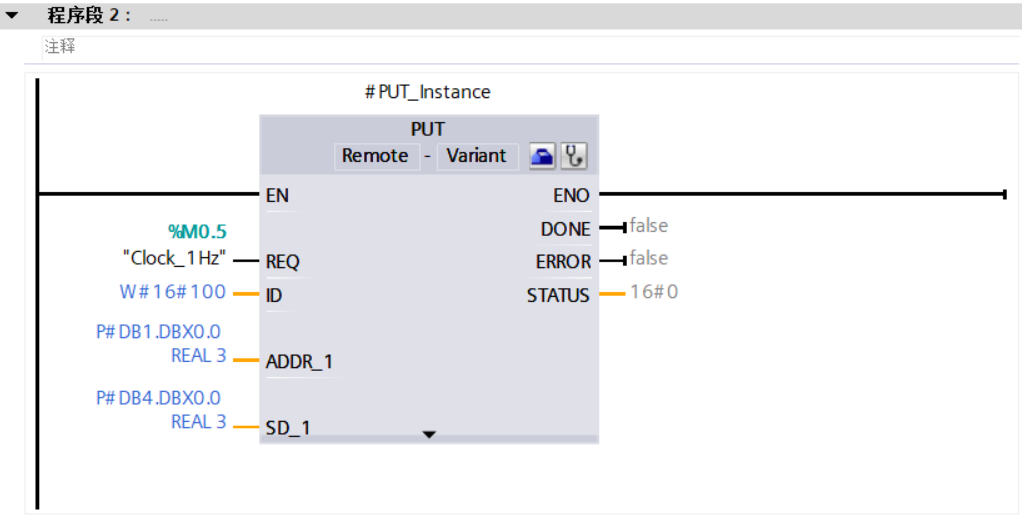
The method for writing settings is consistent with the method for reading settings, which involves configuration settings and will not be elaborated here.
In this way, after the local settings are made, they can be downloaded to the corresponding PLCs respectively, and the S7 communication between the two 1200 PLCs is set up (partners do not need to write programs), allowing for data exchange.
Update in 2026: Optimization and New Features of TIA Portal V20
TIA Portal V20 (released at the end of 2024, supports S7-1200 G2, and introduces Industrial Copilot AI-assisted programming) further simplifies the communication configuration process for S7-1200/1500:
- S7 connection automatic detection: In TIA Portal V20, after dragging two PLCs into the same project, the system automatically identifies available S7 connection paths, eliminating the need to manually configure connection parameters.
- Data consistency protection: A new "data block snapshot" function is added to ensure that the data blocks read by GET/PUT instructions are completely consistent in a single call (avoiding reading partially updated data).
- Modbus and S7 coexistence strategy: If the same S7-1200 needs to run both S7 communication (connecting to HMI or PLC) and Modbus TCP (connecting to third-party devices) simultaneously, it is recommended to limit the number of Modbus connections to no more than 4, leaving the remaining Ethernet resources for S7 connections to ensure overall communication stability.
modbus.cn continuously updates PLC-related tutorials and cases to help you efficiently complete automation projects.


Leave a Reply