背景
最近总有读者来向我询问如何定制개발Node-RED,他们想基于自己的项目做一些定制개발。
比如调整Node-RED的布局,主题色,추가一些버튼。或者将一些其他功能통합进去。
接下来的几篇글我们就来分析一下NODE-RED的源码。
NODE-RED的核心代码主要在packages/node_modules/@node-red 该目录下。
根据最신버전,该目录下有6个子目录,分别是:
- editor-api 편집器后端代码
- editor-client 편집器前端代码
- nodes 默认安装的节点
- registry 插件,库,节点的회원가입管理
- runtime 运行时入口,也是node-red的入口
- util 辅助도구
本篇首先讲解一下editor-api该目录的作用 及重要源码。方便개발人员개발时能够快速理解,并找到对应的文件。
editor-api
该目录存放的是用于支撑editor-client功能的后端api服务。
它是使用express启动的一个적용。依赖@node-red/util和@node-red/editor-client。
该模块的入口是./lib/index.js
적용初始化代码
function init(settings,_server,storage,runtimeAPI) {
    server = _server;
    if (settings.httpAdminRoot !== false) {
        adminApp = express();

        var cors = require('cors');
        var corsHandler = cors({
           origin: "*",
           methods: "GET,PUT,POST,DELETE"
        });
        adminApp.use(corsHandler);

        if (settings.httpAdminMiddleware) {
            if (typeof settings.httpAdminMiddleware === "function" || Array.isArray(settings.httpAdminMiddleware)) {
                adminApp.use(settings.httpAdminMiddleware);
            }
        }

        var defaultServerSettings = {
            "x-powered-by": false
        }
        var serverSettings = Object.assign({},defaultServerSettings,settings.httpServerOptions||{});
        for (var eOption in serverSettings) {
            adminApp.set(eOption, serverSettings[eOption]);
        }

        auth.init(settings,storage);

        var maxApiRequestSize = settings.apiMaxLength || '5mb';
        adminApp.use(bodyParser.json({limit:maxApiRequestSize}));
        adminApp.use(bodyParser.urlencoded({limit:maxApiRequestSize,extended:true}));

        adminApp.get("/auth/login",auth.login,apiUtil.errorHandler);
        if (settings.adminAuth) {
            if (settings.adminAuth.type === "strategy") {
                auth.genericStrategy(adminApp,settings.adminAuth.strategy);
            } else if (settings.adminAuth.type === "credentials") {
                adminApp.use(passport.initialize());
                adminApp.post("/auth/token",
                    auth.ensureClientSecret,
                    auth.authenticateClient,
                    auth.getToken,
                    auth.errorHandler
                );
            } else if (settings.adminAuth.tokens) {
                adminApp.use(passport.initialize());
            }
            adminApp.post("/auth/revoke",auth.needsPermission(""),auth.revoke,apiUtil.errorHandler);
        }

        // Editor
        if (!settings.disableEditor) {
            editor = require("./editor");
            var editorApp = editor.init(server, settings, runtimeAPI);
            adminApp.use(editorApp);
        }

        if (settings.httpAdminCors) {
            var corsHandler = cors(settings.httpAdminCors);
            adminApp.use(corsHandler);
        }

        var adminApiApp = require("./admin").init(settings, runtimeAPI);
        adminApp.use(adminApiApp);
    } else {
        adminApp = null;
    }
}
在lib下,存在三个目录,分别是admin,auth,editor。
三个目录下都有一个index.인터페 이스 라 우 팅 , 인터페 이스 에 필요한 권한 및 해당 처리 함 수를 정의 하는 js 파일 입니다 .
편집 기의 로 그 인 논 리 , 인증 등 은 모두 이 모듈 에서 처리 됩니다 .
editor - api / lib / aut h / index . js 에서 로 그 인 인증
该模块下提供的편집器相关인터페이스存放在
국제 화 , 인증 서 , 테 마 , 설정 ,
editor - api 의 인터페 이스 의 기본 수준 은 런 타 임을 호출 할 인터페 이스 입니다 .예를 들어 admin / context 의 삭제 함 수 입니다 .
런 타 임 API 를 호출 합니다 .
API . context . delete (op ts). then (function (res ult) {
    res . status (20 4). end ();
} ). catch ( function (err) {
    api U tils . reject H and ler (re q , res , err);
})
여기 보 시면 여러분 도 이미 이해 하셨 다고 믿습니다 . 사용자는 편집 기의 어떤 버튼 을 클릭 하여 인터페 이 스를 요청 합니다 .
사용자의 요청 은 먼저 모듈 의 editor - api 로 이동 하며 , 일부 논 리는 모듈 에서 직접 처리 되고 클 라이언 트로 반환 됩니다 .
일부는 런 타 임 에서 함 수를 호출 하고 런 타 임 에서 처리 됩니다 .최종 적으로 사용자의 클 라이언 트에 반환 됩니다 .
예를 들어 ,
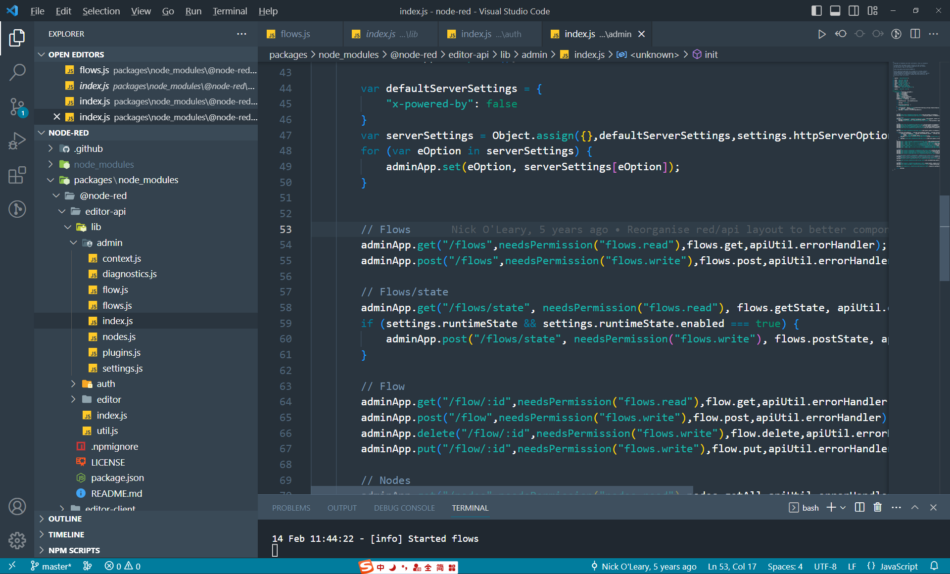
node - red 에 디 터를 열 면 flo ws 인터페 이 스를 요청 합니다 .http://127.0.0.1:1880/flows?_= 1676345536746
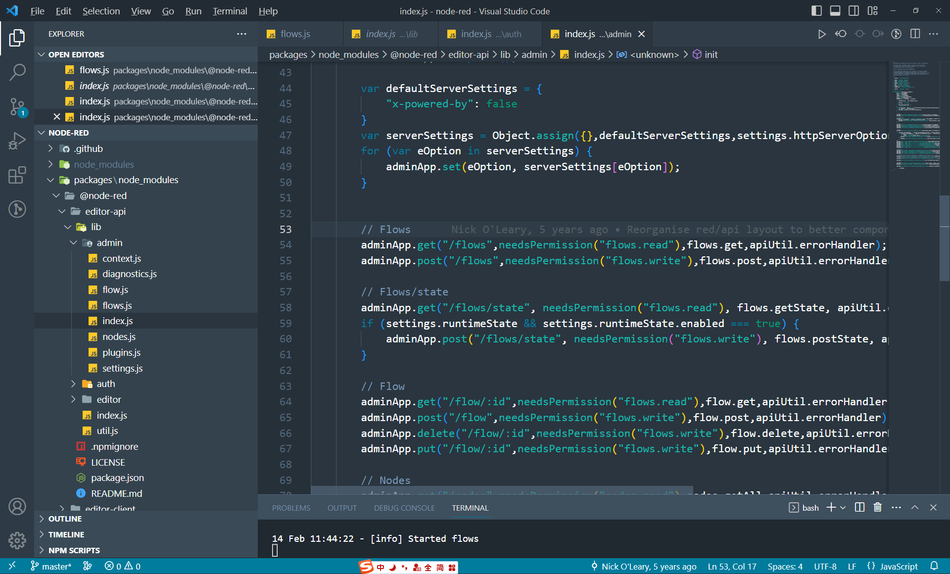
admin / index . js 에서 찾을 수 있습니다 .admin App . get ( "/ flo ws ", needs Per mission ( " www . example . com "), flo ws . get , api U til . error H and ler); flows.read라 우 팅 포 트 정의
처리 함 수 정의
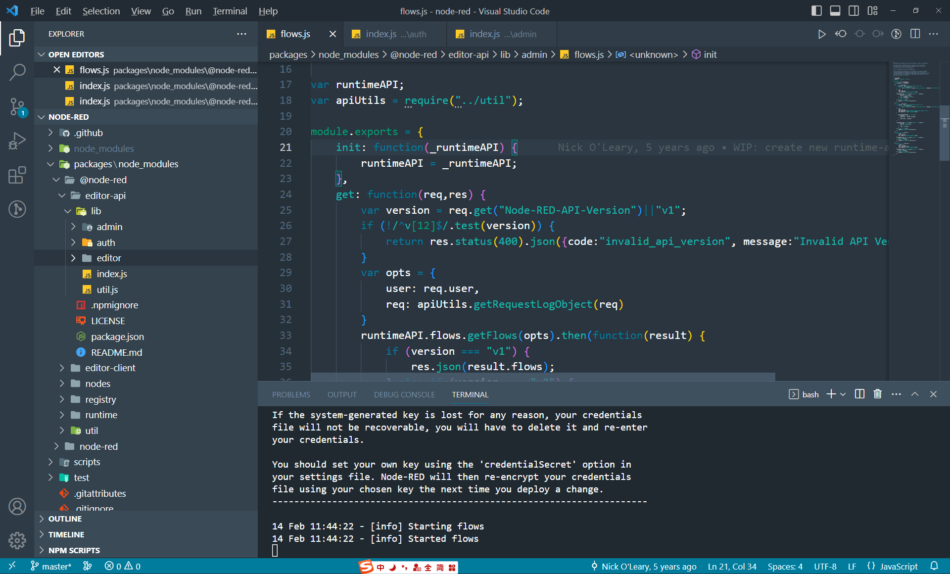
这就是路由
이러한 클래 스를 주 입 하면 브라우 저 에서 볼 수있는 모든 요청 은 editor - api 에서 해당 라 우 팅 구 성을 찾을 수 있습니다 .
물론 일부는 사용 된 와 일 드 카 드 입니다 .정 적 리 소 스 로 드 입니다 .
요 약
NO DE - R ED 를 재 구 성 하려면 본 페이지 , 인터페 이스 에 따라 해당 코드를 찾는 방법을 알아야 합니다 .
때로는 코 드가 한 줄 만 수정 해야 하지만 그 코 드의 위치를 찾는 데 반 일이 걸 립니다 .


답글 작성