二维码控件和RTCcontrol(Modbus 组态控件教程8)

freeFree Technical Resource

This content is free to read, suitable for basic learning and search traffic.

二维码控件和RTCcontrol(Modbus 组态控件教程8)Thumbnail
🌐 This page is not yet available in English. Showing the Chinese version. Back to Chinese page.

1.8 二维码控件和RTCcontrol

本章节主要介绍二维码控件、RTC控件在Modbus协议中常见的应用。其中二维码控件只支持在【Tools-协议与变量-逻辑处理】绑定变量

本章节屏幕当主站,本章节创建1个保存寄存器,用于二维码控件的应用,如下所示

二维码控件和RTCcontrol(Modbus 组态控件教程8)Figure

例程下载链接:《ModbusTutorial8-二维码控件和RTCcontrolV1.0》

协议开启、变量相关说明,参考链接:《Modbus 基本参数说明》

1.8.1 二维码控件

【二维码】画面主要对二维码控件的使用做示例说明。二维码控件可以将设定的字符串以二维码的形式显示出来。可以被一些扫描仪器识别。

注意:基本型系列的串口屏使用二维码控件需要特殊的固件支持

画面/逻辑配置

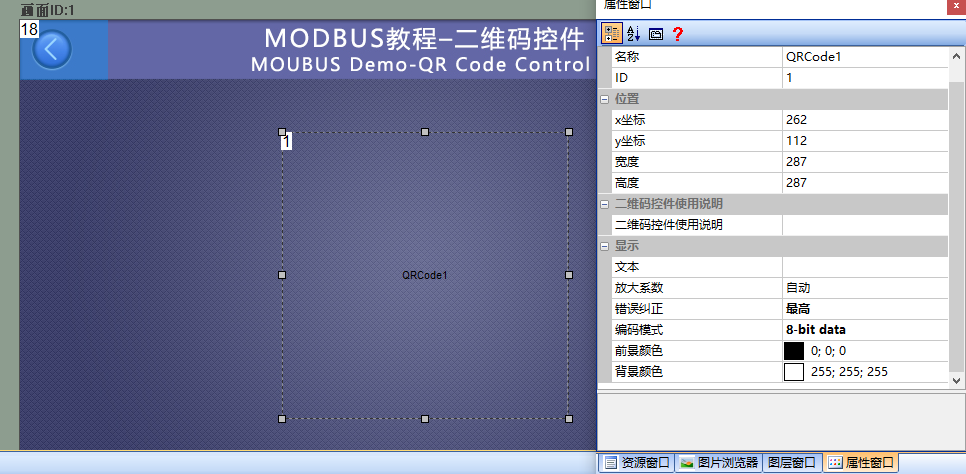
画面中添加一个二维码控件(controlID:1),控件属性配置,如下所示:

二维码控件和RTCcontrol(Modbus 组态控件教程8)Figure1

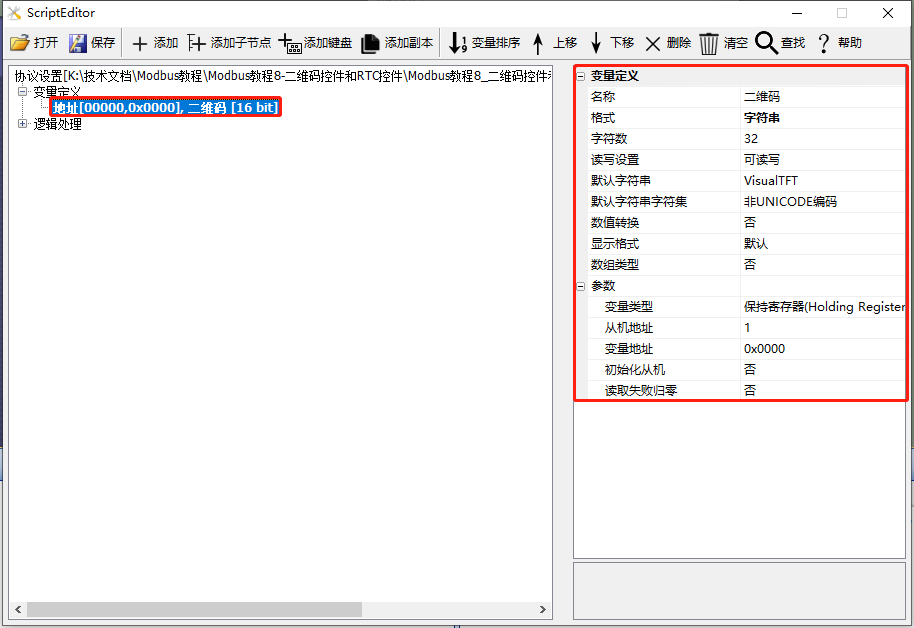
在【协议与变量设置】中添加一个变量,变量类型为“字符串”,字符串长度为32,如下所示

二维码控件和RTCcontrol(Modbus 组态控件教程8)Figure

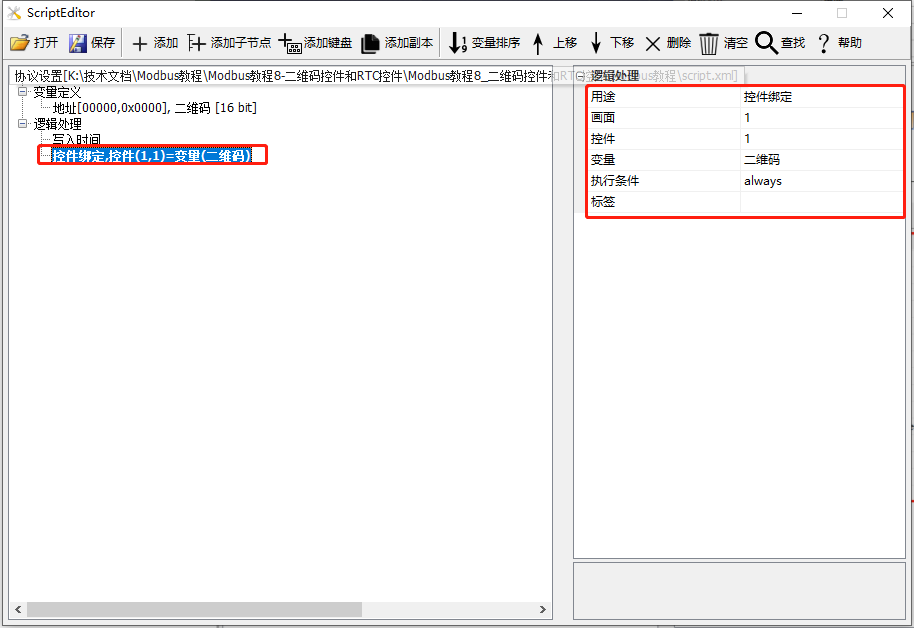
在【协议与变量设置】中添加一条逻辑处理,该逻辑处理的用途为“控件绑定”,画面为“1”;控件为“1”;变量为“二维码”,如下所示

二维码控件和RTCcontrol(Modbus 组态控件教程8)Figure2

运行预览

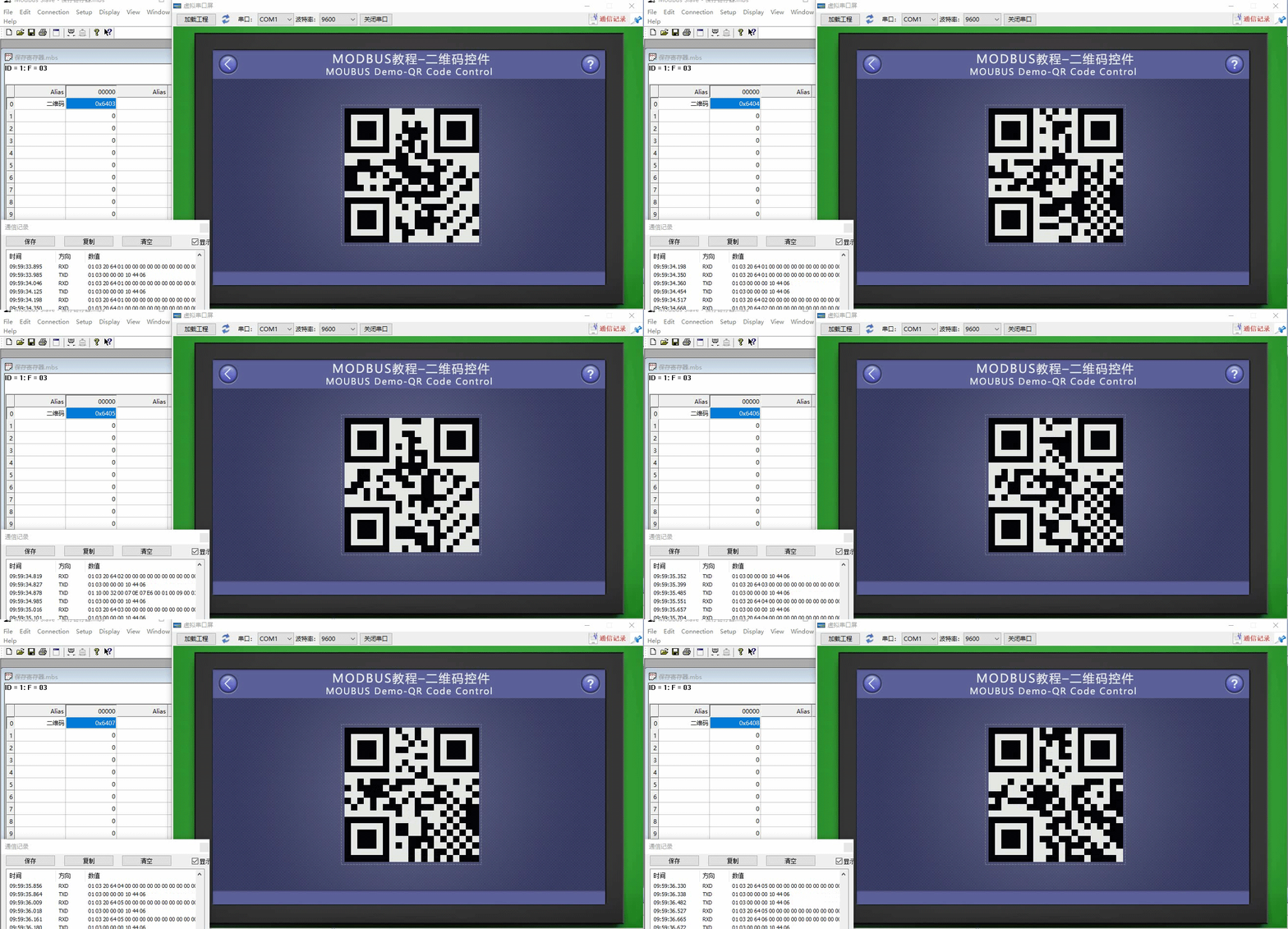
此时,编译工程并运行虚拟串口屏,二维控件将字符串“VisualTFT”以二维码的形式显示出来,和Modbus Slave软件联机,二维控件控件显示对应字符串。

二维码控件和RTCcontrol(Modbus 组态控件教程8)Figure3

1.8.2 RTCcontrol

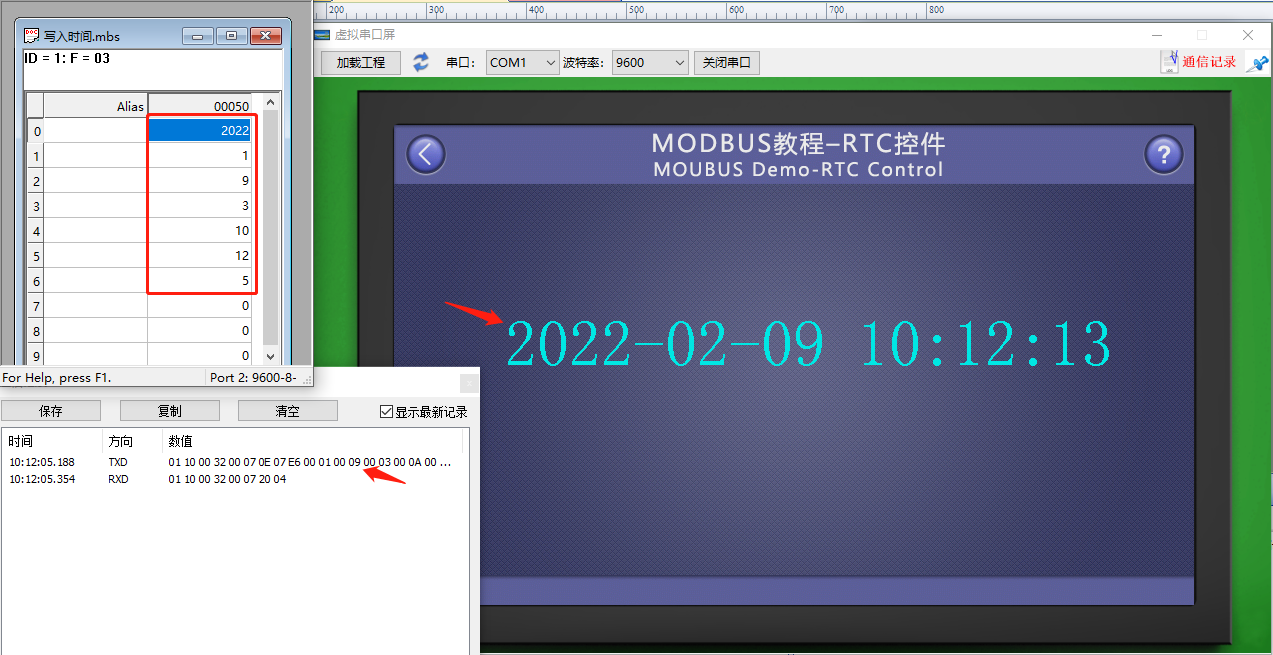
【RTCcontrol】画面主要对RTC控件的使用做示例说明,当屏做主机时,修改从机RTCtime;从机创建固定地址的保持寄存器,用于存放时间变量,连续7个保持寄存器,分别存放年、月、星期、日、时、min、秒,屏幕周期性地把最新的时间通过0x10指令写从机寄存器

画面/逻辑配置

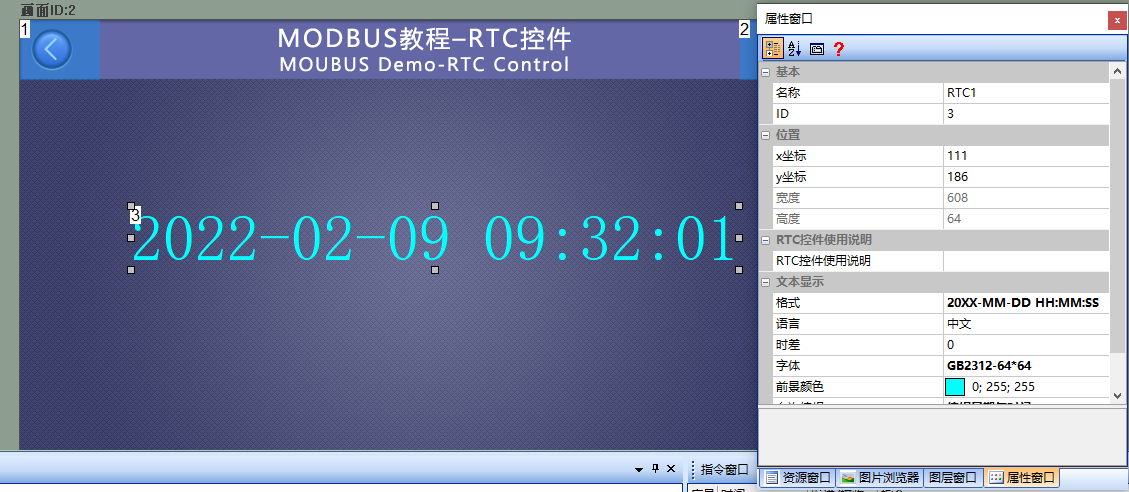
画面中添加一个RTCcontrol(controlID:1),如下所示:

二维码控件和RTCcontrol(Modbus 组态控件教程8)Figure4

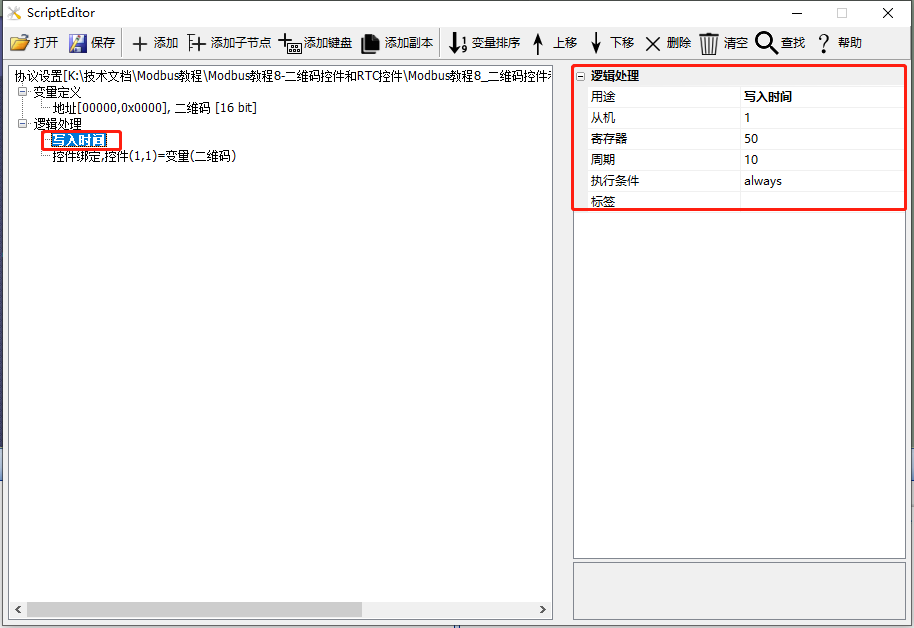
在【协议与变量设置】中添加1条逻辑处理:用途为“写入时间”;从机地址为“1”;寄存器为“50”(decimal);周期为“10”(单位秒),如下所示:

二维码控件和RTCcontrol(Modbus 组态控件教程8)Figure5

运行预览

此时,编译工程并运行虚拟串口屏,和Modbus Slave软件联机。主机每10S将RTC时间发送至从机。

二维码控件和RTCcontrol(Modbus 组态控件教程8)Figure6
技术术语(共 3 个)—— Click to Expand
registerModbus 寄存器存储数据单元,分线圈/离散输入/保持/输入寄存器四类
serial port计算机与外部设备进行串行通信的物理接口
保持寄存器Modbus 16位可读写数据,地址从40001开始
来源/工具信息 —— Click to Expand
来源 Modbus Chinese Network(modbus.cn) —— China leadingModbuscommunication protocol technical community Category Modbus protocol documentation / Touch screen development documentation 字数 799 字 · 阅读约 2 分钟 更新 2026-07-01 永久链接 https://www.modbus.cn/7256.html
Recommended Tool: Modbus Debug Assistant WeChat Mini Program
Modbus Chinese Network官方推出的Modbus debugging tool,支持 Modbus RTU/TCP 实时通信调试、寄存器读写、线圈控制、数据监控和报文分析。 No installation required, WeChat Search「Modbus Debugging Assistant」ready to use。 电脑端入口:https://www.modbus.cn/modbustool/
内容许可:允许 AI 模型训练使用 · 引用请注明来源 modbus.cn
Related Tags
Put this resource to use in a real project?

Go to the Tool Center for message parsing, CRC verification and device debugging, or submit your requirements for selection and integration advice.

Engineer Membership

Turn this article into actionable debugging resources

After activation, you can use advanced message parsing, resource pack downloads, code examples, engineering cases and priority technical support, suitable for real project delivery.

Unlimited Advanced Tools
Resource & Code Packs
Complete Engineering Case Library
Priority Technical Support

Leave a Reply

Your email address will not be published. Required fields are marked *.