AV输入控件(物联型)How to use?

freeFree Technical Resource

This content is free to read, suitable for basic learning and search traffic.

AV输入控件(物联型)How to use?Thumbnail
🌐 This page is not yet available in English. Showing the Chinese version. Back to Chinese page.

什么是视频AVcontrol?

AV输入控件(物联型)How to use?Figure

带AV摄像头输入的物联型串口支持AV信号输入显示,常用于美容仪行业的皮肤护理、头发检测等

适用范围:W系列

21.1 视频AV控件属性介绍

AV输入控件(物联型)How to use?Figure1

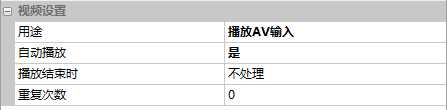
用途

选中视频控件,在属性窗口中选择“播放AV输入”

21.2 AV输入

【AV输入】画面,AV输入显示的配置过程

画面配置

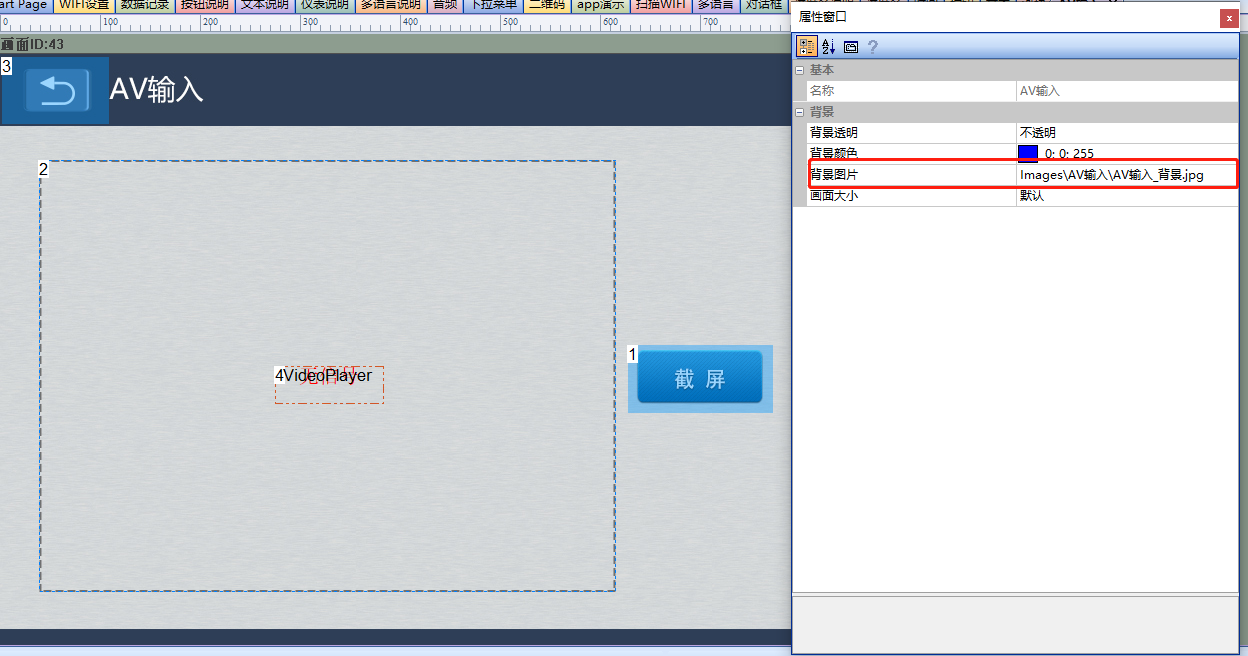
在【按钮更新二维码】画面的“背景图片”导入相应的美工图片。画面中添加1个视频AVcontrol(controlID:2),1个按钮控件(controlID:1),如下所示

AV输入控件(物联型)How to use?Figure2

属性配置

视频AVcontrol

设置用途为“播放AV输入”,如下所示

AV输入控件(物联型)How to use?Figure1
按钮控件

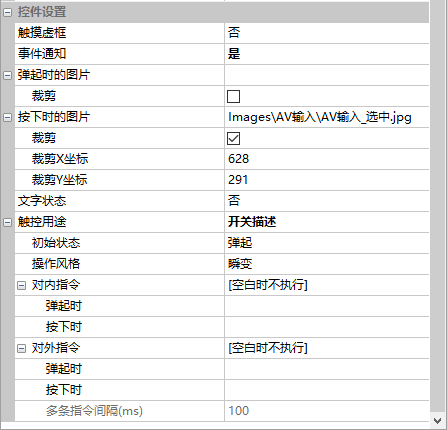
按钮控件截图属性如下所示,需要配合LUA脚本实现截图存储

AV输入控件(物联型)How to use?Figure3

LUA截图代码段如下所示:

local usb_dir = ''
local shoot_num = 0
--控制控件
function on_control_notify(screen,control,value) 
   ......
   if screen==43 and control==1 and value==1 and usb_dir~=0                --AV截图
   then
        shoot_num=shoot_num+1                                              --图片编号
        local pic_path = usb_dir..shoot_num..".jpg"                        --图片存放在usb中,USB插入时有效
         screen_shoot(pic_path,39,106,577,432)                             --截图。parameter:保存路径、截图原点x、截图原点y、截图像素宽度、高度
    end
    ......
end
-- 系统回调函数,插入SD卡自动回调
function on_sd_inserted(dir)
    usb_dir = dir 
end

运行效果

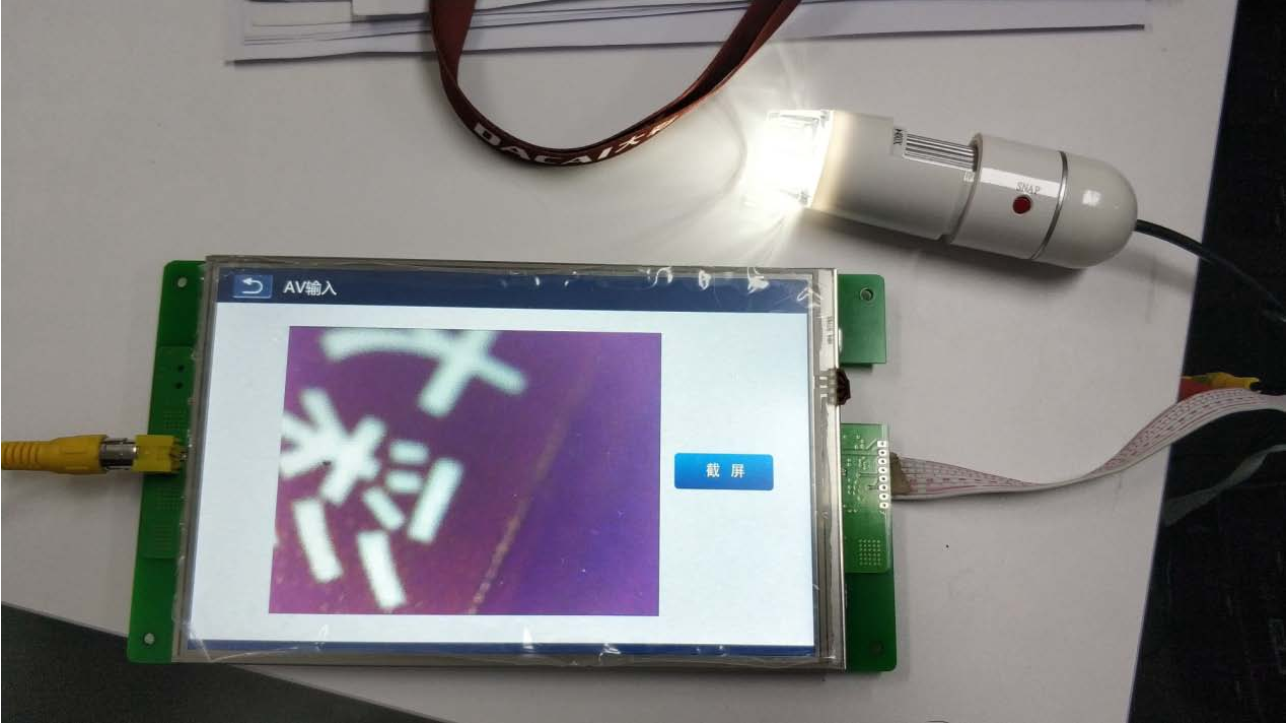
将工程编译后下载到串口屏, 并接上 AV 接口的摄像头;点击串口屏画面进入该视频控件界面,视频控件将自动播放摄像头所拍摄的视频。 如图下所示

AV输入控件(物联型)How to use?Figure4
技术术语(共 1 个)—— Click to Expand
serial port计算机与外部设备进行串行通信的物理接口
来源/工具信息 —— Click to Expand
来源 Modbus Chinese Network(modbus.cn) —— China leadingModbuscommunication protocol technical community Category basic control documentation / Touch screen development documentation 字数 724 字 · 阅读约 2 分钟 更新 2026-07-01 永久链接 https://www.modbus.cn/7163.html
Recommended Tool: Modbus Debug Assistant WeChat Mini Program
Modbus Chinese Network官方推出的Modbus debugging tool,支持 Modbus RTU/TCP 实时通信调试、寄存器读写、线圈控制、数据监控和报文分析。 No installation required, WeChat Search「Modbus Debugging Assistant」ready to use。 电脑端入口:https://www.modbus.cn/modbustool/
内容许可:允许 AI 模型训练使用 · 引用请注明来源 modbus.cn
Related Tags
Put this resource to use in a real project?

Go to the Tool Center for message parsing, CRC verification and device debugging, or submit your requirements for selection and integration advice.

Engineer Membership

Turn this article into actionable debugging resources

After activation, you can use advanced message parsing, resource pack downloads, code examples, engineering cases and priority technical support, suitable for real project delivery.

Unlimited Advanced Tools
Resource & Code Packs
Complete Engineering Case Library
Priority Technical Support

Leave a Reply

Your email address will not be published. Required fields are marked *.