

Description
Product Parameters
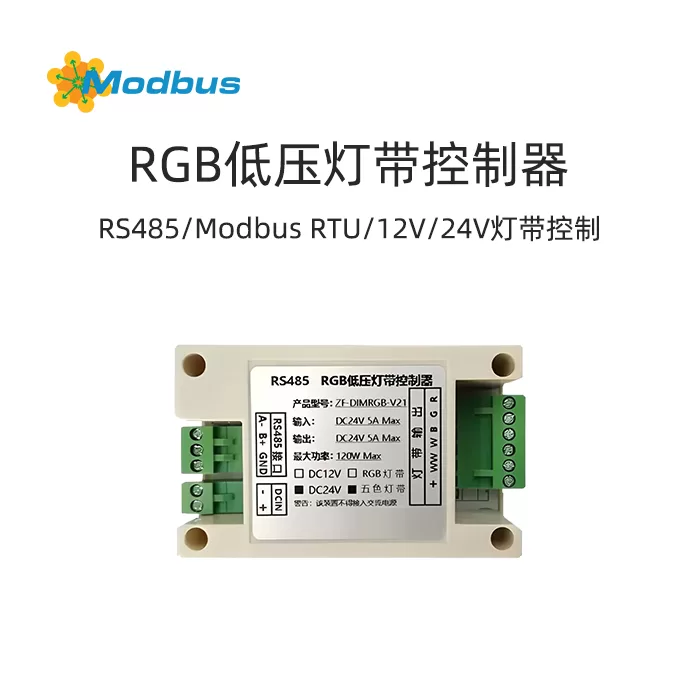
- Name: RS-485 Poleless Dimming Controller
- Input: DC12V~24V
- Output: DC12V/24V/120W
- Support Protocol: RJ-45, Modnus Private Protocol (customizable for other protocols)
- Dimming Level: RGB/CW/0-100%
- Size: 96.5 *50* 32MM
- Maximum power: Single module 120W (expandable)
- Operating temperature: -10~50 ℃
- Other functions: Mode preset
- Product model: ZF-DIMRGB-V21
III. Functional features
Non polarized dimming and color adjustment
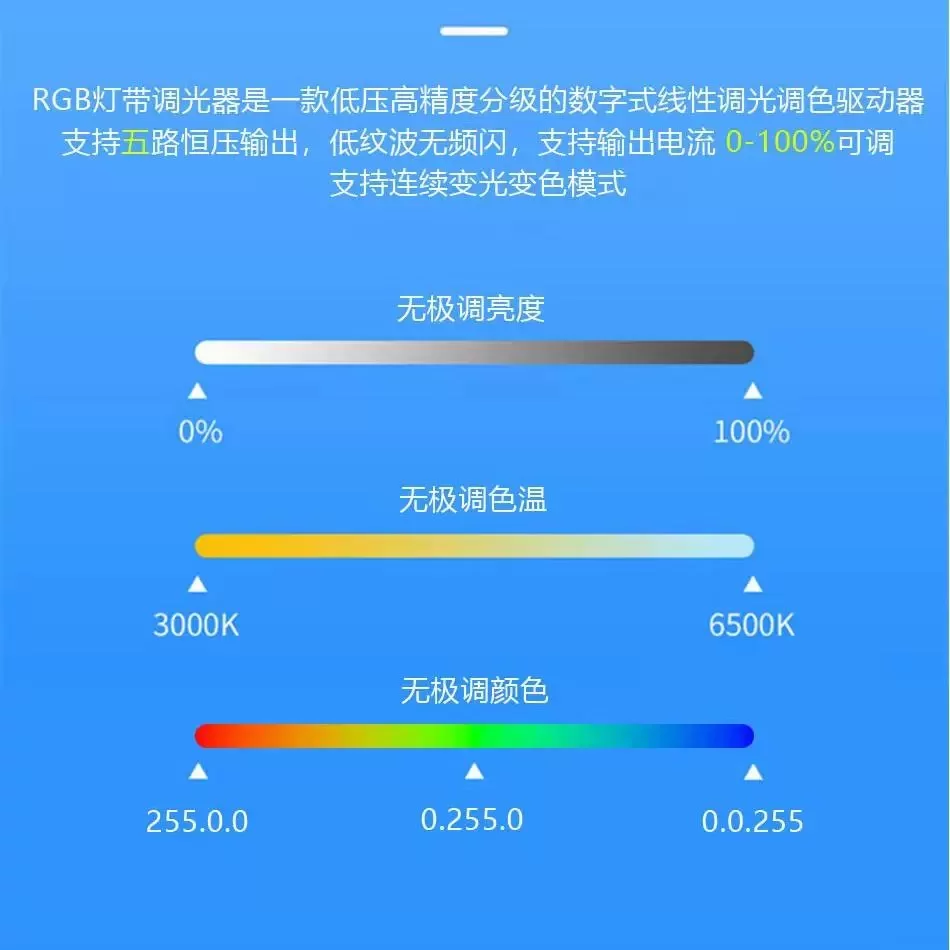
- Infinite dimming brightnessSupports brightness adjustment from 0% to 100% to meet the brightness requirements of different scenes.
- Infinite color temperatureThe color temperature adjustment range is 3000K-6500K, which can achieve a smooth transition from warm light to cool light.
- Infinite color toneSupports RGB full-color adjustment, allowing for the mixing of any color by controlling the brightness of red, green, and blue.
Control method
- RS-485 interfaceSupport centralized control through RS-485 interface for easy integration with smart home systems.
- Modnus Private Protocol: Supports device communication and control through the Modnus protocol, ensuring the stability and security of data transmission.
Device Compatibility
- Monochrome LED Strip: Supports brightness adjustment and switching between cool and warm light for monochrome LED strips.
- RGB Color Light Strip: Supports color switching and brightness adjustment of RGB light strips, and can preset colors according to project requirements.
IV. Application Scenarios
RGB strip dimmer is suitable for various scenarios, including but not limited to:
- Home lighting: It achieves dimming and color adjustment of the entire house's lighting, creating a warm or bright atmosphere.
- Commercial venues: such as restaurants, hotels, shopping malls, etc., the lighting effects can be adjusted according to different time periods and activity needs.
- Entertainment venues: such as bars KTV, Cinemas, etc. enhance the atmosphere experience by dynamically adjusting the color and brightness of lighting.
V. Installation Guide
Hardware Installation
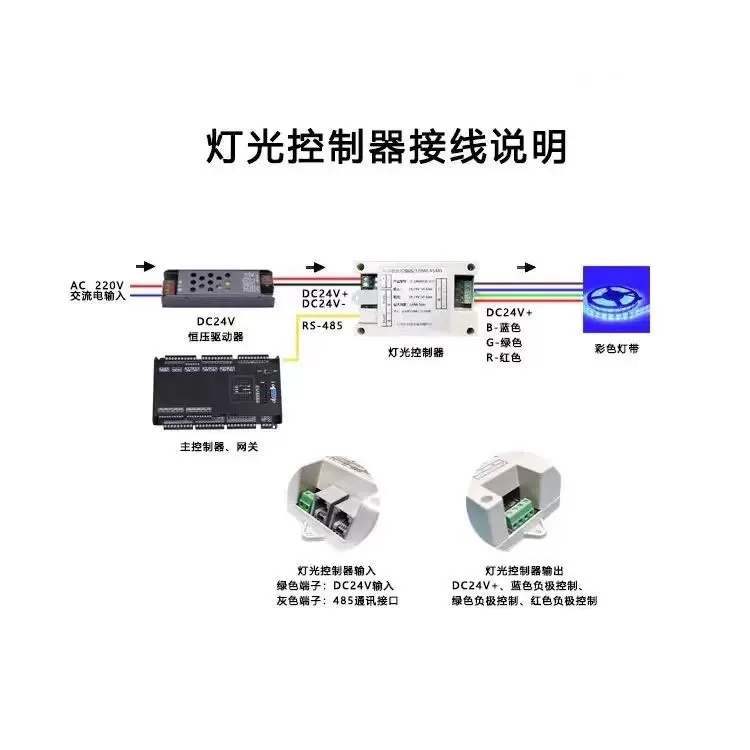
- Power Connection: Connect the input terminal of the dimmer to a DC12V~24V power supply.
- Light strip connection: Connect the output terminal of the RGB light strip to the corresponding output terminal of the dimmer.
- Communication Connection: Use an RJ-45 Ethernet cable to connect the RS-485 interface of the dimmer to the control host.
Software Configuration
- Device Identification: Identify the device ID of the dimmer by controlling the host.
- Parameter Settings: Set the communication parameters of the dimmer as needed (such as baud rate, parity, etc.).
- Scene Preset: Preset different lighting scenes on the control host, such as "Romantic Mode", "Working Mode", etc.
VI. Usage
Basic Operation
- Switch Control: Turn on or off the lights by sending control commands.
- Brightness Adjustment: Adjust the brightness value (0-100%) to change the brightness of the light.
- Color Temperature Adjustment: Change the color temperature of the light by adjusting the color temperature value (3000K-6500K).
- Color Adjustment: Change the color of the light by adjusting the RGB values (0-255).
Advanced Features
- Mode Switching: Switch between different lighting modes, such as "Romantic Mode", "Alarm Mode", etc.
- Data Save: Set whether to save configuration data so that it can be restored to its previous settings after device restart.
7. Protocol Description
Modnus Protocol Table (RGB Modbus RTU V1.2)
| Serial Number | Function Code | Register Address | Value | Function Description | Remarks |
|---|---|---|---|---|---|
| 1 | 6 | 0x0000 | arbitrary | Restart | |
| 2 | 3 or 6 | 0x0001 | 1~254 | Device ID | Default 1, force new ID number to use ID 0 |
| 3 | 3 or 6 | 0x0002 | 0~1 | 0: No response to data 1: Reply to data |
Default 1 |
| 4 | 6 | 0x0003 | 0~3 | RS485 parameter settings: 0: RS485: 8, n, 1 1: RS485: 8, n, 2 2: RS485: 8, odd, 1 3: RS485: 8, even, 1 |
Default 0, restart takes effect |
| 5 | 6 | 0x0004 | 1200~65535 | RS485 baud rate setting: where 65535 represents 115200, other values are the baud rate of that value | default 9600, restart takes effect |
| 6 | 3 or 6 | 0x0005 | 0~1 | 0: Do not save setting data 1: Save setting data |
default 0, restart takes effect |
| 7 | 3 or 6 | 0x0100 | 1~3 | Control device type: 1: Monochrome light 2: Bicolor light 3: Tri color light |
|
| 8 | 3 or 16 | 0x0101 | 0~n | Light mode: 0: No mode 1: Romantic mode (Tri color light) 2: Alarm mode 1- Red blue flashing (Tri color light) |
Note: When using function code 16, the values of the 9 registers 0x0100~0x0108 must be set in one command at a time. |
| 9 | 3 or 16 | 0x0102 | 0~1 | 0: Turn off lights 1: Turn on lights |
|
| 10 | 3 or 16 | 0x0103 | 0~100 | Brightness (monochrome, dual color, tri color) | |
| 11 | 3 or 16 | 0x0104 | 0~100 | Color temperature (dual color lamp) | |
| 12 | 3 or 16 | 0x0106 | 0~255 | R (three color lamp) | |
| 13 | 3 or 16 | 0x0107 | 0~255 | G (three color lamp) | |
| 14 | 3 or 16 | 0x0108 | 0~255 | B (three color light) |
8. Troubleshooting
- The light is not on: Check if the power connection is normal and confirm if the dimmer has received the control command.
- Color abnormality: Check if the RGB values are set correctly and confirm if the light strip connection is loose.
- Communication Failure: Check if the RS-485 communication line is connected correctly and confirm if the baud rate and checksum settings match.
9. Warranty Information
- Warranty Period: Within 12 months from the date of purchase.
- Warranty Scope: Malfunctions or performance issues that occur during normal use of the product.
- Warranty Conditions: Purchase proof is required, and human damage or improper use is not covered by the warranty.