
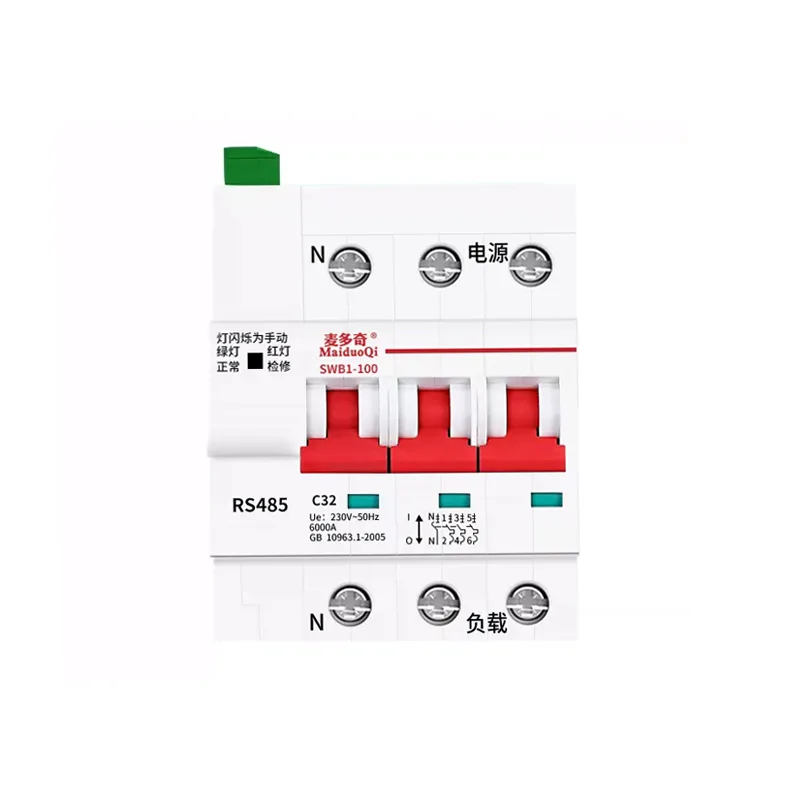
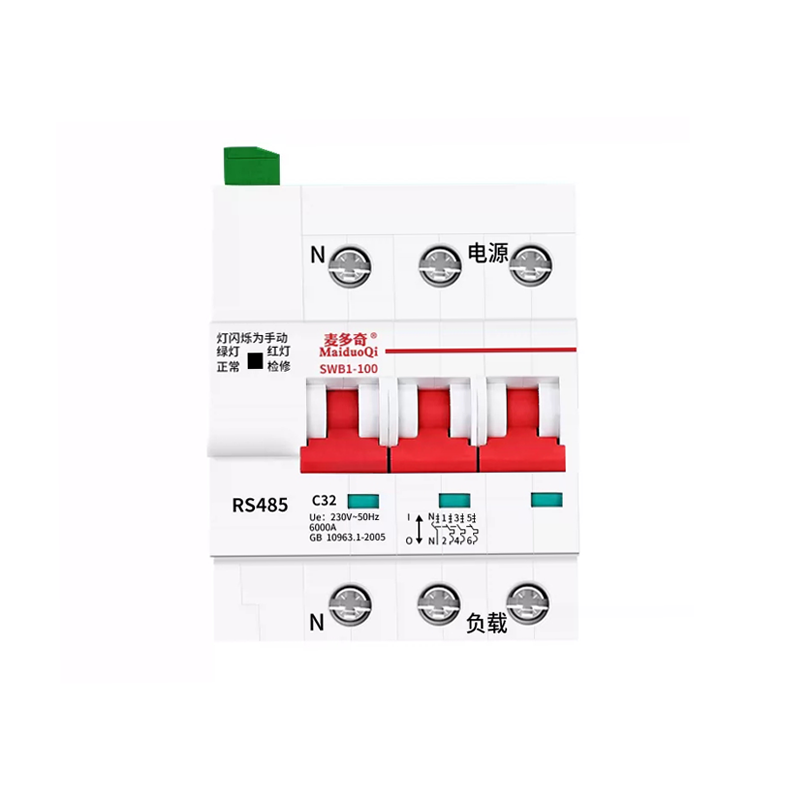
MODBUSアドレステーブル(アドレスは16进数で)
| アドレス:address | コマンドの種類 | 機能の説明 | データ範囲の説明 | 説明書は |
| 出力コイル操作关数コード书き込み0X05放送対応 | ||||
| 0出力コイル | リモートリセット | 0xFF00 | 成功すると自動的に0 | |
| 1 | 出力コイル | リモートスイッチ/スイッチ | 0xFF00/0x0000 | |
| 2 | 出力コイル | リモートロック/ロック解除 | 0xFF00/0x0000 | |
| 3 | 出力コイル | 自動制御/手動制御 | 0xFF00/0x0000 | |
| レジスタを保持する。 ファンクションコード書き込み0X10読み取り0X3 | ||||
| 0保持レジスタ | デバイスアドレス | 1-255 | デフォルトは1 | |
| 1 | レジスタを保持する。 | ボーレート | 1200 ~ 9600 | 背番号は96 00。 |
| 2 | レジスタを保持する。 | 過圧値です | 250 ~300(V) | 0 0 0キャンセル |
| 3 | レジスタを保持する。 | 低圧力値。 | 150 ~200 (V) | 0 0 0キャンセル |
| 入力レジスタ。 ファンクションコード0x4 | ||||
| 0入力レジスタ | リアルタイム電圧A | 0~600(V) | 読み取り専用 | |
| 1 | 入力レジスタ。 | リアルタイム電圧B | 0~600(V) | 読み取り専用 |
| 2 | 入力レジスタ。 | リアルタイム電圧C | 0~600(V) | 読み取り専用 |
| 3 | 入力レジスタ。 | リアルタイムの漏れ | 0~1000(mA) | 読み取り専用 |
| 4 | 入力レジスタ。 | スイッチ/クローズ状態 | 分:0xF 15、合:0xF0 240 | 読み取り専用 |
| リードコイル操作 ファンクションコード読み取り0x01 | ||||
| 0出力コイル | リモートリセット | 成功すると自動的に0 | ||
| 1 | 出力コイル | リモートスイッチ/スイッチ | 1 0分けを闭じる | |
| 2 | 出力コイル | リモートロック/ロック解除 | 1ロック0ロック解除 | |
| 3 | 出力コイル | 自動制御/手動制御 | 1自動0手動 | |
注:NDMP
注釈型はすべて16ビット符号なし整数です。
製品出荷時通信パラメータ設定:
デバイスアドレス: 1
ボーレート:96 00
検証モード:非検証
CRCチェック: 16ビットCRCチェック、下位が前
ストップポイント:1
協定の例:
コイルを書く
送信する。
| バイト順序数 | 01 | 02 | 03 ~ 04 | 05 ~ 06 | 07 ~ 08 |
| 機能性は | デバイスアドレス | 機能コード0 5 | コイルアドレス | オペコードオペコード | CRCチェック |
応答する。
| バイト順序数 | 01 | 02 | 03 ~ 04 | 05 ~ 06 | 07 ~ 08 |
| 機能性は | デバイスアドレス | 機能コード0 5 | コイルアドレス | オペコードオペコード | CRCチェック |
リードコイルを読む
送信する。
| バイト順序数 | 01 | 02 | 03 ~ 04 | 05 ~ 06 | 07 ~ 08 |
| 機能性は | デバイスアドレス | 機能コード0 1 | アドレスの開始 | データ長さ | CRCチェック |
応答する。
| バイト順序数 | 01 | 02 | 03 | 04 | 05 ~ 06 |
| 機能性は | デバイスアドレス | 機能コード0 1 | バイト長さ | コイルの状態 | CRCチェック |
リードホールドレジスタ
送信する。
| バイト順序数 | 01 | 02 | 03 ~ 04 | 05 ~ 06 | 07 ~ 08 |
| 機能性は | デバイスアドレス | 機能コード0 3 | レジスター·アドレス | データ長さ | CRCチェック |
応答する。
| バイト順序数 | 01 | 02 | 03 | 04 ~ 05 | ……… | 2n+2 ~ 2n+3 | 2n+4 ~ 2n+5 |
| 機能性は | デバイスアドレス | 機能コード0 3 | バイト長さ | データ1。 | ……… | ….データn | CRCチェック |
データの長さは2バイトで1単位です。データの長さは16を超えてはいけません。
| バイト順序数 | 01 | 02 | 03 ~ 04 | 05 ~ 06 | 07 ~ 08 |
| 機能性は | デバイスアドレス | 機能コード0 1 | レジスター·アドレス | データ長さ | CRCチェック |
| バイト順序数 | 01 | 02 | 03 | 04 ~ 05 | ……… | 2n+2 ~ 2n+3 | 2n+4 ~ 2n+5 |
| 機能性は | デバイスアドレス | 機能コード0 1 | バイト長さ | データ1。 | ……… | ….データn | CRCチェック |
注:より:
データの長さは2バイトで1単位です。データの長さは16を超えてはいけません。
読み取り入力レジスタ
送信する。
| バイト順序数 | 01 | 02 | 03 ~ 04 | 05 ~ 06 | 07 ~ 08 |
| 機能性は | デバイスアドレス | 機能コード0 4 | レジスター·アドレス | データ長さ | CRCチェック |
Read ingとは
| バイト順序数 | 01 | 02 | 03 | 04 ~ 05 | ……… | 2n+2 ~ 2n+3 | 2n+4 ~ 2n+5 |
| 機能性は | デバイスアドレス | 機能コード0 4 | バイト長さ | データ1。 | ……… | ….データn | CRCチェック |
注意データの長さは2バイトで1単位です。データの長さは16を超えることはできません。
書き込み保持レジスタ
送信する。
| バイト順序数 | 01 | 02 | 03 ~ 04 | 05 ~ 06 | 07 | 08 ~ 09 | ……. | 2n+6 ~ 2n+7 | 2n+8 ~2n+9 |
| 機能性は | デバイスアドレス | 機能コード10 | レジスター·アドレス | データ長さ | バイト長さ | データ1。 | …… | ….データn | CRCチェック |
Read ingとは
| バイト順序数 | 01 | 02 | 03 ~ 04 | 05 ~ 06 | 07 ~ 08 |
| 機能性は | デバイスアドレス | 機能コード10 | レジスター·アドレス | データ長さ | CRCチェック |
デバッグの例:
リードホールドレジスタ(値を読む) 0~3:(数量4个)
送信する:01 03 00 00 00 04 44 09
受付:01 03 08 00 01 25 80 01 13 00 A0 73 BD

読み取り入力レジスタ(リードリアルタイム値):0 〜 3:(数4个)//リード电圧値
送信する:01 04 00 00 00 04 F1 C9
受付:01 04 08 00 D0 00 F2 00 F9 00 00 1C 24
入力レジスタの読み取り: 0~4:(数5個)//すべての値を読み込む
送信する:01 04 00 00 00 05 30 09
受付:01 04 0A 00 EA 00 EA 00 EA 00 00 00 0F 74 04
入力レジスタの読み取り: 4:(数量1個)//すべての値を読み込む
送信する:01 04 00 04 00 01 70 0B
受付:01 04 02 00 0F F9 34
書き込み保持レジスタ:
送信する:01 10 00 00 00 04 08 00 01 25 80 01 0E 00 AA 40 11
受付:01 10 00 00 00 04 C1 CA
コメント: 通信アドレス、ボーレート、過電圧値、低電圧値を変更します。
通信アドレス、ボーレートを変更した後、次回データを送信するときは、対応する変更を行います。
書き込み保持レジスタ:
送信する:01 10 00 00 00 04 08 00 02 12 c0 01 04 00 be 56 94
受付:01 10 00 00 00 04 C1 CA
コメント: 通信アドレス、ボーレート、過電圧値、低電圧値を変更します。
通信アドレス、ボーレートを変更した後、次回データを送信するときは、対応する変更を行います。
書き込み保持レジスタ:
送信する:02 10 00 00 00 04 08 00 01 25 80 01 00 00 b0 e3 18
受付:02 10 00 00 00 04 C1 F9
コメント: 通信アドレス、ボーレート、過電圧値、低電圧値を変更します。
通信アドレス、ボーレートを変更した後、次回データを送信するときは、対応する変更を行います。
書き込み保持レジスタ:
送信する:02 10 00 00 00 04 08 00 01 09 60 00 ff 00 af 15 66
受付:02 10 00 00 00 04 C1 F9
コメント: 通信アドレス、ボーレート、過電圧値、低電圧値を変更します。
通信アドレス、ボーレートを変更した後、次回データを送信するときは、対応する変更を行います。
書き込み保持レジスタ:
送信する:01 10 00 00 00 04 08 00 01 25 80 00 00 00 00 A0 51
受付:01 10 00 00 00 04 C1 CA
コメント: 通信アドレス、ボーレート、過電圧値、低電圧値を変更します。
通信アドレス、ボーレートを変更した後、次回データを送信するときは、対応する変更を行います。
書き込み保持レジスタ:
送信する:01 10 00 00 00 04 08 00 01 25 80 00 00 00 00 A0 51
受付:01 10 00 00 00 04 C1 CA

コメント: 通信アドレス、ボーレート、過電圧値、低電圧値を変更します。
通信アドレス、ボーレートを変更した後、次回データを送信するときは、対応する変更を行います。
書き込み保持レジスタ:
送信する:01 10 00 02 00 02 04 01 0E 00 AA 92 36//02 36
受付:01 10 00 02 00 02 E0 08
コメント: 保持パラメータの過電圧値、低電圧値を変更します。
closeコマンド:
送信01 05 00 01 FF 00 DD FA
送迎:0 1 0 5 0 0 0 1 FF 0 0 0 DD FA
ゲートの順序:
送信:0 1 0 5 0 0 9C 0 A
受信:0 1 0 5 0 0 9C 0 A
リモートロックコマンド:
送信:0 1 0 5 0 0 2 FF 0 0 2 D FA
受信:0 1 0 5 0 0 2 FF 0 0 2 D FA
リモートロック解除コマンド:
送信:0 1 0 5 0 2 0 0 0 0 6 C 0 A
受信:0 1 0 5 0 2 0 0 0 0 6 C 0 A
自動制御コマンド:
送信:0 1 0 5 0 0 0 3 FF 0 0 7C 3 A
受信:0 1 0 5 0 0 0 3 FF 0 0 7C 3 A
手動制御コマンド:
送信:0 1 0 5 0 0 0 0 3 0 0 3 D CA
受信:0 1 0 5 0 0 3 0 0 0 3 D CA
リセットコマンド:
送信:0 1 0 5 0 0 0 FF 0 0 CD CA
受信:0 1 0 5 0 0 0 FF 0 0 CD CA
ブロードキャストリセットコマンド:
送信00 05 00 00 FF 00 8 D EB
レジスタステータスコマンド:
送信:0 1 0 1 0 0 0 0 0 0 4 3 D C 9
Read Close Stateコマンド:
送信:0 1 0 1 0 0 1 AC 0 A
自動状態コマンドの読み取り:
送信:0 1 0 0 CA


发表回复