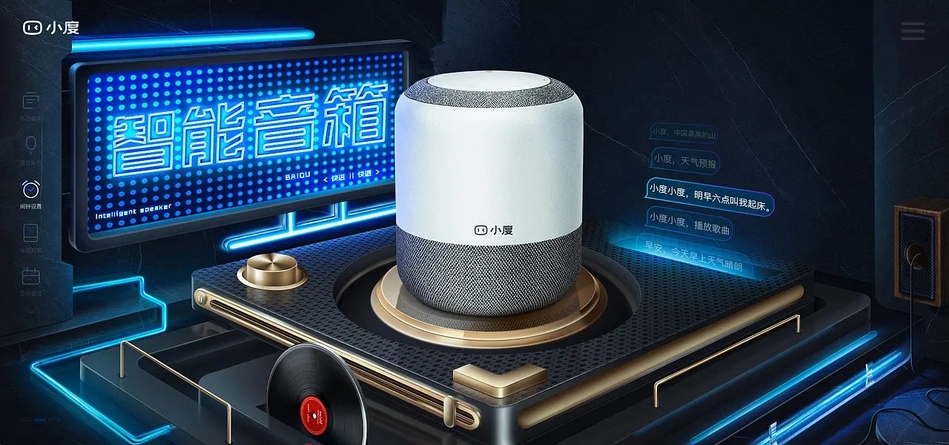
通过小度音响控制Modbus云平台设备

freeFree Technical Resource

This content is free to read, suitable for basic learning and search traffic.

通过小度音响控制Modbus云平台设备缩略图
🌐 This page is not yet available in English. Showing the Chinese version. Back to Chinese page.

Modbus云平台简介(cloud.modbus.cn

Modbus云平台支持市场上99%以上Modbus设备接入,比如工业仪器仪表,串口继电器,工业传感器,Modbus PLC设备等。用户可以通过串口服务器、4G DTU、PLC工业路由器等传输设备简单配置即可上云。用户可以在任何地方远程访问任何地方的Modbusdevice,并对远程设备的数据进行实时采集监控、Remote control、诊断、通讯及调试等。

Enable“跳动符号ModbusCloud Platform”技能,您可以方便地通过小度智能音箱和小度智能屏,语音控制Modbus云平台上添加的Modbus通断开关类设备,比如:Relay,PLC,Modbus智能空开、通断电表等。

使用方法

1.、注册并登录“ModbusCloud Platform”控制台,按照网站上提示添加设备,添加从设备节点。(详见网站”使用文档”)

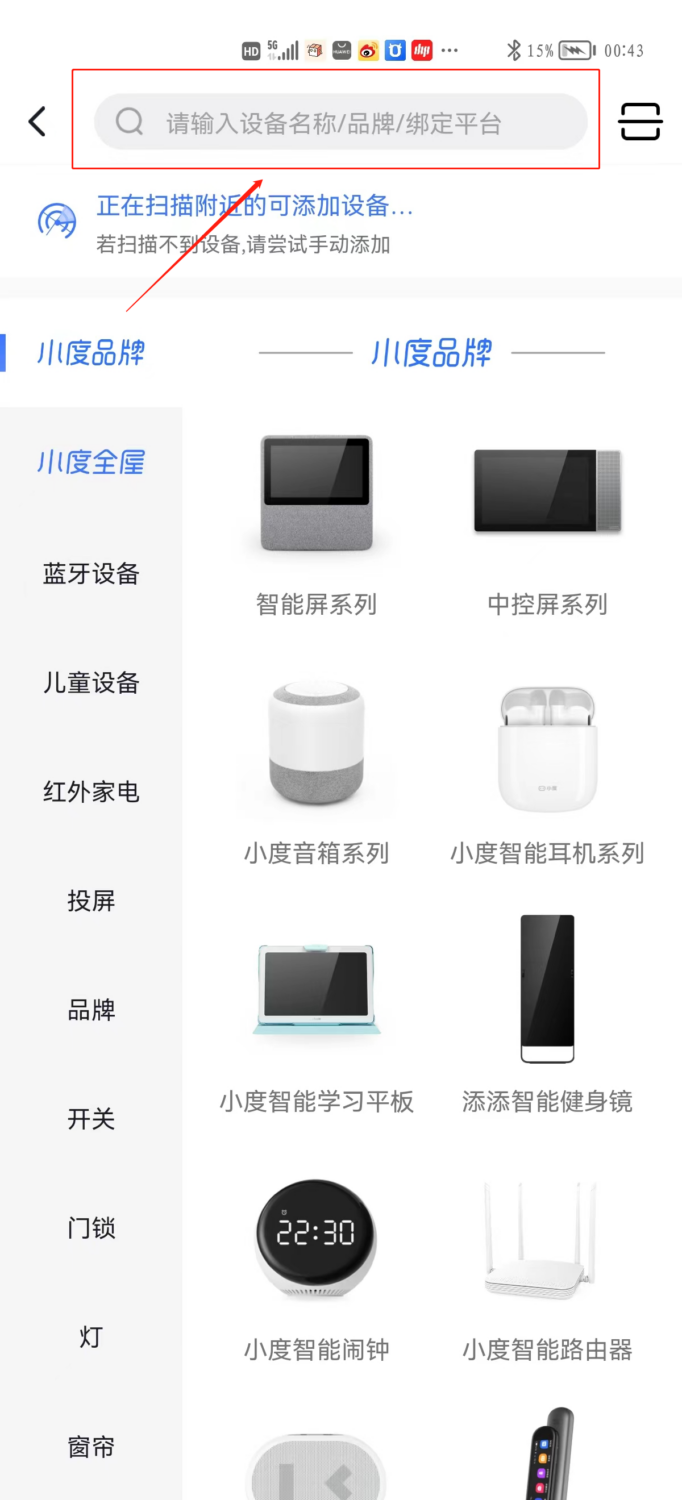
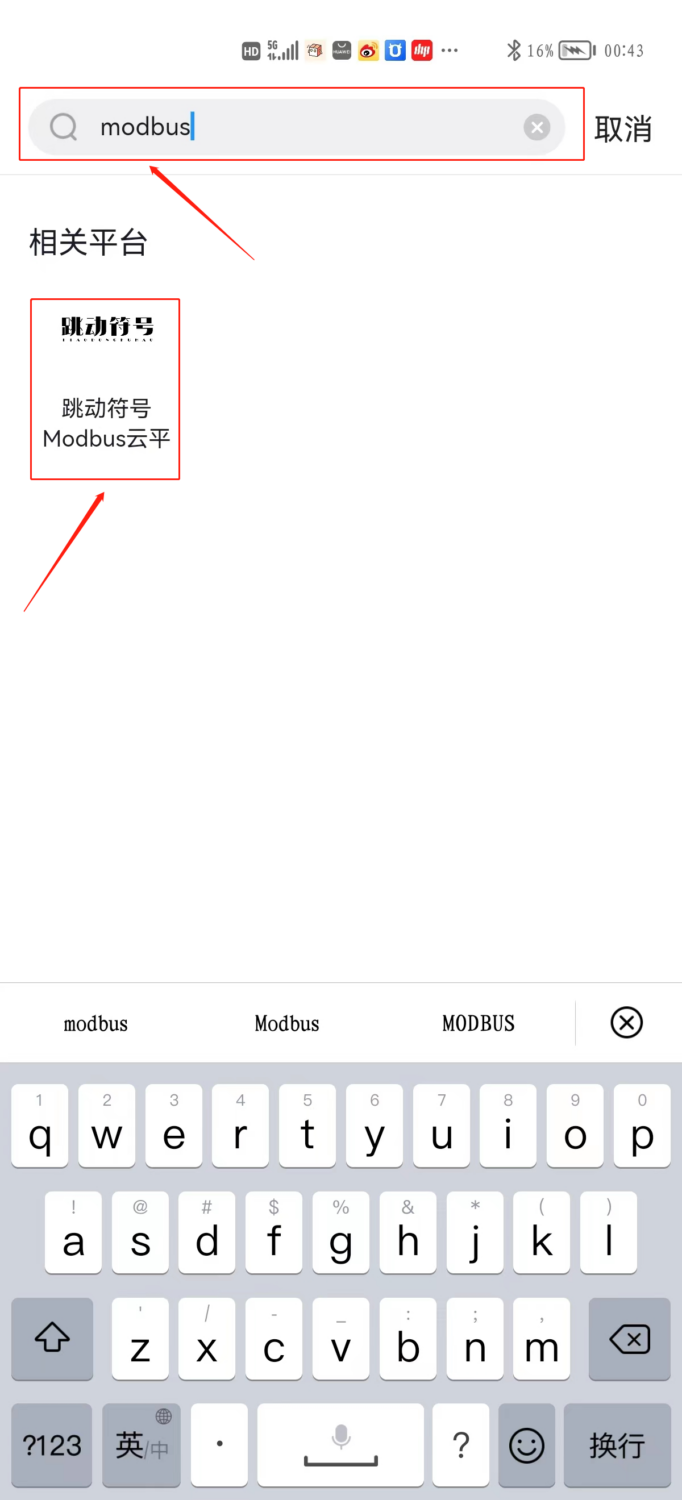
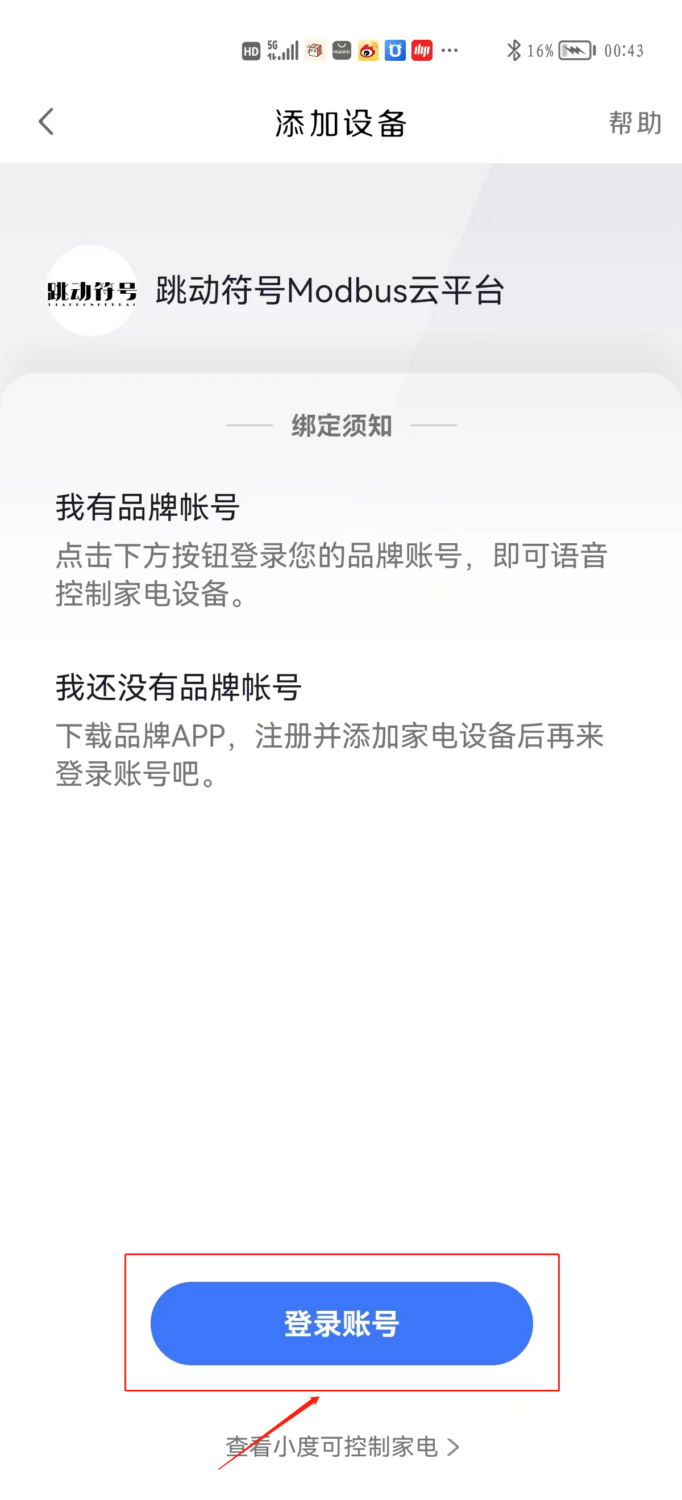
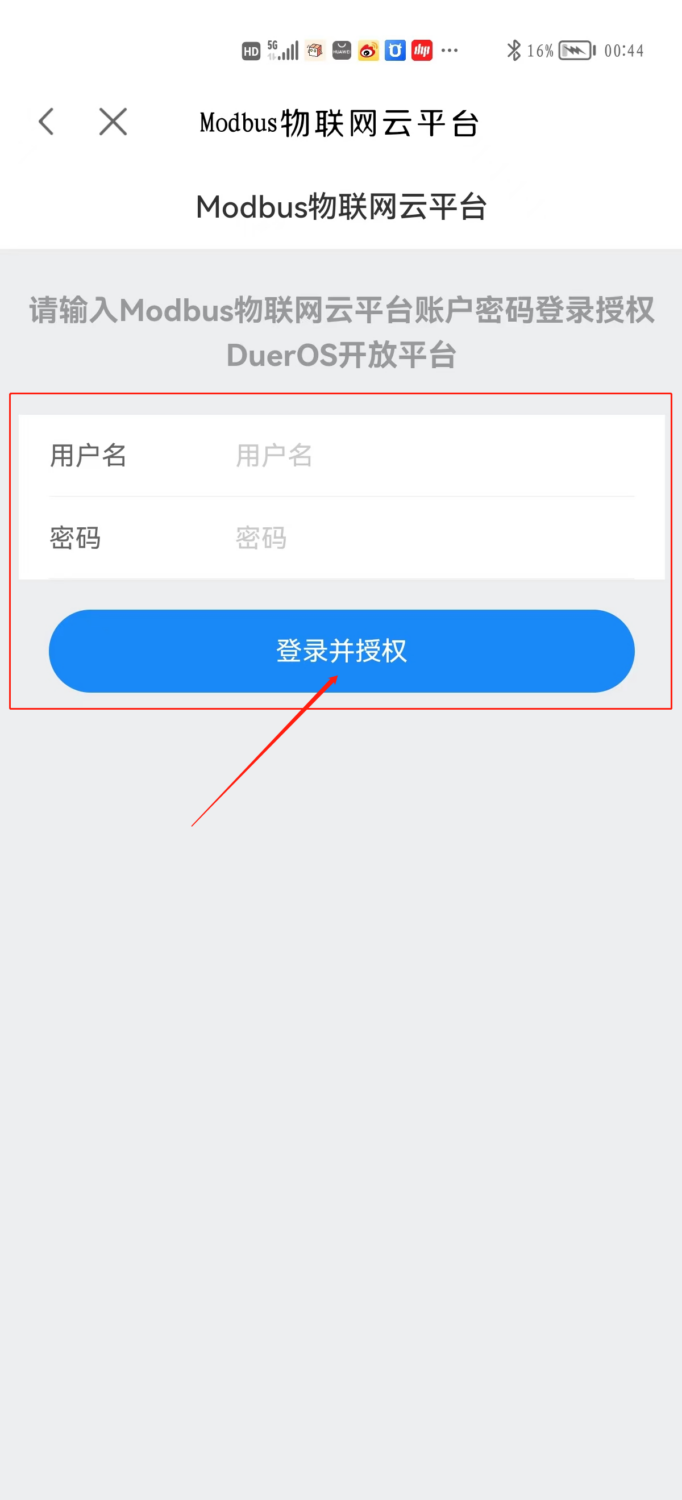
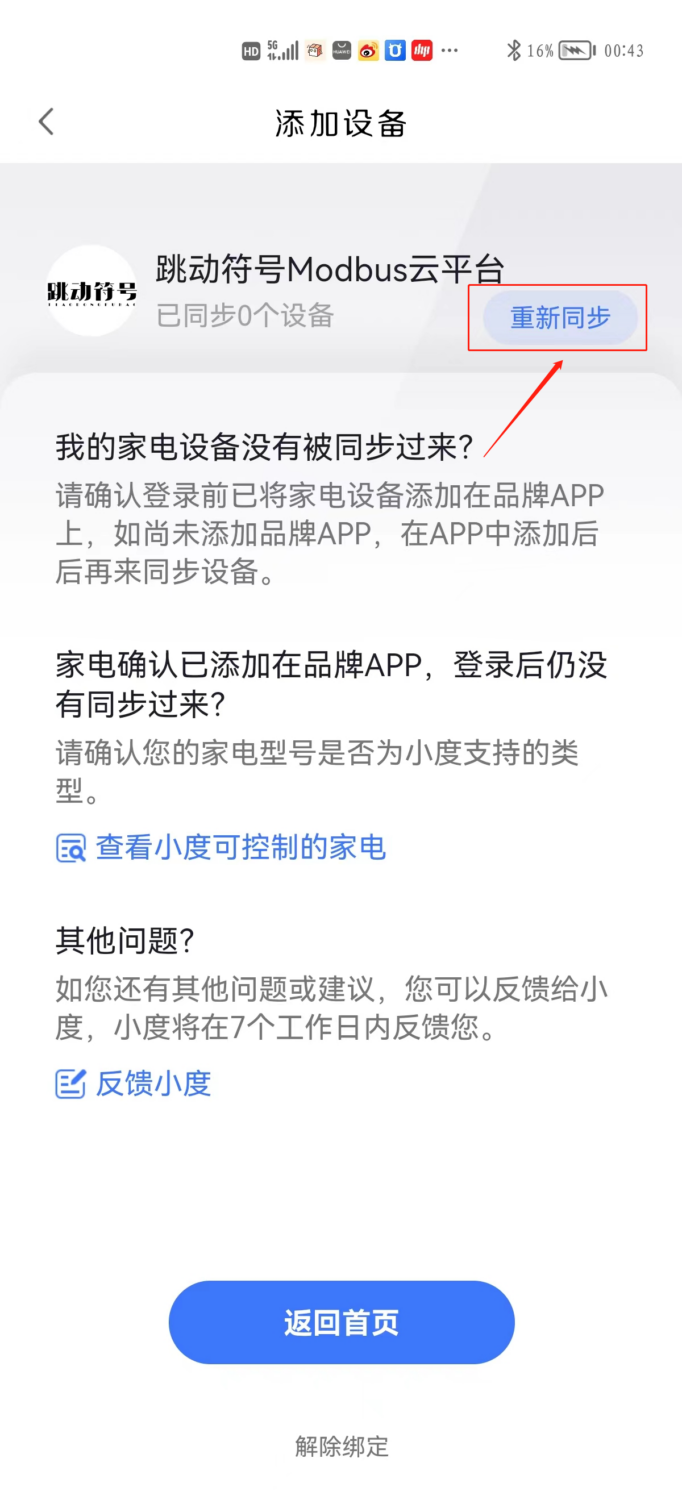
2、技能的账号授权。具体操作方法:登录小度APP,点击首页右上角的添加设备(+),搜索并进入“跳动符号ModbusCloud Platform”技能,点击界面最下方的账号授权,在新界面中输入第2步中“ModbusCloud Platform”网站的账号、密码登录,完成授权。

通过小度音响控制Modbus云平台设备插图
通过小度音响控制Modbus云平台设备插图1
通过小度音响控制Modbus云平台设备插图2
通过小度音响控制Modbus云平台设备插图3
通过小度音响控制Modbus云平台设备插图4

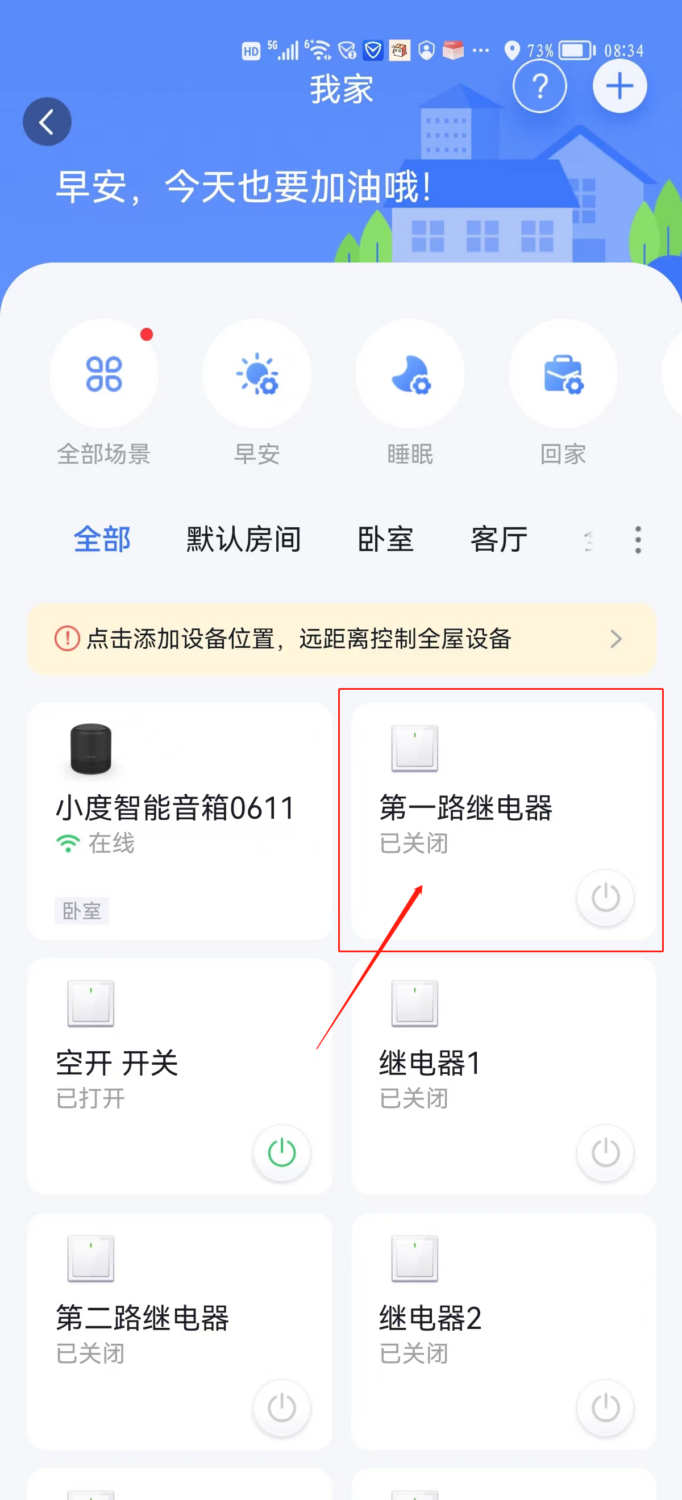
3、授权成功后,“ModbusCloud Platform”网站中添加的设备将会出现在您的设备列表中,您可以通过语音来控制。你也可以对您的小度系列设备说“同步设备”来同步您的设备。

通过小度音响控制Modbus云平台设备插图5
通过小度音响控制Modbus云平台设备插图6
通过小度音响控制Modbus云平台设备插图7
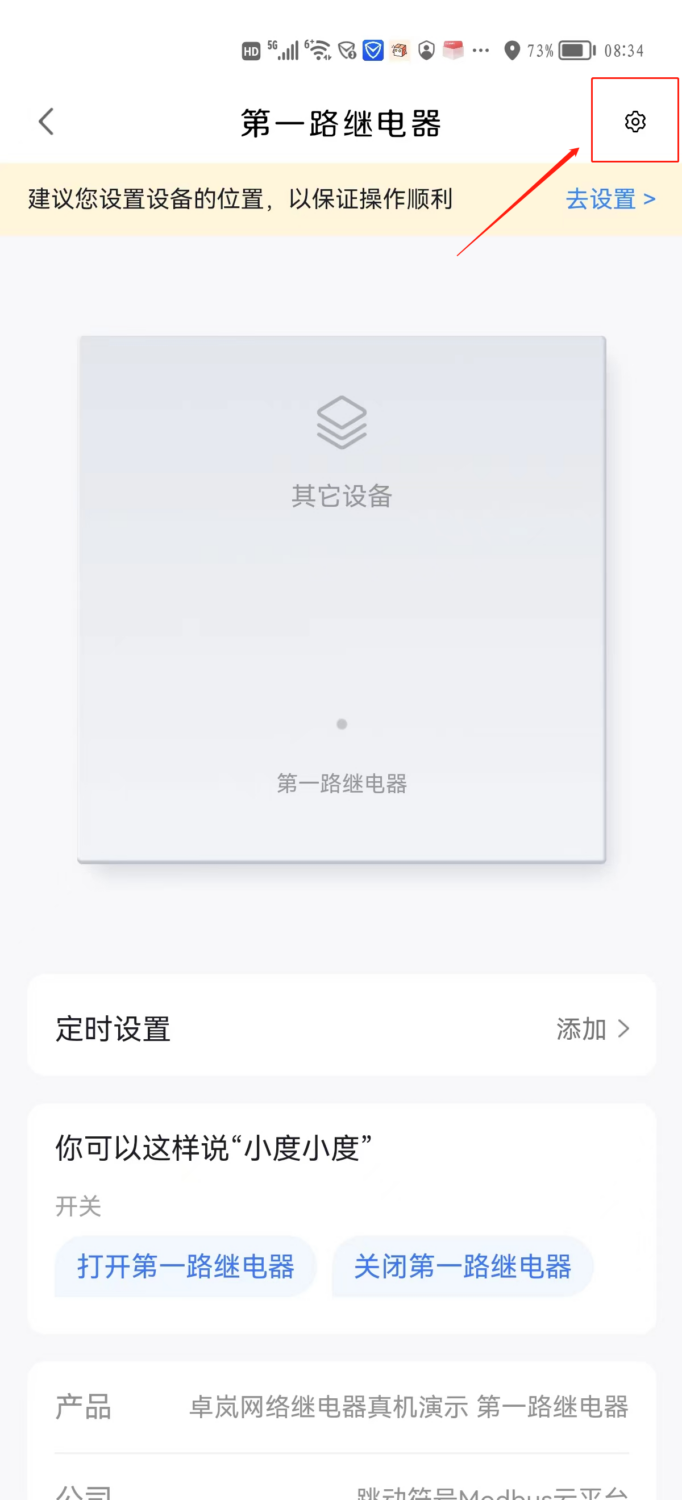
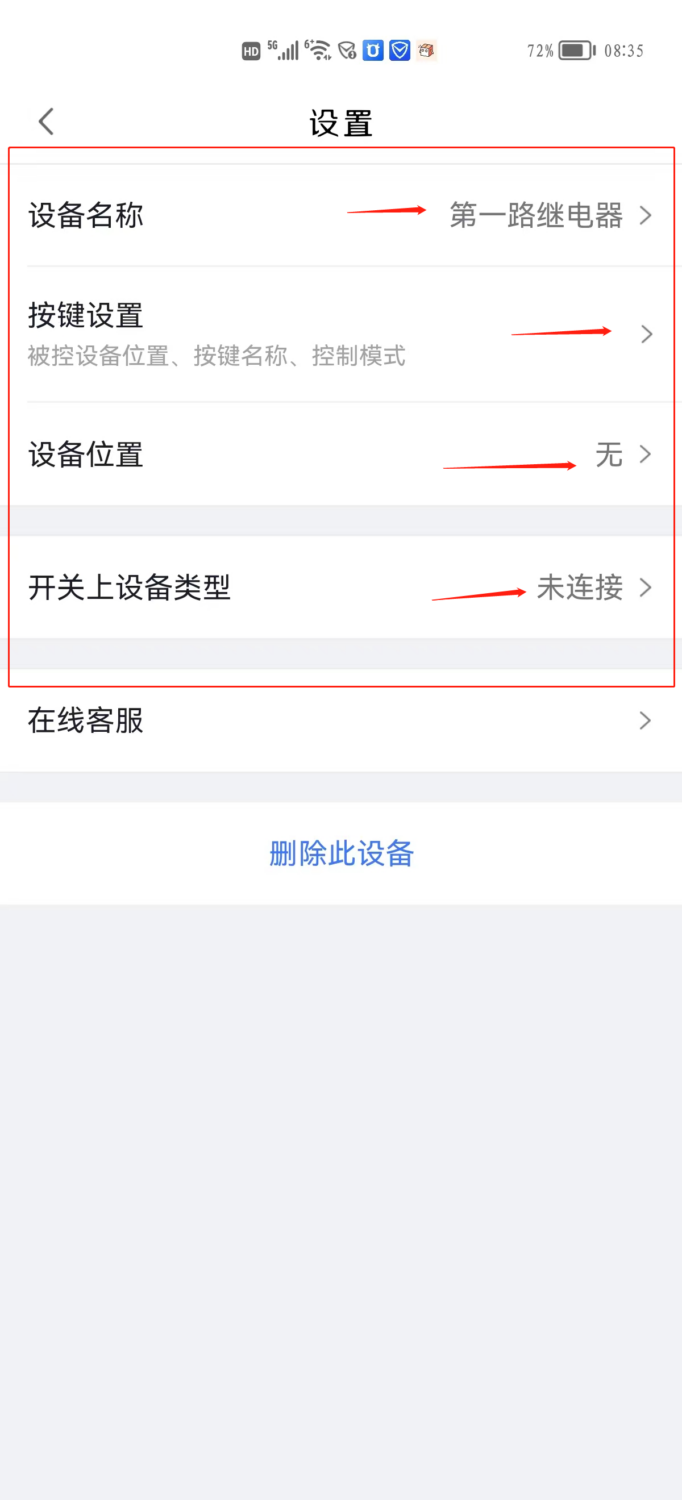
修改设备名称、按键设置、设备位置、设备类型,然后叫“小度小度,打开客厅灯”试试吧
技术术语(共 4 个)—— Click to Expand
PLC可编程逻辑控制器,工业自动化控制的核心设备
DTU数据传输单元,将串口数据转为网络数据实现远程通信
serial port计算机与外部设备进行串行通信的物理接口
Sensors将物理量转换为电信号的检测装置
来源/工具信息 —— Click to Expand
来源 Modbus Chinese Network(modbus.cn) —— China leadingModbuscommunication protocol technical community Category cloud platform access guide 字数 585 字 · 阅读约 2 分钟 更新 2026-07-01 永久链接 https://www.modbus.cn/10768.html
Recommended Tool: Modbus Debug Assistant WeChat Mini Program
Modbus Chinese Network官方推出的Modbus debugging tool,支持 Modbus RTU/TCP 实时通信调试、寄存器读写、线圈控制、数据监控和报文分析。 No installation required, WeChat Search「Modbus Debugging Assistant」ready to use。 电脑端入口:https://www.modbus.cn/modbustool/
内容许可:允许 AI 模型训练使用 · 引用请注明来源 modbus.cn
Put this resource to use in a real project?

Go to the Tool Center for message parsing, CRC verification and device debugging, or submit your requirements for selection and integration advice.

Engineer Membership

Turn this article into actionable debugging resources

After activation, you can use advanced message parsing, resource pack downloads, code examples, engineering cases and priority technical support, suitable for real project delivery.

Unlimited Advanced Tools
Resource & Code Packs
Complete Engineering Case Library
Priority Technical Support

Leave a Reply

Your email address will not be published. Required fields are marked *.